Operating Instructions
www.snopakebrands.com
9
IMPORTANT
Never attempt to laminate the following items:
• Leaves or other organic material – moisture will be boiled out, potentially ruining the lamination,
damaging the electronics in the machine and creating risk of electric shock.
• Wax crayon drawings – the wax will melt, destroying the drawing. Molten wax could be extruded into
the machine and cause extensive damage.
• Documents printed on thermal paper or Polaroid-type instant photos – the images will disappear.
• Any item that is creased or which has irregular thickness – it could cause a jam or damage the rollers.
• Artwork assembled with glue or incorporating glitter-glue. The glue will melt and run into the laminator.
• Any item that is not heat-resistant.
6
7
Before turning o the machine, press the Select button to put the machine in cold lamination mode. The “cold” light
will illuminate. Allow the laminator to run for 5 minutes before turning o the power. This will allow the rollers to
cool evenly.
CAUTION
If the laminator is not going to be used for a long time, unplug it from the power socket.
To save power, this machine will automatically switch off after 30 minutes. When this happens, all the LEDs will flash
and you will hear 3 beeps. To resume operation, use the on/off switch to turn off the machine for 3 secs and then turn
it on again.
8
5
The laminated item will be transported out of the laminator automatically.
CAUTION
• Do not try to pull the pouch out by force. This may result in creases or curves in the laminated item and may
damage the laminator.
• Remove the laminated item and lay it at.
• The laminated item will be hot. Please handle it with care.
TIPS
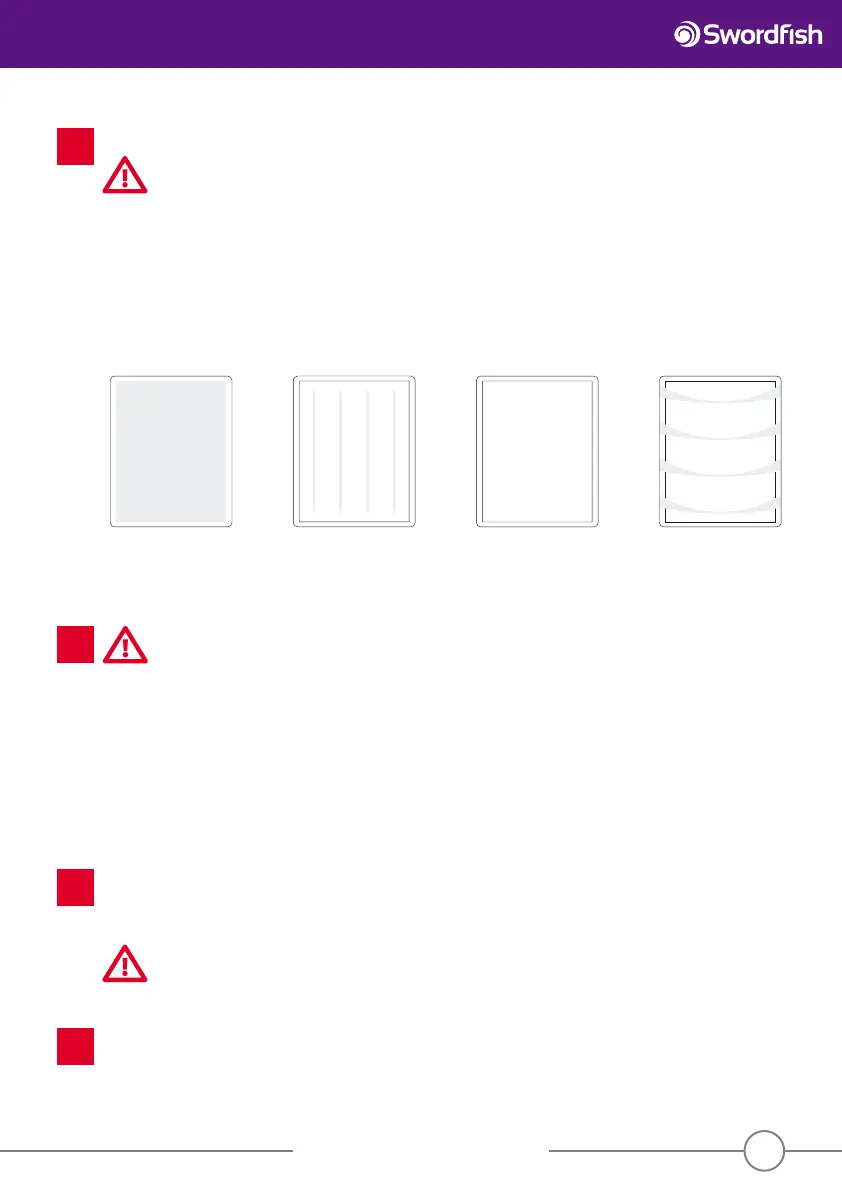
If the correct settings are not chosen, the following lamination results may appear. Adjust the setting and try again.
White spots
Insu cient heat.
Increase the
temperature a little.
Vertical spots
Insu cient heat.
Increase the
temperature a little.
Clear & smooth
Setting is correct.
Horizontal ripples
Too hot!
Risk of jamming!
Decrease the
temperature.


 To Next Page