15
E
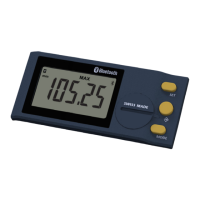
Connection :
1° Activate
Bluetooth
®
compatible software and hardware (Master : PC, Display Unit).
2° Start the instrument. By default the
Bluetooth
®
module is active and the instrument is available for connection (advertising
mode).
3° If no connnection is established during the advertisement period reactivate the
Bluetooth
®
module using the bt / On
menu.
4° Instrument is ready to communicate (connected mode.)
Only with paired prole :
Pairing with master is automatically done at rst connection.
To connect the instrument to a new master (new pairing), pairing information on the instrument must be cleared using the
bt/ rESEt menu.



 To Next Page
 Loading...