EasyManua.ls Logo

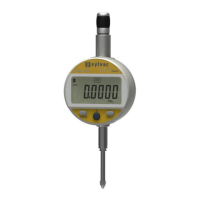
Sylvac S Dial WORK NANO Smart - User Manual

Default Icon
112 pages
Print Icon
To Next Page IconTo Next Page
Loading...
INSTRUCTIONS
MODE D’EMPLOI
BEDIENUNGSANLEITUNG
MANUALE D’USO
MODO DE EMPLEO
E
S
D
F
I
DIAL GAUGE
COMPARATEUR
MESSUHR
COMPARATORE
COMPARADOR
Question and Answer IconNeed help?

Do you have a question about the Sylvac S Dial WORK NANO Smart and is the answer not in the manual?

Sylvac S Dial WORK NANO Smart Specifications

General IconGeneral
Resolution0.0001 mm / 0.00001 inch
Repeatability0.0002 mm
Accuracy±0.003 mm / ±0.0001 inch
ProtectionIP67
DisplayLCD
Battery TypeCR2032
Protection RatingIP67
Measuring range12.5 mm
Data OutputBluetooth
Measurement Range12.5 mm
Operating Temperature0°C to 40°C
Storage Temperature-10°C to 60°C

Summary

Battery Installation and Replacement

Dial Gauge Component Overview

Component Identification and Description

Lists and describes all numbered parts of the dial gauge for user reference.

Instrument Operating Features

First Level Operation Modes

Second Level Operation Modes

MIN, MAX, and DELTA Measurement Modes

Setting Tolerance Limits

Using the TOL Mode for Limits

Step-by-step guide for setting tolerance limits using the TOL mode.

Entering Tolerance Limits via Buttons

Explains how to enter nominal values and tolerance limits using specific buttons.

Numeric Value Entry

Analog Display Scaling and Centering

Bluetooth Configuration and Connection

Establishing Bluetooth Connection

Steps to activate and connect the instrument via Bluetooth®.

Favourite Key Configuration and Use

Dynamic Measuring Mode Setup

Instrument Power Management

Instrument Customization and Connectivity

Main Command Reference

Technical Specifications Summary

Related product manuals