EasyManua.ls Logo

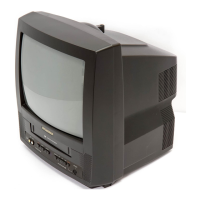
Sylvania 13 inch SRC2213W - User Manual

Sylvania 13 inch SRC2213W
32 pages
Print Icon
To Next Page IconTo Next Page
Loading...
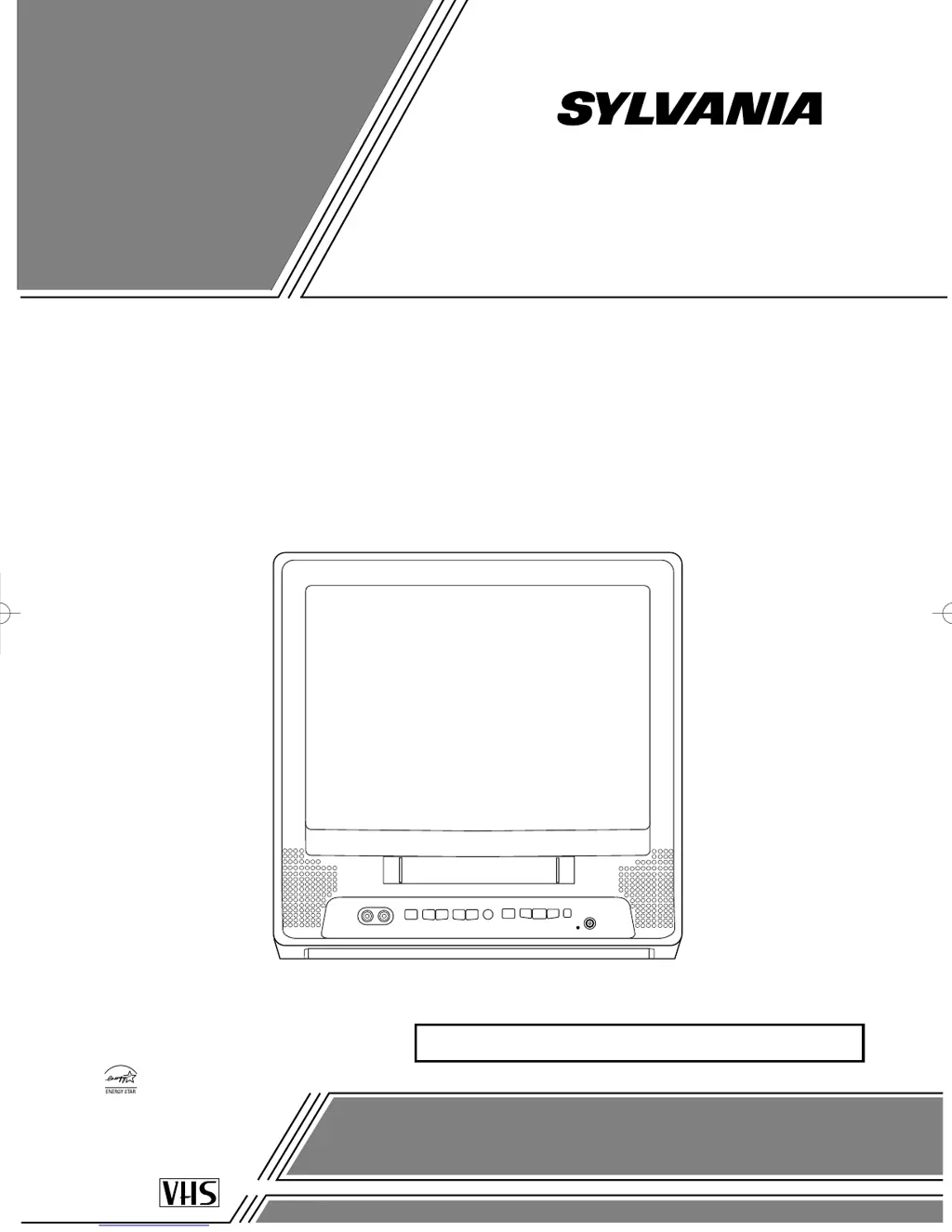
COLOR TV/VCR
SRC2213W (13 inch)
SRC2419 (19 inch)
OWNER’S
MANUAL
As an ENERGY STAR
Partner, our company has
determined that this product meets
the E
NERGY STAR guidelines for
energy efficiency. E
NERGY STAR
is a U.S. registered mark.
®
®
®
If you need additional assistance for set-up or operating
after reading owner’s manual, please call
TOLL FREE : 1-800-968-3429
Please read before using this equipment
INSTRUCCIONES EN ESPAÑOL INCLUIDAS.
This Owner’s Manual is made of
recycled paper.
13” MODEL ILLUSTRATED
T5505_7505UF(EN).QX33 04.4.12 10:01 AM Page 1

Questions and Answers

  • K
    kimberlydelgadoSep 9, 2025
    Why are captions delayed on my Sylvania 13 inch SRC2213W TV VCR Combo?
    • M
      Michael SanchezSep 9, 2025
      Captions that are delayed a few seconds behind the actual dialogue are common for live broadcast. Also, most captioning production companies can display a dialogue to a maximum of 220 words per minute, so selective editing is used if a dialogue exceeds that rate.
  • V
    valdezderekSep 12, 2025
    Why does video or color fade when copying a video tape on my Sylvania TV VCR Combo?
    • K
      Kathryn BlackwellSep 12, 2025
      If the video or color fades in and out when making a copy of a video tape on your Sylvania TV VCR Combo, it is likely because you cannot copy a copyrighted video tape due to copy guard protection.
  • C
    Christopher LutzSep 13, 2025
    Why are there misspelled captions on my Sylvania 13 inch SRC2213W?
    • R
      Roger HancockSep 13, 2025
      If your Sylvania TV VCR Combo is showing captions that are misspelled, you are likely watching a live broadcast, and spelling errors made by the closed captioning production company may pass through uncorrected. A prerecorded program will not show any misspelled words because of the normal time available for editing the captions.
  • P
    Patricia Franklin MDSep 15, 2025
    Why are captions missing from a closed captioned TV show on my Sylvania 13 inch SRC2213W TV VCR Combo?
    • B
      Brittany OnealSep 15, 2025
      Captions may be missing from a closed-captioned TV show on your Sylvania TV VCR Combo because broadcasters may at times use a time compression process to speed up the actual program so that additional advertising time can be given. Since the decoder cannot read the compressed information, captions will be lost.
  • M
    Madeline NicholsSep 16, 2025
    Why are there no captions on my prerecorded video tape using Sylvania 13 inch SRC2213W?
    • J
      Jessica Ryan DDSSep 17, 2025
      If your prerecorded video tape does not show any captions, even though the tape box mentions it being closed captioned, the video tape was either an illegal copy or the tape duplicating company accidentally left out the captioning signals during the copying process.

Summary

PRECAUTIONS

LOCATION

Guidance for proper installation placement.

ELECTRICAL SHOCK AND FIRE HAZARDS

Instructions to avoid electrical hazards and fire.

FEATURES

SUPPLIED ACCESSORIES

Details of included accessories and part numbers.

OPERATING CONTROLS AND FUNCTIONS

TV;VCR FRONT PANEL

Description of controls on the front of the TV/VCR unit.

REMOTE CONTROL

Identification and function of remote control buttons.

REAR VIEW

Description of rear panel connections and controls.

PREPARATION FOR USE

ANTENNA;CABLE CONNECTIONS

Diagrams and instructions for connecting antennas and cable systems.

VHF;UHF COMBINED ANTENNA

Instructions for connecting a combined VHF/UHF antenna.

VHF;UHF SEPARATE ANTENNAS

Guidance for using separate VHF and UHF antennas.

CABLE WITHOUT CONVERTER;DESCRAMBLER BOX

Connecting cable TV directly without a converter box.

CABLE WITH CONVERTER;DESCRAMBLER BOX OR SATELLITE BOX

Connecting cable TV with a converter or satellite box.

SET UP FOR USE

FRONT A;V INPUT

Connecting and using external audio/video sources.

INSTALLING THE BATTERIES

Instructions for inserting batteries into the remote control.

SELECTING THE LANGUAGE

How to choose the on-screen menu language.

CLOCK SET UP (AUTO; MANUAL)

Procedures for setting the TV/VCR clock.

AUTOMATIC CLOCK SETTING

Enabling and configuring automatic clock synchronization.

DAYLIGHT-SAVING TIME

How to set and cancel the daylight saving time feature.

CHANNEL SET UP

DELETING (OR ADDING) CHANNEL

How to add or remove channels from memory.

TV OPERATION

WATCHING A TV PROGRAM

Steps for tuning and viewing TV channels.

GAME MODE

Activating and deactivating game mode for enhanced visuals.

DEGAUSSING

Procedure to correct color issues caused by magnetism.

PICTURE CONTROL

Adjusting brightness, contrast, color, tint, and sharpness.

CLOSED CAPTION SYSTEM

V-CHIP SET UP

Setting up parental controls and blocking TV programs.

V-CHIP SET UP SUB RATINGS

Selecting sub-rating categories for parental controls.

CHANGING V-CHIP BLOCKED PROGRAMMING

Instructions for modifying V-Chip blocking settings.

MPAA RATING SET UP

Setting up parental guidance ratings based on MPAA.

CHANGE ACCESS CODE

Procedure to change the V-Chip access code.

FM MODE (13” MODEL ONLY)

PLAYBACK

INSERTING A CASSETTE

How to insert a video cassette into the TV/VCR.

PLAYBACK PRECAUTIONS

Important precautions for playing video tapes.

NORMAL PLAYBACK

Basic steps for playing a prerecorded video tape.

AUTO REPEAT PLAYBACK

Setting the tape to play repeatedly automatically.

SEARCH

Features for finding specific scenes on a tape.

ZERO RETURN

Function to quickly return to tape start points.

TIME SEARCH

Advancing tape to a desired position by time.

INDEX SEARCH

Locating recorded programs using index signals.

SLOW MOTION

Playing back tapes at a reduced speed.

RENTAL PLAYBACK

Improving playback quality for worn or rented tapes.

VERTICAL HOLD CONTROL

Stabilizing vertically vibrating pictures during pause.

STILL PICTURE

Freezing a video frame during playback.

RECORDING

ERASE PREVENTION

How to prevent accidental erasure of recorded tapes.

NORMAL RECORDING

Basic steps for manual video recording.

OTR (One Touch Recording)

Instant recording by pressing a single button.

TIMER RECORDING

TIMER PROGRAM EXTENSION

Shifting automatic timer recording start/end times.

HINTS FOR AUTOMATIC TIMER RECORDING

Tips for successful automatic timer recordings.

AUTO RETURN

Automatically rewinding tape to the beginning after recording.

WAKE UP TIMER

SLEEP TIMER

COPYING A VIDEO TAPE

ON SCREEN DISPLAY

SPECIAL FEATURES

REAL TIME TAPE COUNTER

Displays elapsed recording/playback time.

AUTO REWIND-EJECT

Automatic tape rewind and eject function.

MAINTENANCE

CABINET CLEANING

Instructions for cleaning the TV/VCR exterior.

AUTO HEAD CLEANING

Automatic cleaning of video heads.

SERVICING

Guidance on when and how to get the unit serviced.

TROUBLESHOOTING GUIDE

GENERAL SPECIFICATIONS

ELECTRICAL SPECIFICATIONS

Details on voltage, audio levels, and signal-to-noise ratios.

OTHER SPECIFICATIONS

Details on power, dimensions, and weight for different models.

CABLE CHANNEL DESIGNATIONS

LIMITED 90 DAY WARRANTY FOR 13 INCH MODEL

FULL 90 DAY WARRANTY FOR 19 INCH MODEL

Sylvania 13 inch SRC2213W Specifications

General IconGeneral
Screen Size13 inch
TypeTV VCR Combo
Aspect Ratio4:3
TunerNTSC
Display TypeCRT
InputsRF, Composite

Related product manuals