PREPARATION FOR USE
[-']:ll:[_lil_ [_ r;lIl m][oYAvlIm]:[o] II_l'.lIj d
[o_o]_l_l:(_i[o] _g_
Cables used hePe are available on tbe market.
[ANTENNA CONNECTmON] [CATV/SATELUTE CONNECTmON]
RF Cable r R
_:L_ ....
}
it t_ ill VHF/UHF
lead cane Combiner
(ATV Box *
or Satellite Box
OUT IN
_L_ From Cable:2L2System
or Satellite
| 75-ohm Antellna
• (kmxial Cable
(-)R From Cable
/../Xjx, r_N]System
RF Cable
*Some cable TV systems use scrambled signals and
reqEuire a special converter to receive tbese channels.
Consult yoEurlocal cable company.
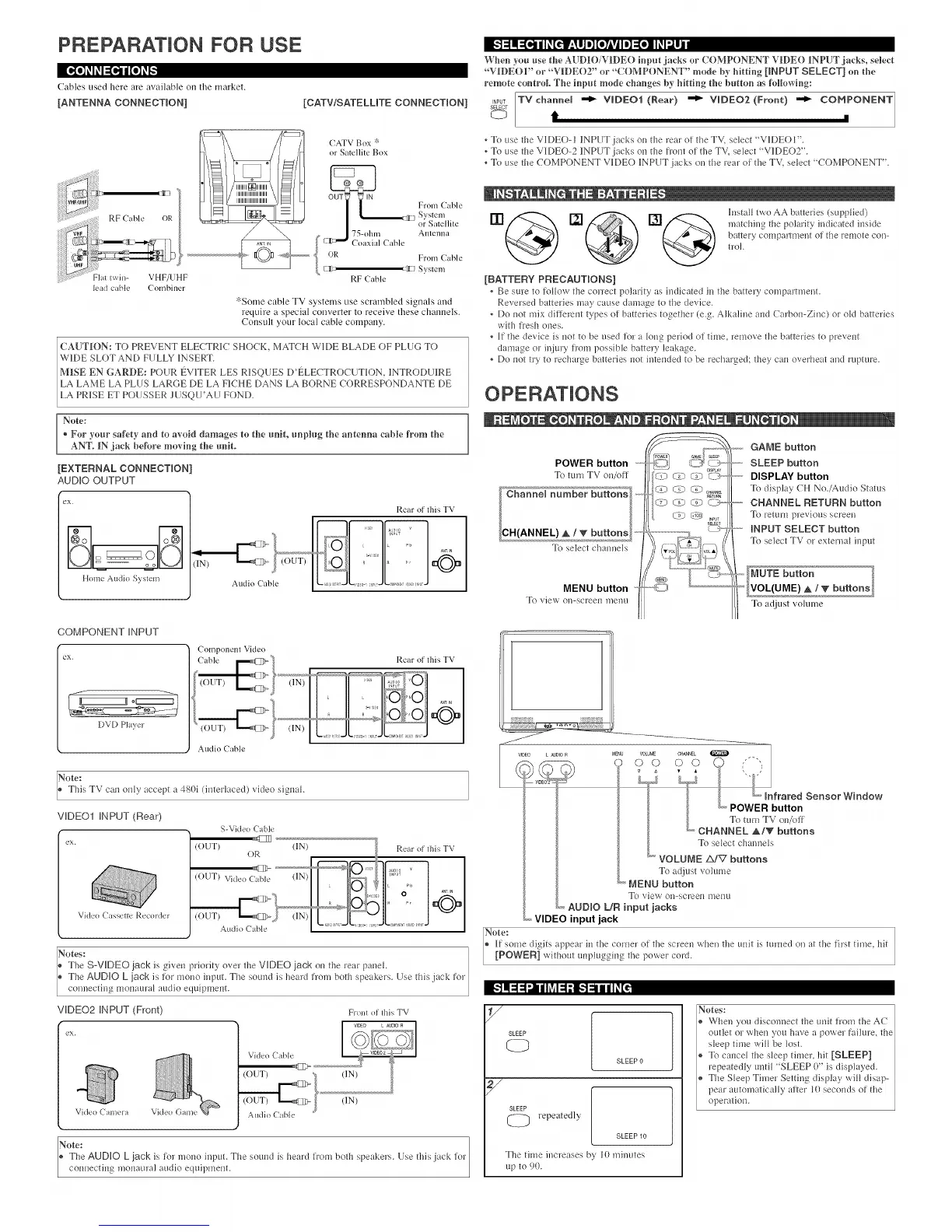
When you use the AUDIO/VIDEO inpm jacks or COMPONENT VIDE() INPUT jacks, select
"VIDEOf or "VIDEO2" or "COMPONENT" mode by hitting [INPUT SELECT] on the
remote control The iopot mode changes hy hitting the Imttoo as following:
_,PUT TVnhaooel _ "€roDEO1 (Rear) _ VIDEO2 (Froot) _ COMPONENT
SELECT
t m
To use the V1DEO- l 1NPUT iacks ou the PeEr ot the TV, select "VK)EO l".
Jb use the V]IDEO-2 INPUT iacks ou tile fiont of file TV, select "V]IDEO2".
, To use the COMPONENT V]IDEO INPUT jacks on the reap of the TV, select "COMPONENT".
m@o@
o@
lusta_ two AA batteries (supplied)
matching the polarity il_dicated inside
battery compamneut of the remote con-
tPOI.
[BATTERY PRECAUTmONSI
Be sure to ti.4_ow tile correct polarity as iudicated iu the battePy compartmenL
Reversed batteries ma5 cause damage to the device.
, Do uot mix dittePeut types ot batterie', togetbeP (e.g. Alkaline aud C lrbou-Zinc) m' old batteries
with fresh cues.
• If the device is uot to be used for a _oug period of time, remove tile batteries to preveut
daulage or injury fl'oul possible battery leakage.
• Do uot try to Pecharge batteries not inteuded to be _echarged; they cau overheat md rapture.
Note:
+ For your safety and to avoid damages to the _mit, _mph_g the antenna cahle from the
ANT_ IN jack hetkwe moving the _mit.
[EXTERNAL CONNECTmON]
AUDIO OUTPUT
eX.
Home Audio System
iqT Tf7
Audio (able
Rear of this TV
COMPONENT iNPUT
DVD Plaxer
Component Video
Audio Cable
Rear of this TV
Note:
This TV cau ouly accept a 4g0i (interlaced) video sigu d.
VIDEO1 INPUT (Rear)
Video CasseHe Recorder
r
i
i ex.
S-Video (able
(OUT)
OR
(IN)
Rear oi this TV
ores:
The SoVIDEO jack is giveu priority over the VIDEO jack ou the l'e_r pauek
Tile AUDIO L jack is tor mouo iupuL Tile sound is helrd frmn both speakers. Use tiffs jack fop
connecth_g mouauPa_ audio equipmeut.
VIDEO2 IN PUT (Front) From ol Ibis TV
[,."t1:1:1Ill i hV_1:1;1[,."1_11i1_[_
eX.
Video Camera Video Game
Audio (able
Note: tor
* The AUDIO L jack is tot nmuo input. The souud is belrd trom both spe d<ePs. Use this iack
couuecting mouauPal audio equilm'leut.
POWER button
_b turu TV ou/ott
To select chau]/eJs
MENU button
To viea ol/-scPeeu n/enu
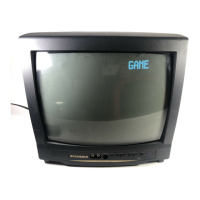
GAME button
SLEEP button
DISPLAY button
Jb display (H No./Audio Status
CHANNEL RETURN button
_) return pPevio/ls scPeeu
_------INPUT SELECT button
Jb select TV or extermd input
_" buttons
To ac[jEustvolume
iiiiiiiiiiiiii[iii[i iJiiiiiiiiiiiiiUiiiiiii
J
V_DEO L AU010 R
MENU VOLUME
oo U%
L J1 L,,v._
trared Sensor Window
L, POWER button
To mru TV ou/ott
L CHANNEL _1_ buttons
To select channels
VOLUME zX/V buttons
To adjust volume
_ MENU button
_} view ou=scPeeu uleuu
_,_AUDIO L/R input jacks
,,,VIDEO input jack
Note:
® [f some digits appear iu the coPueP ot the scPeeu when the uuit is tuPued on at the first time, bit
/ [POWEN] without uupluggiug tile lmaer coPd.
SLEEP
SLEEP 0
SLEEP
Pepeatedly
SLEEP10
The time increases by 10 miuutes
up to 90.
Notes:
When you discouuect tile uuit from the AC
outlet or wbeu you have l power faihlPe, the
sleep time wi_ be _ost.
To cauce_ the s_eep tilneP, hit [SLEEP]
_epeatedly unti_ "SLEEP 0" is displayed.
The S_eep Timer Setting display wi_ disap-
pear automatically atteP _0 seconds of tile
operatiou.



 To Next Page