OPERATIONS (Continued)
[_.,W4=11LVltelm]=1
[AUTO PRESET CHANNELS]
As the initial setting, this TV has memorized
aH channels, illchldhl_ the olles ilot available
in your area. This feature automatbaHy puts
oifly available ehalmels into tile memory.
_ Sebct "CHANNEL SET"
[ PICTURE
• CHANNEL SET
i [ENG] / ESP / FRA
V-CHIP SET UP
CAPTION [OFF]
TV SOUND [MAIN]
I
_ Select "AUTO PRESET (H"
ADD/DELETE ]
• AUTO PRESET CH
I
The tuner scans amt memorizes all
available chalmels in your area.
//Whell tile scalmmg is completed, the
lowest memorized chanl/el appears on
tile TV screen.
Notes:
The TV disthlguishes between standard TV
chaDne_s and cable (CATV) chrome,s.
The TV may recoglJze TV chalme_s as
CATV channels if reception conditio_ is
poor. lit this happens, check tile antelma
com_ections and try steps 2 to 3 again when
reception conditions ire bettel:
If there is DOTV sig-
ns! hqxlt, "NO TV
SIGNALS" will NO TV SIGNALS
appear on the display
al_er tile completion of
channel scanning.
[ADDING/DELETING CHANNELS]
You can add or debte ehmmeLs manually.
_ Select "CHANNEL SET"
®
PICTURE
• CHANNEL SET
[ENG] / ESP / FRAV-CHIP SET UP
CAPTION [OFF]
TV SOUND [MAIN]
!
@
2_ Select "ADD/DELETE"
• ADD/DELETE
AUTO PRESET CH
Select tile channel you wish
<]3
Add or delete the channel
ADD/DELETE
Add: Hght bh/e
Debte: light rml
Note: autmnatical_y after
® The mellu \_,'iHdis q)pe_r
about _]i}secon( s.
SOUND"
C>
PICTURE
CHANNEL SET
[ENG1/ ESP / FRA
V-CHIP SET UP
CAPTION [OFFI
I_ TV SOUND [MAIN I
, Sebct tile desired sound
mode.
[MAIN] _-_ [MONO] _ [SAP]
To exit tile mem_
®
C>
Menlt
SeIedhlll
13pe of Mk_N MONO sin-
Regu[al None None None
S_emo
bloadca _ S'l'l R_ O MONO STFREO
SAP MAIN MAIN SAP
*Second Audio Program [SAP) :
Your program cal_ also be received in a sec-
ond language or sometimes a radio station.
Note:
® It you sebct [SAPI when second audio is
not lV li]able, the TV will receive norma_
aud o.
_//Select "P]ICTURE"
[• PICTURE
CHANNEL SET
[ENG] / ESP / FRA
V-CHIP SET UP
CAPTION [OFF]
TV SOUND MA N
7 Select an item to adjust
<g3
SHARPNESS] _ [TINT] _ [COLOR]
{_- Adjust tile setting
•.. -I-
BRIGHT [+]
GAME MODE
Set to the mosts/dtable positkm tor Video games.
[-] : OFF [+1: ON
BRIGHT
Ad,iust until tile darkest pm*s of the picture are
as bright as yon prefer.
[-] : decrease brightness
[+] : increase brighmess
CONTRAST
A@tst to h,crease or decre lse contrast.
[-] : decrease contrast
[+1 : increase contrast
COLOR
Ac0ust to be briHial*tor pab coMr.
[-1 : be pale color [+] : be brilliant color
TiNT
Adjust to obtain natural skid tones.
[-] : add red [+] : add greed
SHARPNESS
Ac[iust to detail in the picture.
[-1 : make soR [+] : make dear
Notes:
The display will disappear automatically at]ier
I0 seconds unless you press any buttons.
Magnetism t]i'omnearby appHmices add
speakers might at?oct the coMr of tile TV
picture. ]if this happens, hit [POWER] to
turn off the TV add turn it on again alter
about 3{)mim]tes.
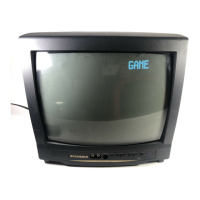
This %ature is helpful fl_>rplaying video
games. By halting [GANE], you can set Game
mode (suitabb picture setting R)r games) lnd
TV selects automatically fl'ont A/V input.
To use video
Kames
GAME
O
GAME 1
Picture: GAME
hqmt: Front (V]iDEO2)
Jz)e.*gcelGamemodeol,b,
[-1 GAME MODE [+]
/ Select ''PICTURE''
Picture: Customized
_lnput: Front (VIDEO2)
//Jb watch another inlm[ (TV or Relr
[II])ut)_ VIDEO1 l
repeatedly
Notes:
* If you hit [GANE] when tile TV is off, the TV turns on md will be in Game mode md external
input mode aotom lticall}.
/® If you adjust al_other picture control while in Game mode, this mode will atttomaticalb' be canceled. I
You may view specially klbeled (cc) TV pro-
grams, movies, i)ews add prerecm'ded tapes,
etc. with either a dialogue caption or text dis-
play added to tile program.
_ Select "CAPT]ION"
@ [ PICTURE
@ CHANNEL SET
[ENG] / ESP / FRA
V-CHIP SET UP
[ I_ CAPTION [OFF]
TV SOUND [MAIN]
<g3
Select tile desired c lption mode
[OFF] _-_ [Ci] _ [C2]
[T21 { _ [TI]
To exit the menu
CD
CAPTION MODE (C1, C2)]
CAPTION I (C!)
displays standard closed c lptions (what a
character is saying).
® CAPT]iON2 (C2)
displays %reign _aDguage closed captions
(%reign _angHage words showing what a
character is saying).
® There are three ways of displaying accord-
ing to programs:
Paint-on mode: Displays input characters
on tile screen* hmnediate_y.
Pop-on mode : Once characters are stored
in memory, they are dis-
played aH at once.
Rolh_p mode : Displays tile characters con-
tinuous_y by scrolling
(T'i]ax. 4 lines).
[TEXT NODE (T1,T2)]
TEXTI (TI]i and
TEXT2 (T2) dispkty
ha_t-screen text by
scrolling (such as a
chmmel guide, schedule
or ammuncement]i.
Notes:
If closed captioDing is _mt broadcast, you
cannot receive it and nothing is db, played.
When your TV receives a special eft)ors
playback siglm_ (i.e., Seamh, Slow add Still)
h'om a VCR's video output chalme! (CH3 or
CH4), the TV may not display the correct
caption or text.
Captions add texts may not match tile TV
voice exactly.
interference may cause the closed c lption
system not to function properly.
The caption or text characters will not be
displayed while the meDu display or ftmc-
tions display is showm
If a black box appears on tile screen, this
means that the TV is set to TEXT mode. Jb
dear screen, select CAPT]iON [C1], [C21 or
[OFF1.
OPTIONAL SETTINGS
,i
iiiiiii_i....
I S_ENGI
PICTURE
CHANNEL SET
• [ENG] / ESP / FRA
V-CHIP SET UP
CAPTION [OFF]
TV SOUND [MAIN]
//Sebct the desired langu ige
@@
;/7bexi[tilemelm
®
CD



 To Next Page
 Loading...