–
41
–
EN
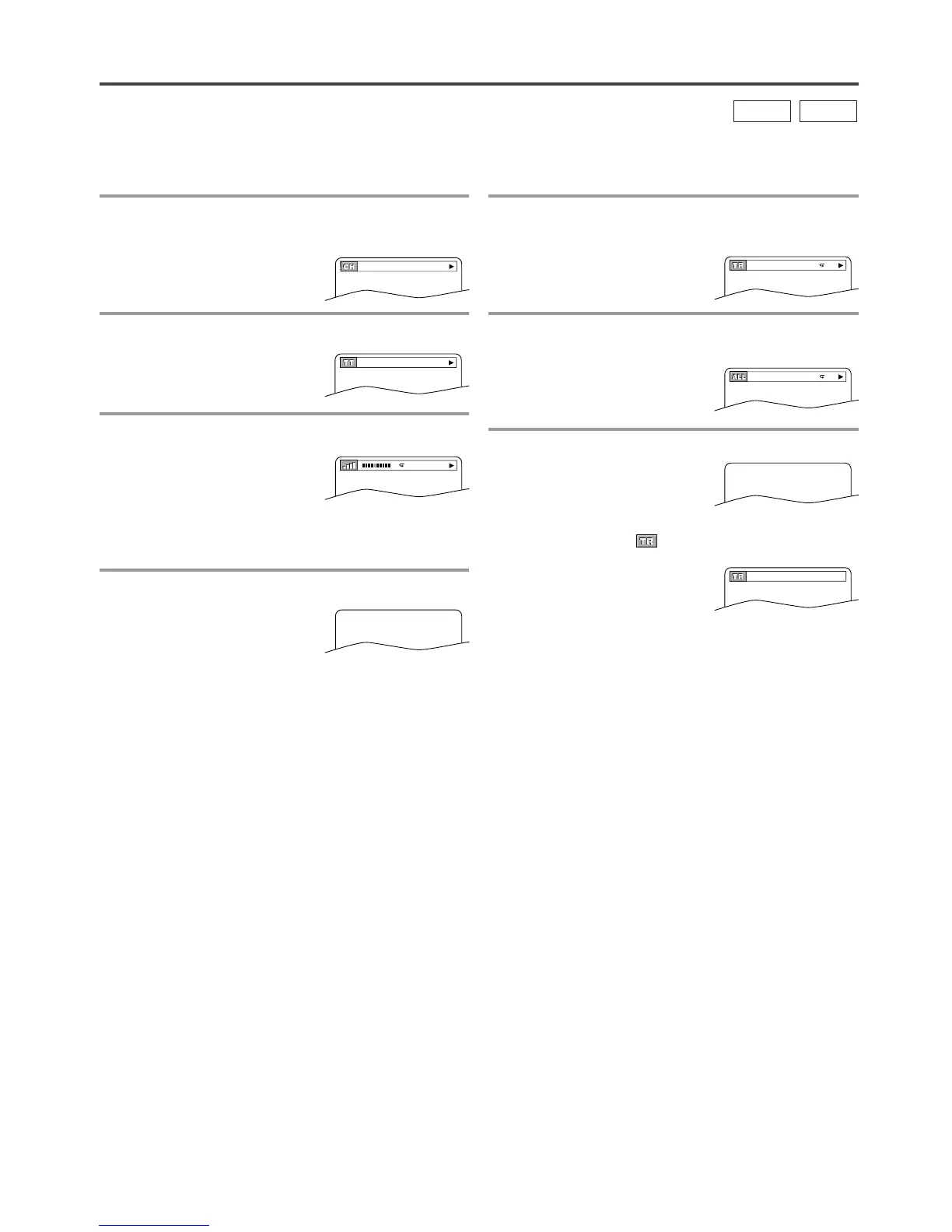
For DVD-Vs
1 Press [DISPLAY] during playback to show
current Chapter.
¡The elapsed and remaining
playing time of the current
chapter will be displayed.
2
Press [DISPLAY] again to show current Title.
¡The elapsed and remaining
playing time of the current
title will be displayed.
3 Press [DISPLAY] again.
¡The bit rate and the current
repeat setting will be dis-
played.
¡If you are playing a dual layered disc, the layer
number will also be displayed.
(L0: Layer 0 is playing. L1: Layer 1 is playing)
4 Press [DISPLAY] again to exit.
THE ON-SCREEN INFORMATION
For Audio CDs
1 Press [DISPLAY] during playback to show
the current Track.
¡The elapsed and remaining
playing time of the current
track will be displayed.
2 Press [DISPLAY] again to show current Total
Track.
¡The elapsed and remaining
playing time of the total track
will be displayed.
3 Press [DISPLAY] again to exit.
NOTE:
¡When you are playing a disc in PROGRAM or
RANDOM mode, “ PROGRAM” (or RANDOM)
will be displayed at step 2.
You can check the information about the current disc by pressing [DISPLAY].
CD
DVD-V


 To Next Page