i<,i i *_=_]i ,i
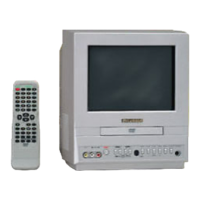
[] Remote Control Function
1
2
3
4
5
6
7
8
9
10
11
12
13
14
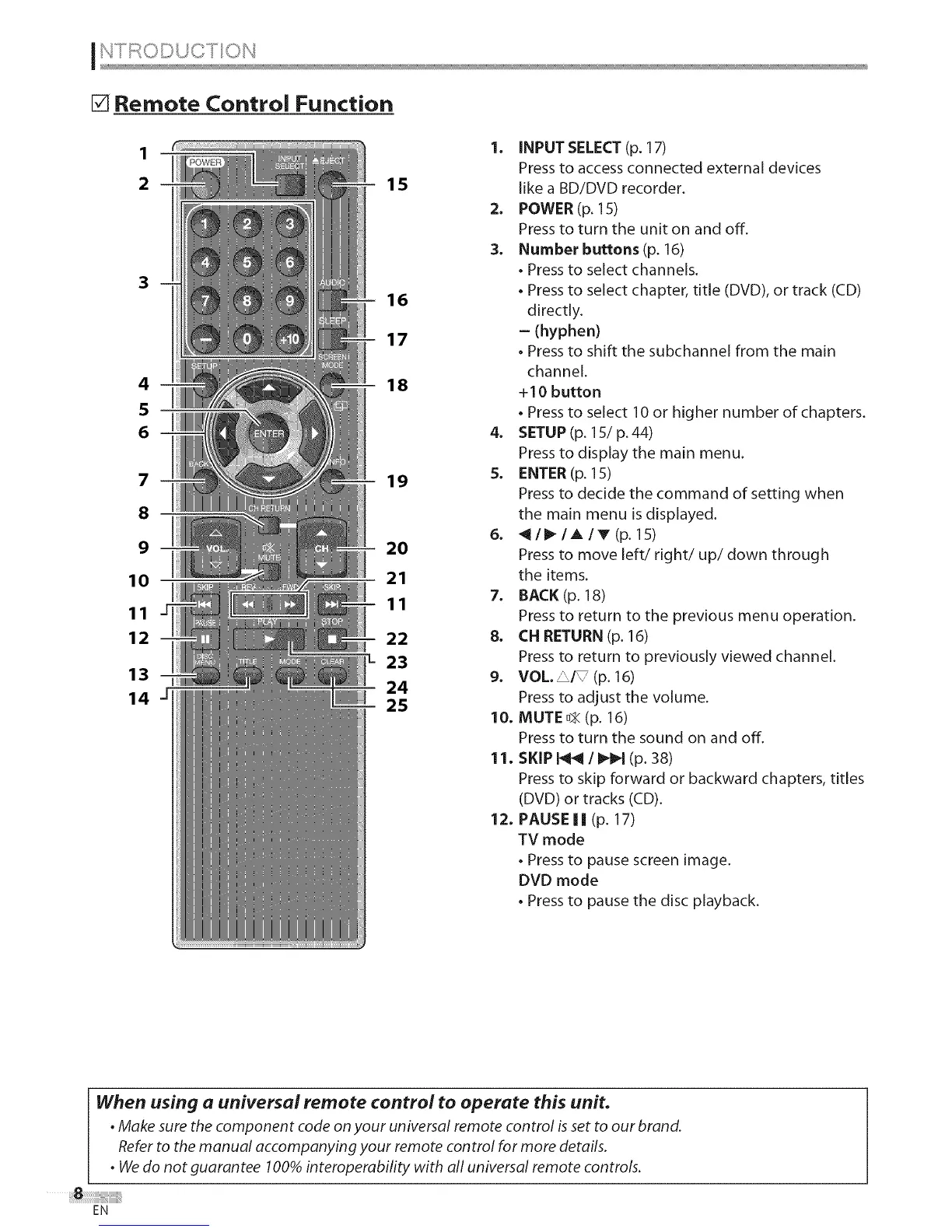
1. INPUT SELECT (p. 17)
Press to access connected external devices
15 like a BD/DVD recorder.
2. POWER (p. 15)
Press to turn the unit on and off.
3. Number buttons (p. 16)
• Press to select channels.
• Press to select chapter, title (DVD), or track (CD)
16
directly.
1 7 - (hyphen)
• Press to shift the subchannel from the main
channel.
1 8 +10 button
• Press to select 10 or higher number of chapters.
4. SETUP (p. 15/p. 44)
Press to display the main menu.
19 S, ENTER (p. 15)
Press to decide the command of setting when
the main menu isdisplayed.
6, _II_IAIT(p. 15)
20 Press to move left/right/up/down through
21 the items.
7, BACK (p. 18)
11
Press to return to the previous menu operation.
22 8, CN RETURN (p. 16)
L 23 Press to return to previously viewed channel.
9, VOL jAI_ (p. 16)
24
Press to adjust the volume.
25
10, MUTE =_<(p. 16)
Press to turn the sound on and off.
11. SKIP_/_ (p. 38)
Press to skip forward or backward chapters, titles
(DVD) or tracks (CD).
12. PAUSE | I (p. 17)
TV mode
• Press to pause screen image.
DVD mode
• Press to pause the disc playback.
When using a universal remote control to operate this unit.
. Make sure the component code on your universal remote control is set to our brand.
Refer to the manual accompanying your remote control for more details.
. Wedo not guarantee 100% interoperability with all universal remote controls.
EN



 To Next Page