EasyManua.ls Logo

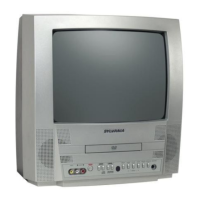
Sylvania 6509DD - User Manual

Sylvania 6509DD
40 pages
Print Icon
To Next Page IconTo Next Page
Loading...
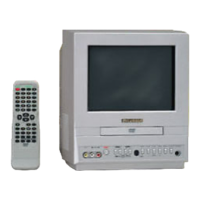
9-INCH COLOR TV/DVD
6509DD
OWNER’S
MANUAL
INSTRUCCIONES EN ESPAÑOL INCLUIDAS.
As an ENERGY STAR
Partner, our company has
determined that this product meets
the E
NERGY STAR guidelines for
energy efficiency. E
NERGY STAR is
a U.S. registered mark.
®
®
®
This Owner’s Manual is made of
recycled paper.
If you need additional assistance for set-up or operating after
reading owner’s manual, please call TOLL FREE : 1-800-968-3429.
Or visit our WEB SITE at http://www.funai-corp.com
Please read before using this equipment
TD001.QX33 03.2.10 11:48 PM Page 1

Table of Contents

Other manuals for Sylvania 6509DD

Questions and Answers

  • H
    Heather StephensAug 14, 2025
    What to do if Sylvania TV DVD Combo remote control not working?
    • B
      Brad MartinezAug 14, 2025
      If your Sylvania TV/DVD combo isn't responding to the remote, try these steps: Ensure the power plug is connected to an AC outlet. Check the remote's batteries, and aim the remote directly at the sensor, removing any obstacles. Make sure you are within 23 feet of the TV/DVD. Also, verify that the correct mode is selected by pressing SELECT on the remote.
  • T
    Tony JensenAug 17, 2025
    How to fix no sound on Sylvania 6509DD?
    • R
      Richard WardAug 17, 2025
      If there is no sound on your Sylvania TV DVD Combo, ensure the audio cables are firmly connected. Make sure the audio component is powered on. Verify and correct the audio output settings, as well as the input settings on the audio component.
  • C
    Catherine HooperAug 20, 2025
    How to fix no power on Sylvania 6509DD?
    • E
      ethan14Aug 20, 2025
      If your Sylvania TV DVD Combo has no power, ensure the power plug is securely connected to an AC outlet and that the power is turned on.
  • S
    Sharon WilliamsAug 25, 2025
    How to fix poor reception and ghosting on Sylvania 6509DD?
    • K
      Keith CastanedaAug 25, 2025
      To address poor reception or ghosting on your Sylvania TV DVD Combo, first, try switching to a different channel to rule out station-specific issues. Check that the antenna is securely connected to the terminal at the back of the unit. If you're using an outside antenna, inspect it for any broken wires. Also, check for local interference.
  • T
    Taylor CarrollAug 27, 2025
    What to do if Sylvania 6509DD TV DVD Combo disc cannot be played?
    • T
      Thomas LoveAug 27, 2025
      If your Sylvania TV DVD Combo won't play a disc, first, insert the disc. Then, try cleaning the disc. Ensure the disc is placed correctly with the label side up. Lastly, cancel the parental lock or change the control level.
  • E
    Eric CollinsAug 31, 2025
    How do I stop vertical rolling or lines on my Sylvania TV DVD Combo screen?
    • J
      Johnny PerryAug 31, 2025
      If your Sylvania TV DVD Combo's picture rolls vertically or shows lines/streaks, try switching to a new channel to rule out station problems. If using an outside antenna, check for broken wires. Also, check for local interference.
  • L
    Lindsey CampbellSep 2, 2025
    How to remove bars on Sylvania TV DVD Combo screen?
    • K
      Kimberly MooreSep 3, 2025
      If you are seeing bars on the screen of your Sylvania TV DVD Combo, check for local interference. If you are using an outside antenna, check for broken wire.
  • D
    Douglas GonzalezSep 6, 2025
    Why are there different color marks on my Sylvania 6509DD TV DVD Combo screen?
    • R
      Richard VegaSep 6, 2025
      Different color marks on the screen of your Sylvania TV/DVD may be due to magnetism from nearby appliances or geomagnetism. Move the TV/DVD away from other appliances; it may repair itself automatically. Alternatively, unplug the TV/DVD power cord and plug it back in after about 30 minutes.
  • B
    Barbara GarciaSep 9, 2025
    Why does my Sylvania 6509DD have CD sound dropout or DVD picture issues?
    • J
      James PonceSep 10, 2025
      If your Sylvania TV DVD Combo experiences CD sound dropout, no CD reproduction, DVD picture dropout, DVD picture freeze, mosaic picture, or no DVD reproduction, the disc may be scratched. Replace the disc with an unscratched one.

Summary

IMPORTANT SAFEGUARDS

PRECAUTIONS

Copyright and Regulatory Warnings

Information on copyright, FCC compliance, and radio frequency energy.

Laser Safety Information

Warnings and precautions related to the laser system.

LOCATION AND OPERATING ENVIRONMENT

Optimal Product Location

Recommendations for placing the TV/DVD for best performance and safety.

Supplied Accessories

List of accessories included with the TV/DVD unit.

Electrical Shock and Fire Hazards

Crucial safety advice to prevent electrical shock and fire risks.

PRODUCT FEATURES

TV Mode Features

Highlights of the TV's tuning, remote control, and auto shut-off functions.

DVD Mode Features

Details on DVD playback modes, language options, and parental controls.

OPERATING CONTROLS AND FUNCTIONS

TV;DVD Front Panel Controls

Identification of buttons and indicators on the front panel.

TV;DVD Rear Panel Connections

Description of input and output jacks on the rear panel.

Remote Control Operation

Guide to using the remote control for various functions.

PREPARATION FOR USE AND CONNECTIONS

Antenna and Cable Connections

Instructions for connecting TV antennas and cable systems.

External Input and Mobile Connections

How to connect external sources and use the unit in a vehicle.

Audio System Connections

Guides for connecting to stereo systems and amplifiers.

Dolby Digital Decoder Connection

Procedure for connecting a Dolby Digital decoder for enhanced audio.

TV SECTION OPERATION

Initial TV Setup

Steps for first-time channel scanning and language selection.

Channel Management

How to add, delete, or re-scan TV channels.

Language Selection

Setting the on-screen menu and audio language.

Watching TV Programs

Basic operations for viewing TV channels and adjusting settings.

Picture and Sleep Timer Settings

Adjusting picture quality and setting the sleep timer.

DVD SECTION OPERATION

Disc Compatibility and Types

Details on playable and non-playable disc types and formats.

Basic Disc Playback

Steps for inserting discs and starting playback.

Playback Menus and Features

Explanation of disc menus, title menus, and advanced playback features.

Advanced Playback Controls

Details on resume, pause, step, search, slow, and zoom functions.

Search and Marker Functions

Using search modes, time search, and marker setup.

Special Playback Modes

Exploring repeat, program, and random playback modes.

MP3 Disc Playback

Instructions for playing MP3 files, including track selection and programming.

Changing DVD Settings

Customizing subtitle, audio, camera angle, and sound settings.

On-Screen Information Display

How to view disc information and playback status.

DVD Setup Menu Customization

Adjusting language, display, and parental control settings.

Parental Control Features

Setting up parental level restrictions and managing passwords.

TROUBLESHOOTING GUIDE

General Troubleshooting

Solutions for power issues and remote control unresponsiveness.

TV Mode Troubleshooting

Resolving issues related to picture, sound, and reception in TV mode.

DVD Mode Troubleshooting

Diagnosing problems with disc playback, audio, and subtitle settings.

MAINTENANCE AND CARE

Cabinet Cleaning and Servicing

Guidelines for cleaning the exterior and seeking professional service.

Laser Pickup Unit Care

Information on cleaning the laser optical pickup unit.

Disc Handling and Storage

Best practices for handling, cleaning, and storing discs.

SPECIFICATIONS

LIMITED WARRANTY INFORMATION

Sylvania 6509DD Specifications

General IconGeneral
DVD PlayerYes
ConnectivityComposite
Audio OutputStereo
InputsComposite
Power SourceAC

Related product manuals