–
27
–
EN
0C28
–
27
––
27
–
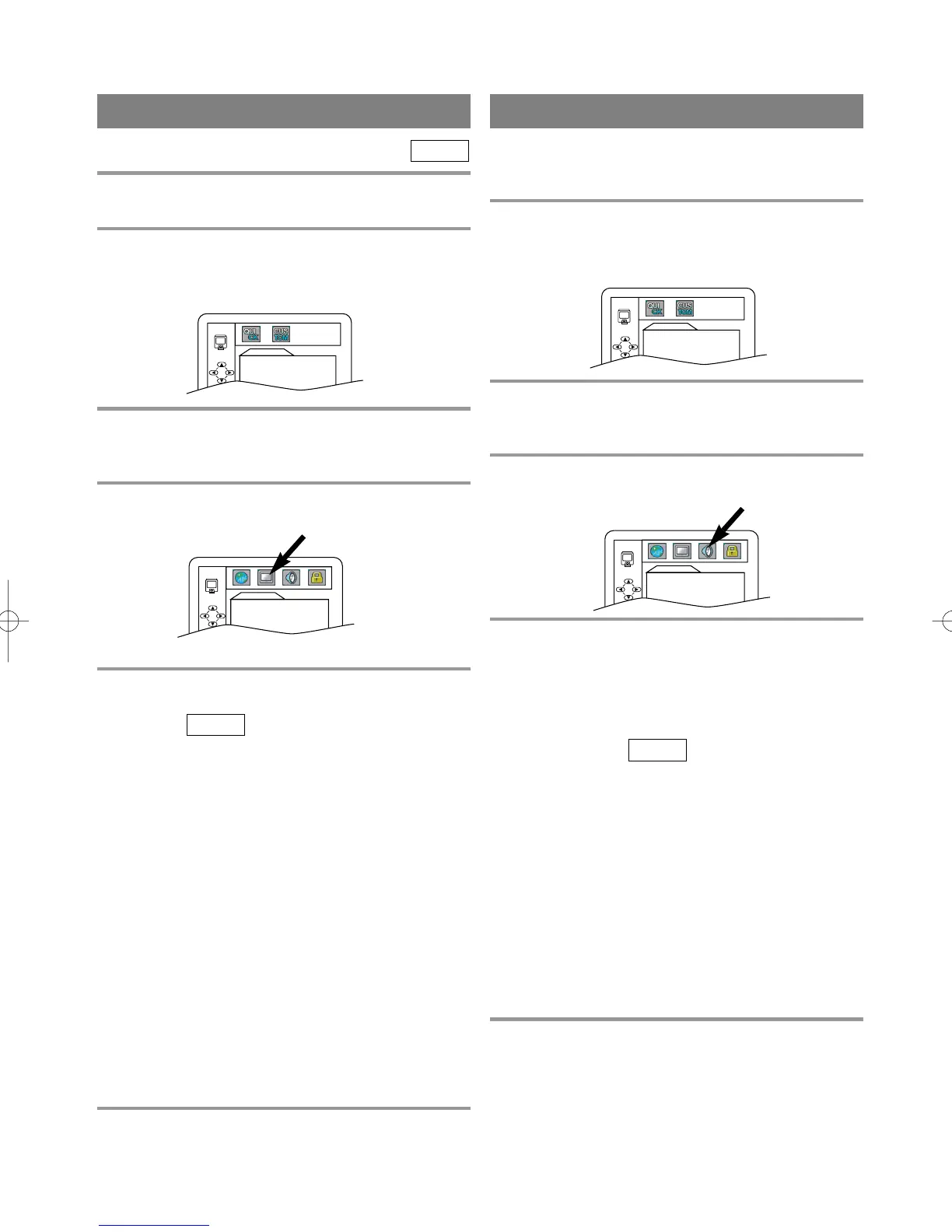
AUDIO SETTINGS
Choose the appropriate Audio settings for your equip-
ment as it only affect during the playback of DVD
discs.
1 Press SETUP twice in STOP mode so that
the DVD SETUP menu appears.
¡
If the menu does not appear, press PLAY, STOP,
then SETUP twice.
2 Press B to select CUSTOM, then press
ENTER.
¡
CUSTOM mode will appear.
3 Press Arrow (s / B) to select AUDIO, then
press ENTER to confirm.
4 Press Arrow (K/L) to select the below
items, then press ENTER.
DRC (Dynamic Range Control):
¡To compress the range of sound volume.
¡The default setting is OFF.
DOLBY DIGITAL:
Set to On when the unit is connected to a Dolby Digital
Decoder.
(ON: Output by Dolby Digital)
(OFF: Convert the Dolby Digital to PCM (2 channel
stereo))
¡The default setting is ON.
DOWN SAMPLING:
¡Set to ON when outputting in 48 kHz.
¡The default setting is ON.
When playing disc with copyright Protection
¡If you select OFF, copyright protection will be acti-
vated and sound will be down sampled at 48kHz.
5 Press SETUP to exit.
QUICK
AUDIO
DRC OFF
DOLBY DIGITAL ON
DOWN SAMPLING ON
You can change certain aspects of the DVD display
screens and on-screen messages on the TV screen.
1 Press SETUP twice in STOP mode so that
the DVD SETUP menu appears.
¡
If the menu does not appear, press PLAY, STOP,
then SETUP twice.
2 Press B to select CUSTOM, then press
ENTER.
¡
CUSTOM mode will appear.
3 Press Arrow (s / B) to select DISPLAY, then
press ENTER to confirm.
4 Press Arrow (K/L) to select the below
items, then press ENTER.
TV MODE:
¡Press Arrow (K/L) for an item selection, then press
ENTER.
¡Select 4:3 LETTER BOX for a black bars appears
on top and bottom of the screen.
¡Select 4:3 PAN & SCAN for a full height picture
with both sides trimmed.
¡The default setting is 4:3 LETTER BOX.
ANGLE ICON:
¡Press ENTER repeatedly to turn Angle icon ON or
OFF.
¡The default setting is ON.
AUTO POWER OFF:
¡Press ENTER repeatedly to turn Auto Power off ON
or OFF.
¡The default setting is ON and it will turn the
TV/DVD to off automatically after 15 minutes of no
use.
5 Press SETUP to exit.
QUICK
DVD-V
DISPLAY SETTING
DISPLAY
TV MODE
4:3 LETTER BOX
ANGLE ICON ON
AUTO POWER OFF ON
QUICK SETUP
TV MODE
4:3 LETTER BOX
DOLBY DIGITAL ON
QUICK SETUP
TV MODE
4:3 LETTER BOX
DOLBY DIGITAL ON
TD001.QX33 03.1.31 10:31 PM Page 27



 To Next Page