EasyManua.ls Logo

Sylvania 6513VD - User Manual

Sylvania 6513VD
39 pages
Print Icon
To Next Page IconTo Next Page
Loading...
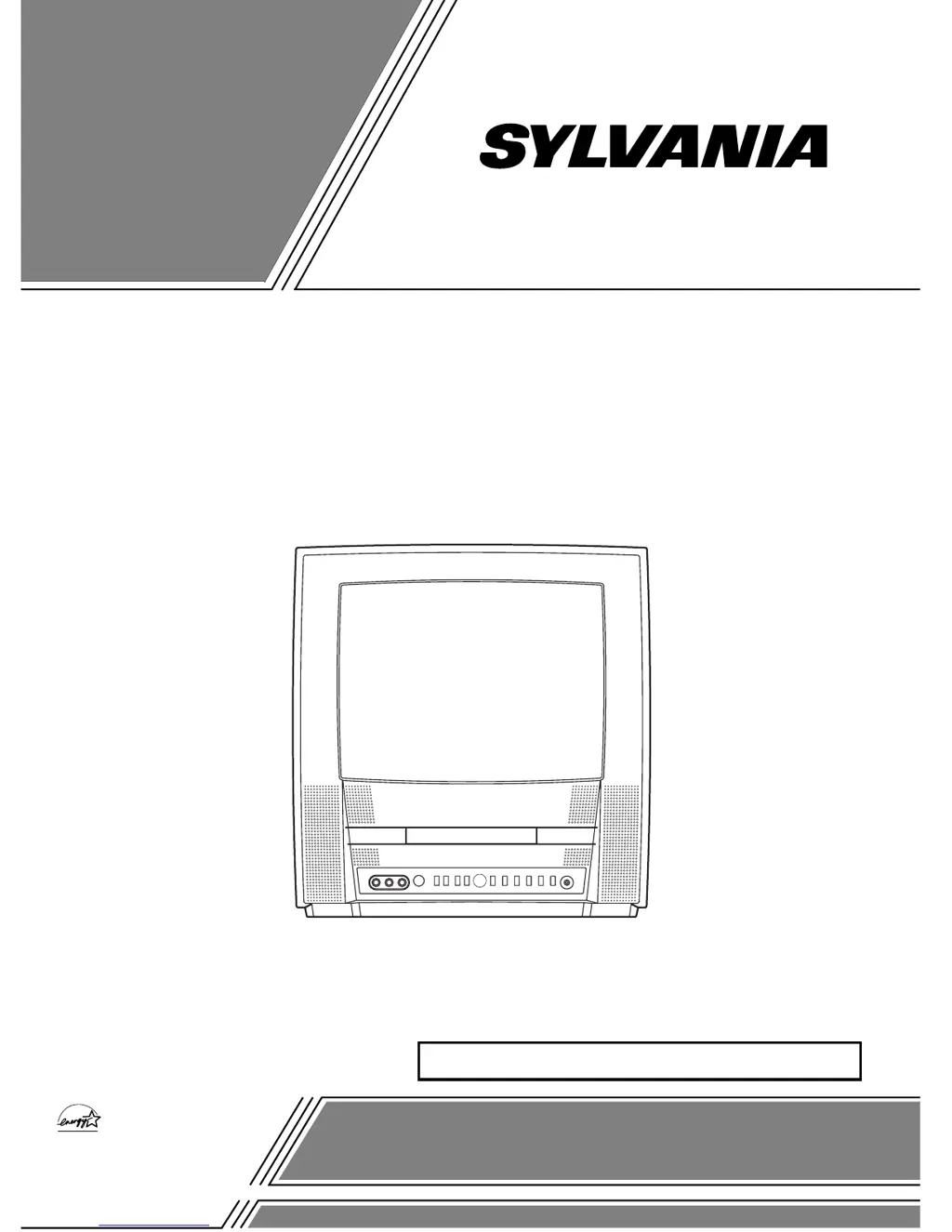
COLOR TV/DVD
6513VD (13 inch)
OWNER’S
MANUAL
INSTRUCCIONES EN ESPAÑOL INCLUIDAS.
As an ENERGY STAR
Partner, our company has
determined that this product meets
the E
NERGY STAR guidelines for
energy efficiency. E
NERGY STAR is
a U.S. registered mark.
®
®
®
This Owner’s Manual is made of
recycled paper.
If you need additional assistance for set-up or operating after
reading owner’s manual, please call TOLL FREE : 1-800-968-3429.
Or visit our WEB SITE at http://www.funai-corp.com
Please read before using this equipment

Table of Contents

Other manuals for Sylvania 6513VD

Questions and Answers

Summary

Important Safeguards

Safety and Operating Instructions

Read and retain all safety and operating instructions for proper appliance use.

Appliance Handling and Care

Guidelines for cleaning, attachments, water avoidance, and accessory placement.

Installation and Power Safety

Ventilation, power sources, and grounding/polarization safety measures.

Precautions

Copyright and Usage Restrictions

Information on unauthorized copying, broadcasting, and performance.

FCC Compliance and Interference

Warnings regarding radio frequency energy and potential interference.

Laser Safety Information

Safety guidelines for using the laser system and avoiding radiation exposure.

Location

Installation Location Guidelines

Advice on placing the TV/DVD for optimal performance and safety.

Supplied Accessory

Symbols Used in Manual

Features

TV Mode Features

Capabilities and functions available in television viewing mode.

DVD Mode Features

Capabilities and functions available for DVD playback.

Operating Controls and Functions

TV;DVD Front Panel Controls

Identifies and describes controls located on the front of the TV/DVD unit.

Remote Control Functions

Explains the operation of each button on the remote control.

Installing the Batteries

Preparation for Use

Antenna and Cable Connections

Instructions for connecting antennas and cable systems to the TV/DVD.

Indoor Antenna Setup

Guidance on connecting and positioning the indoor antenna for best reception.

Connecting External Sources

Connecting to External Input Jacks

How to connect AV sources like VCRs or video cameras to the TV/DVD.

Connecting to Amplifiers and Decks

Instructions for connecting to audio equipment with digital inputs.

Connecting to Dolby Digital Decoder

TV Section Setup

Initial Channel Setup

Steps for programming the TV tuner to scan for available channels.

Channel Management

How to delete or add channels from the TV memory.

TV Section Settings

Re-establishing Channel Setup

Procedure to re-scan and memorize active channels.

Screen Language Selection

How to change the on-screen menu language for the TV.

TV Operation

Watching a TV Program

Basic steps for turning on the TV and selecting channels.

Picture Control Adjustments

How to adjust brightness, contrast, color, tint, and sharpness.

Degaussing Procedure

Steps to correct color distortion caused by magnetic interference.

TV Features

Sleep Timer Function

How to set the TV to automatically turn off after a set time.

Closed Caption System

How to enable and manage closed captioning displays.

Parental Control Setup

V-Chip Setup Guide

How to set TV ratings and block content based on age-appropriateness.

Additional Parental Controls

MPAA Rating Setup

Setting parental limits based on the MPAA rating system.

Changing the Access Code

Procedure to change the parental control access code.

DVD Section: Disc Information

Playable Discs

List of disc formats compatible with the player.

Disc Types and Compatibility

Details on DVD, Audio CD, and MP3 disc structures and limitations.

DVD Playback Basics

Getting Started with Playback

Initial steps for turning on and playing discs.

General DVD Features

Navigating menus and accessing special features on DVDs.

Disc and Title Menus

How to access and use disc menus and title menus.

DVD Advanced Playback

Resume and Pause Functions

How to pause playback and resume from the last stop point.

Search and Speed Playback

Methods for searching within discs and adjusting playback speed.

Step Playback and Zoom

Features for frame-by-frame playback and enlarging the picture.

Search Functions

Track Search

How to locate specific tracks on audio CDs.

Title, Chapter, and Time Search

Locating specific content on DVDs by title, chapter, or time.

Marker Setup Screen

How to set and recall markers for favorite playback points.

Special Playback Functions

Repeat Playback Modes

Options for repeating tracks, chapters, titles, or entire discs.

Program and Random Playback

How to program playback order or play tracks randomly.

Playing MP3 Discs

MP3 Playback and Selection

How to play and select tracks from MP3 discs.

MP3 Program and Random Playback

Setting up programmed or random playback for MP3 discs.

Changing Settings

Subtitle and Audio Language Options

Selecting preferred subtitle and audio languages for DVDs.

Sound and Picture Settings

Adjusting stereo sound mode, camera angle, and black level.

Virtual Surround Sound

Enabling virtual surround sound for an enhanced audio experience.

On-Screen Information Display

Changing DVD Setup Items

Language Setting Configuration

Setting languages for DVD menus, audio, and subtitles.

DVD Display and Audio Settings

Display Setting Options

Customizing display aspects like aspect ratio and angle icons.

Audio Setting Configuration

Adjusting audio settings like DRC, Dolby Digital, and Down Sampling.

Parental Control

Setting the Parental Level

How to set disc rating levels to restrict content for children.

Password Recovery

Steps to take if the parental control password is forgotten.

Troubleshooting Guide

General Troubleshooting

Solutions for common issues like power and remote control problems.

TV Mode Troubleshooting

Diagnosing and resolving picture and sound issues in TV mode.

Troubleshooting: Captions and DVD Mode

Closed Caption Troubleshooting

Common issues with closed captions and their possible remedies.

DVD Mode Troubleshooting

Solutions for DVD playback problems like no picture or sound.

Maintenance

Cabinet Cleaning and Servicing

Procedures for cleaning the unit and when to seek professional service.

Laser Pickup and Disc Handling

Tips for cleaning the laser pickup and proper disc care.

Specifications

General Product Specifications

Overview of TV and DVD player general technical details.

Electrical and Other Specifications

Details on power, terminals, operating temperature, and dimensions.

Limited Warranty

Summary

Important Safeguards

Safety and Operating Instructions

Read and retain all safety and operating instructions for proper appliance use.

Appliance Handling and Care

Guidelines for cleaning, attachments, water avoidance, and accessory placement.

Installation and Power Safety

Ventilation, power sources, and grounding/polarization safety measures.

Precautions

Copyright and Usage Restrictions

Information on unauthorized copying, broadcasting, and performance.

FCC Compliance and Interference

Warnings regarding radio frequency energy and potential interference.

Laser Safety Information

Safety guidelines for using the laser system and avoiding radiation exposure.

Location

Installation Location Guidelines

Advice on placing the TV/DVD for optimal performance and safety.

Supplied Accessory

Symbols Used in Manual

Features

TV Mode Features

Capabilities and functions available in television viewing mode.

DVD Mode Features

Capabilities and functions available for DVD playback.

Operating Controls and Functions

TV;DVD Front Panel Controls

Identifies and describes controls located on the front of the TV/DVD unit.

Remote Control Functions

Explains the operation of each button on the remote control.

Installing the Batteries

Preparation for Use

Antenna and Cable Connections

Instructions for connecting antennas and cable systems to the TV/DVD.

Indoor Antenna Setup

Guidance on connecting and positioning the indoor antenna for best reception.

Connecting External Sources

Connecting to External Input Jacks

How to connect AV sources like VCRs or video cameras to the TV/DVD.

Connecting to Amplifiers and Decks

Instructions for connecting to audio equipment with digital inputs.

Connecting to Dolby Digital Decoder

TV Section Setup

Initial Channel Setup

Steps for programming the TV tuner to scan for available channels.

Channel Management

How to delete or add channels from the TV memory.

TV Section Settings

Re-establishing Channel Setup

Procedure to re-scan and memorize active channels.

Screen Language Selection

How to change the on-screen menu language for the TV.

TV Operation

Watching a TV Program

Basic steps for turning on the TV and selecting channels.

Picture Control Adjustments

How to adjust brightness, contrast, color, tint, and sharpness.

Degaussing Procedure

Steps to correct color distortion caused by magnetic interference.

TV Features

Sleep Timer Function

How to set the TV to automatically turn off after a set time.

Closed Caption System

How to enable and manage closed captioning displays.

Parental Control Setup

V-Chip Setup Guide

How to set TV ratings and block content based on age-appropriateness.

Additional Parental Controls

MPAA Rating Setup

Setting parental limits based on the MPAA rating system.

Changing the Access Code

Procedure to change the parental control access code.

DVD Section: Disc Information

Playable Discs

List of disc formats compatible with the player.

Disc Types and Compatibility

Details on DVD, Audio CD, and MP3 disc structures and limitations.

DVD Playback Basics

Getting Started with Playback

Initial steps for turning on and playing discs.

General DVD Features

Navigating menus and accessing special features on DVDs.

Disc and Title Menus

How to access and use disc menus and title menus.

DVD Advanced Playback

Resume and Pause Functions

How to pause playback and resume from the last stop point.

Search and Speed Playback

Methods for searching within discs and adjusting playback speed.

Step Playback and Zoom

Features for frame-by-frame playback and enlarging the picture.

Search Functions

Track Search

How to locate specific tracks on audio CDs.

Title, Chapter, and Time Search

Locating specific content on DVDs by title, chapter, or time.

Marker Setup Screen

How to set and recall markers for favorite playback points.

Special Playback Functions

Repeat Playback Modes

Options for repeating tracks, chapters, titles, or entire discs.

Program and Random Playback

How to program playback order or play tracks randomly.

Playing MP3 Discs

MP3 Playback and Selection

How to play and select tracks from MP3 discs.

MP3 Program and Random Playback

Setting up programmed or random playback for MP3 discs.

Changing Settings

Subtitle and Audio Language Options

Selecting preferred subtitle and audio languages for DVDs.

Sound and Picture Settings

Adjusting stereo sound mode, camera angle, and black level.

Virtual Surround Sound

Enabling virtual surround sound for an enhanced audio experience.

On-Screen Information Display

Changing DVD Setup Items

Language Setting Configuration

Setting languages for DVD menus, audio, and subtitles.

DVD Display and Audio Settings

Display Setting Options

Customizing display aspects like aspect ratio and angle icons.

Audio Setting Configuration

Adjusting audio settings like DRC, Dolby Digital, and Down Sampling.

Parental Control

Setting the Parental Level

How to set disc rating levels to restrict content for children.

Password Recovery

Steps to take if the parental control password is forgotten.

Troubleshooting Guide

General Troubleshooting

Solutions for common issues like power and remote control problems.

TV Mode Troubleshooting

Diagnosing and resolving picture and sound issues in TV mode.

Troubleshooting: Captions and DVD Mode

Closed Caption Troubleshooting

Common issues with closed captions and their possible remedies.

DVD Mode Troubleshooting

Solutions for DVD playback problems like no picture or sound.

Maintenance

Cabinet Cleaning and Servicing

Procedures for cleaning the unit and when to seek professional service.

Laser Pickup and Disc Handling

Tips for cleaning the laser pickup and proper disc care.

Specifications

General Product Specifications

Overview of TV and DVD player general technical details.

Electrical and Other Specifications

Details on power, terminals, operating temperature, and dimensions.

Limited Warranty

Sylvania 6513VD Specifications

General IconGeneral
BrandSylvania
Model6513VD
CategoryTV DVD Combo
LanguageEnglish

Related product manuals