EasyManua.ls Logo

Sylvania SA85016 - User Manual

Sylvania SA85016
6 pages
Print Icon
To Next Page IconTo Next Page
Loading...
SYLVANIA
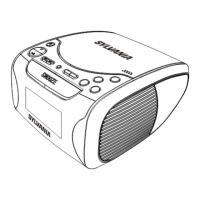
Dual Alarm AM/FM Clock Radio
Instruction Manual
Model - SA85016
Thank you for your purchase of this Sylvania product. Please read this Instruction
Manual carefully before using this Sylvania product to ensure proper use. After
reading this manual, please keep it in a safe place and refer to it when necessary.
For additional information on this product or for help with
set-up please call the Customer Help Line at 1-800-287-4871
Visit www.sylvaniaelectronics.ca
for more information about our great products
Question and Answer IconNeed help?

Do you have a question about the Sylvania SA85016 and is the answer not in the manual?

Summary

Product Operation and Features

Connecting the Radio

Plug the AC cord into the power outlet. Reset time/alarm if power was interrupted.

Time Setting

Press and hold TIME button, then MINUTE or HOUR to advance clock display to correct time.

Setting the Alarm Time

Select AL1 or AL2, hold ALARM button, use FAST/AL. OFF or SLOW to set desired alarm time.

Radio Operation

Slide ON-OFF-AUTO switch to ON, select band, adjust tuning and volume for desired station.

Wake to Alarm

Turn ALARM/VOLUME dial left until click. Press ALARM SET button to turn off temporarily.

Wake to Radio

Turn ALARM/VOLUME counter-clockwise to max, select band, tune station, adjust volume, set ON-OFF-AUTO to AUTO.

Sleep Timer

Press SLEEP button to have radio play for 59 minutes before automatic shut-off.

Snooze Operation

When alarm is on, press SNOOZE sensor plate once; alarm sounds again after 9 minutes.

Nightlight Operation

Press NIGHTLIGHT ON/OFF switch to ON. Bulb can be replaced by removing the cover.

Battery Back Up

Insert a 9V battery to maintain current time and alarm program during power failure.

Safety and Warranty Information

General Safety Precautions

Radio is not waterproof. Avoid contact with water and liquids. Handle with care.

SYLVANIA Home Entertainment Warranty

Warranty covers manufacturing defects for 1 year on audio products and clock radios.

Customer Obligations

Owner must provide original dated bill of sale. Transportation to/from service depot is owner's responsibility.

Warranty Exclusions

Excludes appearance items, batteries, connecting cables, and damage from misuse or accidents.

How to Obtain Service

Contact Sylvania Dealer or Sonigem Service for service information and support.

Summary

Product Operation and Features

Connecting the Radio

Plug the AC cord into the power outlet. Reset time/alarm if power was interrupted.

Time Setting

Press and hold TIME button, then MINUTE or HOUR to advance clock display to correct time.

Setting the Alarm Time

Select AL1 or AL2, hold ALARM button, use FAST/AL. OFF or SLOW to set desired alarm time.

Radio Operation

Slide ON-OFF-AUTO switch to ON, select band, adjust tuning and volume for desired station.

Wake to Alarm

Turn ALARM/VOLUME dial left until click. Press ALARM SET button to turn off temporarily.

Wake to Radio

Turn ALARM/VOLUME counter-clockwise to max, select band, tune station, adjust volume, set ON-OFF-AUTO to AUTO.

Sleep Timer

Press SLEEP button to have radio play for 59 minutes before automatic shut-off.

Snooze Operation

When alarm is on, press SNOOZE sensor plate once; alarm sounds again after 9 minutes.

Nightlight Operation

Press NIGHTLIGHT ON/OFF switch to ON. Bulb can be replaced by removing the cover.

Battery Back Up

Insert a 9V battery to maintain current time and alarm program during power failure.

Safety and Warranty Information

General Safety Precautions

Radio is not waterproof. Avoid contact with water and liquids. Handle with care.

SYLVANIA Home Entertainment Warranty

Warranty covers manufacturing defects for 1 year on audio products and clock radios.

Customer Obligations

Owner must provide original dated bill of sale. Transportation to/from service depot is owner's responsibility.

Warranty Exclusions

Excludes appearance items, batteries, connecting cables, and damage from misuse or accidents.

How to Obtain Service

Contact Sylvania Dealer or Sonigem Service for service information and support.

Sylvania SA85016 Specifications

General IconGeneral
BrandSylvania
ModelSA85016
CategoryClock Radio
LanguageEnglish

Related product manuals