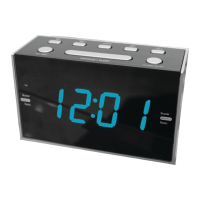
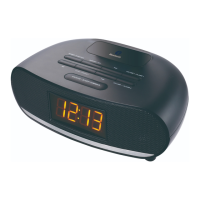
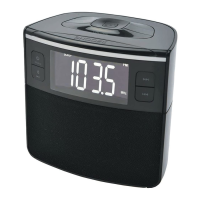
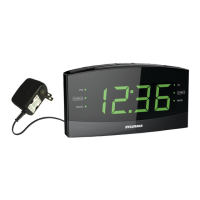
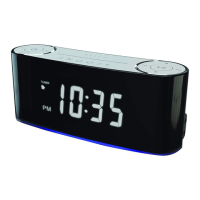
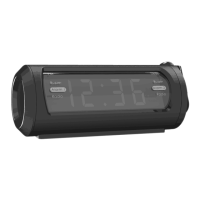
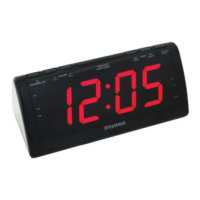
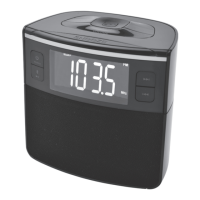
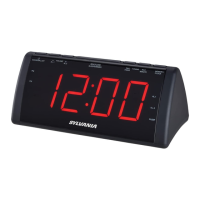
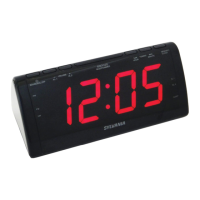
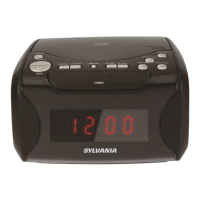
The SYLVANIA SCR1420 is an AM/FM LED Clock Radio designed for everyday use, offering timekeeping, alarm functions, and radio reception in a compact form factor.
Function Description:
The primary function of the SCR1420 is to serve as a clock radio. It features a clear LED display that shows the current time. The device incorporates both AM and FM radio tuners, allowing users to listen to their preferred radio stations. A key feature is its alarm capability, which can be set to either a buzzer sound or a chosen radio station, providing flexibility for waking up. Additionally, a sleep timer function is included, allowing users to fall asleep to the radio, which then automatically powers off after a set duration. For convenience during power outages, the unit includes a battery backup system, ensuring that time settings are retained.
Usage Features:
The SCR1420 is designed with user-friendly controls located on its top panel.
- Power/Radio Control: A dedicated "Radio/Power" button serves multiple purposes. A short press turns the radio ON and allows switching between AM and FM bands. Pressing and holding this button powers the unit OFF.
- Volume Adjustment: The "Volume/AL1/AL2" button is used to adjust the listening volume when the radio is on.
- Time Setting: To set the clock, users press and hold the "Preset/Clock" button until the display flashes. The "Hour" and "Minute" buttons are then used to adjust the time. The PM indicator lights up when the hour is set in the PM. After setting, pressing "Preset/Clock" again or waiting for the display to stop flashing finalizes the time.
- Alarm Setting: The device supports two independent alarms, Alarm 1 and Alarm 2. To set an alarm, the user presses either the "AL1" or "AL2" button while the unit is off. The display will flash, showing the alarm time. The "Hour" and "Minute" buttons are then used to set the desired alarm time, with attention to the PM indicator. Repeatedly pressing the "AL1" or "AL2" button allows the user to select the alarm source: Radio, Buzzer, or Off. An LED indicator will light up corresponding to the chosen alarm source (Radio or Buzzer). The alarm will sound at the set time. To turn off a sounding alarm, the "Power" button is pressed, which will reset the alarm to sound again at the same time the next day.
- Snooze Function: When an alarm is sounding, pressing the "Snooze" button will temporarily silence the alarm for an additional 9 minutes, providing a brief delay before the alarm sounds again.
- Sleep Timer: With the radio ON, the "Snooze" button also functions as a sleep timer. Repeatedly pressing this button cycles through various preset durations (90, 80, 70, 60, 50, 40, 30, 20, 10 minutes, or OFF). The radio will automatically power off once the set sleep time has expired.
- Radio Tuning: The "Tuning+" and "Tuning-" buttons are used to manually adjust the radio frequency to find desired AM or FM stations.
- Preset Stations: The SCR1420 allows users to save and recall their favorite radio stations. To save a station, tune to the desired frequency, then press and hold the "Preset/Clock" button until the screen flashes. Use the "Tuning+" or "Tuning-" buttons to select a preset number (1 to 20). Press "Preset/Clock" again to confirm and save the station. Once stations are saved, a short press of the "Preset/Clock" button cycles through the stored preset stations.
- Battery Backup: The unit requires 2 AAA-size batteries (not included) for its battery backup system. This system is designed to maintain clock settings during short power outages, but the primary functions of the clock radio cannot operate solely on battery power.
Maintenance Features:
Maintaining the SYLVANIA SCR1420 involves simple care practices to ensure its longevity and optimal performance.
- Cleaning: The unit should be cleaned with a soft, damp (never wet) cloth. Harsh solvents or detergents should be avoided as they can damage the finish or internal components.
- Environmental Considerations: To prevent damage and ensure reliable operation, the device should not be exposed to direct sunlight, extreme heat, humidity, or dusty environments. It should also be kept away from heating appliances and sources of electrical noise, such as fluorescent lamps or motors. For better visibility of the clock display, avoid operating the unit under strong room illumination.
- Power Disconnection: In case of a malfunction, the AC adapter should be unplugged from both the unit and the electrical power outlet immediately.
- Antenna Adjustment: For optimal FM radio reception, the position of the FM antenna should be adjusted. The AM antenna is internal, so improving AM reception may involve adjusting the overall position of the clock radio itself.
- Troubleshooting: The manual provides a troubleshooting guide for common issues such as distorted sound, no sound, or poor reception. Solutions include fine-tuning stations, fully extending the FM telescopic antenna, repositioning the unit for better AM reception, and adjusting the volume.
The SYLVANIA SCR1420 is a practical and straightforward clock radio, offering essential timekeeping, alarm, and radio functions with easy-to-use controls and basic maintenance requirements.


 To Next Page
 General