EasyManua.ls Logo

Sylvania SCR1229BT - User Manual

Sylvania SCR1229BT
11 pages
Print Icon
To Next Page IconTo Next Page
Loading...
MODEL NO. SCR1229BT
BLUETOOTH AUTOSET CLOCK
RADIO WITH USB CHARGING
INSTRUCTION MANUAL
PLEASE READ BEFORE OPERATING THIS EQUIPMENT
Sylvania Inc. used under licenseSYLVANIA is a registered
trademark of OSRAM .
Question and Answer IconNeed help?

Do you have a question about the Sylvania SCR1229BT and is the answer not in the manual?

Summary

Warnings and Precautions

General Safety Warnings

Safety precautions to prevent fire, shock, and laser exposure.

FCC Compliance and RF Exposure

Device compliance with FCC rules and radiation exposure limits.

Important Safety Instructions

General Operating Guidelines

Instructions on reading, retaining, following instructions, and proper usage.

Electrical Safety and Handling

Precautions for cleaning, power cords, plugs, overloading, liquid entry, and grounding.

Environmental and Installation Safety

Warnings regarding water, moisture, outdoor antenna, power lines, and heat.

Maintenance and Servicing Safety

Guidelines for servicing, replacement parts, and safety checks.

Health and Specific Device Warnings

Warnings related to lightning protection and excessive sound pressure.

Location of Controls

Front Panel Controls Explained

Detailed explanation of front panel buttons and indicators.

Rear and Side Panel Ports Explained

Detailed explanation of rear and side panel ports and compartments.

Power Source

DC Power Connection

How to power the unit using the DC power adapter.

Battery Backup Function

Details the function and requirements of the battery backup.

Clock and Sleep Functions

Setting the Clock

Instructions for setting the clock manually and automatic time zone setting.

Time Zone Settings

How to select the correct time zone for your region.

Daylight Saving Time Adjustment

How to enable or disable Daylight Saving Time.

Setting the Sleep Timer

Instructions for setting the sleep timer for radio or Bluetooth playback.

Alarm Functions

Setting the Alarm

Step-by-step guide to setting alarms, including wake-up options.

Alarm Examples

Practical examples for setting weekday and weekend alarms.

Viewing and Changing Wake Up Options

How to view and modify existing alarm wake-up settings.

Radio Operation

Alarm and Snooze Functions

How to turn off the alarm and use the snooze function.

FM Radio Reception

Tips for improving FM radio signal reception.

Tuning and Presetting FM Stations

Instructions for scanning, tuning, and saving FM radio stations.

Bluetooth and Audio Input

Bluetooth Pairing Process

Steps for initially pairing a Bluetooth device with the unit.

Playing Audio via Bluetooth

How to play music wirelessly from a paired Bluetooth device.

Audio Input (AUX)

Instructions for connecting and playing audio via the AUX input.

USB Charging and Reset

USB Charging Function

How to use the USB port to charge external devices.

Resetting the Unit

Procedure to reset the unit to factory default settings.

Specifications

Product Specifications

Technical details including power output, charging, frequency, and impedance.

Limited Product Warranty

Warranty Terms and Exclusions

Details the warranty period, what is excluded, and liability limitations.

Obtaining Warranty Repairs

Steps required to obtain service and repairs under the warranty.

Summary

Warnings and Precautions

General Safety Warnings

Safety precautions to prevent fire, shock, and laser exposure.

FCC Compliance and RF Exposure

Device compliance with FCC rules and radiation exposure limits.

Important Safety Instructions

General Operating Guidelines

Instructions on reading, retaining, following instructions, and proper usage.

Electrical Safety and Handling

Precautions for cleaning, power cords, plugs, overloading, liquid entry, and grounding.

Environmental and Installation Safety

Warnings regarding water, moisture, outdoor antenna, power lines, and heat.

Maintenance and Servicing Safety

Guidelines for servicing, replacement parts, and safety checks.

Health and Specific Device Warnings

Warnings related to lightning protection and excessive sound pressure.

Location of Controls

Front Panel Controls Explained

Detailed explanation of front panel buttons and indicators.

Rear and Side Panel Ports Explained

Detailed explanation of rear and side panel ports and compartments.

Power Source

DC Power Connection

How to power the unit using the DC power adapter.

Battery Backup Function

Details the function and requirements of the battery backup.

Clock and Sleep Functions

Setting the Clock

Instructions for setting the clock manually and automatic time zone setting.

Time Zone Settings

How to select the correct time zone for your region.

Daylight Saving Time Adjustment

How to enable or disable Daylight Saving Time.

Setting the Sleep Timer

Instructions for setting the sleep timer for radio or Bluetooth playback.

Alarm Functions

Setting the Alarm

Step-by-step guide to setting alarms, including wake-up options.

Alarm Examples

Practical examples for setting weekday and weekend alarms.

Viewing and Changing Wake Up Options

How to view and modify existing alarm wake-up settings.

Radio Operation

Alarm and Snooze Functions

How to turn off the alarm and use the snooze function.

FM Radio Reception

Tips for improving FM radio signal reception.

Tuning and Presetting FM Stations

Instructions for scanning, tuning, and saving FM radio stations.

Bluetooth and Audio Input

Bluetooth Pairing Process

Steps for initially pairing a Bluetooth device with the unit.

Playing Audio via Bluetooth

How to play music wirelessly from a paired Bluetooth device.

Audio Input (AUX)

Instructions for connecting and playing audio via the AUX input.

USB Charging and Reset

USB Charging Function

How to use the USB port to charge external devices.

Resetting the Unit

Procedure to reset the unit to factory default settings.

Specifications

Product Specifications

Technical details including power output, charging, frequency, and impedance.

Limited Product Warranty

Warranty Terms and Exclusions

Details the warranty period, what is excluded, and liability limitations.

Obtaining Warranty Repairs

Steps required to obtain service and repairs under the warranty.

Overview

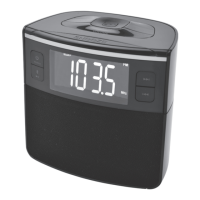
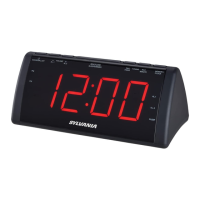
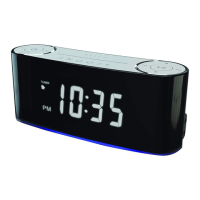
This document describes the Sylvania SCR1229BT Bluetooth Autoset Clock Radio with USB Charging.

Function Description

The Sylvania SCR1229BT is a versatile clock radio designed for convenience and modern connectivity. Its primary functions include:

  • Autoset Clock: Automatically sets the correct time when connected to an AC power outlet for the first time, based on a pre-defined time zone.
  • Dual Alarm System: Features two independent alarms that can be set to wake users with either a buzzer or FM radio. Alarms can be configured for different weekly schedules (Monday-Sunday, Monday-Friday, or Saturday-Sunday).
  • FM Radio: Allows users to tune into FM radio stations, with options for both auto-scanning and manual tuning. It can store up to 20 preset FM stations.
  • Bluetooth Connectivity: Enables wireless streaming of audio from Bluetooth-enabled devices. It supports pairing with devices and playing audio through the unit's speakers.
  • AUX Input: Provides a 3.5mm audio jack for connecting external audio devices via a wired connection.
  • USB Charging Port: Offers a USB port for charging compatible devices, with a maximum charging capacity of 1000mA.
  • Sleep Timer: Allows users to set a timer (from 10 to 90 minutes) for the unit to automatically turn off while listening to radio, Bluetooth music, or AUX input.
  • Snooze Function: Temporarily silences an active alarm for 9 minutes.
  • Daylight Saving Time (DST) Adjustment: Features a dedicated button to easily adjust the clock forward or backward by one hour for DST.
  • Night Light: Includes a night light function.
  • Dimmer Function: Allows adjustment of the display brightness.

Important Technical Specifications

  • Power Output: 500 mW RMS Mono
  • USB Charging: DC 5V, 1A
  • AC Power: AC100V - 240V 5V 1A ~ 50/60Hz
  • Battery Size (For Backup Only): CR2032 x 1pc (button cell battery)
  • Radio Frequency: FM: 87.5 - 108MHz
  • Bluetooth Operation Distance: ≥ 32 Feet in open area
  • Impedance of Speakers: 0.5 W / 8 Ω

Usage Features

Clock and Time Setting:

  • Autoset: Upon first power-up, the clock automatically sets to Eastern Standard Time (Time Zone 2).
  • Manual Time Setup: Allows manual adjustment of hour, minute, and day of the week (d1-d7, where d1 is Monday and d7 is Sunday) using dedicated buttons.
  • Time Zone Selection: Users can select from 7 predefined time zones (Atlantic Std Time to Hawaii & Aleutian Std Time) by pressing and holding the TIME ZONE button.
  • Daylight Saving Time: Pressing and holding the DST button toggles the DST indicator and adjusts the time by one hour forward or backward.

Alarm Features:

  • Setting Alarms: To set Alarm 1 or Alarm 2, press and hold the respective alarm button. Use the hour/minute buttons to set the desired time.
  • Weekly Alarm Schedules: Alarms can be set for:
    • 1-7 (Monday to Sunday)
    • 1-5 (Monday to Friday)
    • 6-7 (Saturday to Sunday)
  • Wake-up Options: Alarms can be set to wake up with a buzzer (Buzzer LED indicator lights up) or FM radio (Radio LED indicator lights up). Alarms can also be disabled.
  • Alarm Duration: Alarms sound for 30 minutes unless interrupted.
  • Snooze: Pressing the SNOOZE button during an alarm provides a 9-minute snooze duration. The alarm indicator (Buzzer or Radio) flashes during snooze delay.
  • Turning Off Alarm: Pressing the POWER/SOURCE button turns off an active alarm.

Radio Features:

  • FM Radio Mode: Switch to FM Radio Mode by pressing the POWER/SOURCE button.
  • Auto Tuning: The AUTO SCAN button scans and stores up to 20 local FM radio stations in preset memory.
  • Manual Tuning: Use the SKIP/TUNE buttons to manually tune to stations. Holding these buttons scans for available stations.
  • Saving Presets: Tune to a desired station, then press and hold the PLAY/CLOCK/PRESET button. Use SKIP/TUNE to select a preset number (P01-P20) and press PLAY/CLOCK/PRESET again to save.
  • Playing Presets: Cycle through saved presets by pressing the PLAY/CLOCK/PRESET button.

Bluetooth Features:

  • Pairing: Switch to Bluetooth mode using the POWER/SOURCE button. The Bluetooth mode indicator will blink. Select "Sylvania SCR1229BT" on your device. Default password is "0000" if required.
  • Audio Playback: Use native controls on the Bluetooth device or the unit's PLAY/CLOCK/PRESET and SKIP/TUNE buttons to control playback (play, pause, skip tracks).
  • Unpairing/Resetting: If the device becomes unpaired, repeat the pairing steps or press and hold the PLAY/CLOCK/PRESET button to disconnect and re-enter pairing mode.

AUX Input:

  • Connection: Connect a 3.5mm audio cable from an external device to the AUX IN JACK on the rear of the unit.
  • Mode Selection: Press the POWER/SOURCE button to switch to AUX IN mode.
  • Audio Playback: Use native controls on the connected device to play audio.

USB Charging:

  • Functionality: Plug the unit into a wall outlet. Connect your device using an appropriate USB charging cable (not included) to the USB CHARGING PORT.
  • Compatibility: The port provides 1000mA maximum charging capacity. Note that it may not be suitable for charging iPads due to higher power requirements.

Maintenance Features

  • Cleaning: Unplug the unit from the wall outlet before cleaning. Use only a dry cloth; avoid liquid or aerosol cleaners.
  • Battery Backup: The unit uses a CR2032 button cell battery (included) for short power outages to maintain time settings. The low battery indicator will light up when replacement is needed. The unit's primary functions cannot run on battery backup alone.
  • Resetting the Unit: In cases of erroneous display or abnormal behavior (e.g., due to electrostatic discharge), unplug the unit from AC power and remove the backup batteries for at least one minute to reset to factory default settings.
  • Safety Precautions:
    • Avoid exposing the unit to rain or moisture.
    • Do not remove the cover; refer servicing to qualified personnel.
    • Ensure proper ventilation; do not block cabinet openings.
    • Use only recommended attachments and accessories.
    • Protect the power cord from being walked on or pinched.
    • Unplug the unit during lightning storms or prolonged disuse.
    • Do not overload wall outlets or extension cords.
    • Avoid pushing objects or spilling liquids into the unit.
    • Seek qualified service personnel for repairs if the unit is damaged or malfunctions.
    • Ensure replacement parts meet manufacturer specifications.
    • Avoid excessive sound pressure from earphones/headphones to prevent hearing loss.

Sylvania SCR1229BT Specifications

General IconGeneral
BrandSylvania
ModelSCR1229BT
CategoryClock Radio
LanguageEnglish

Related product manuals