Product Overview
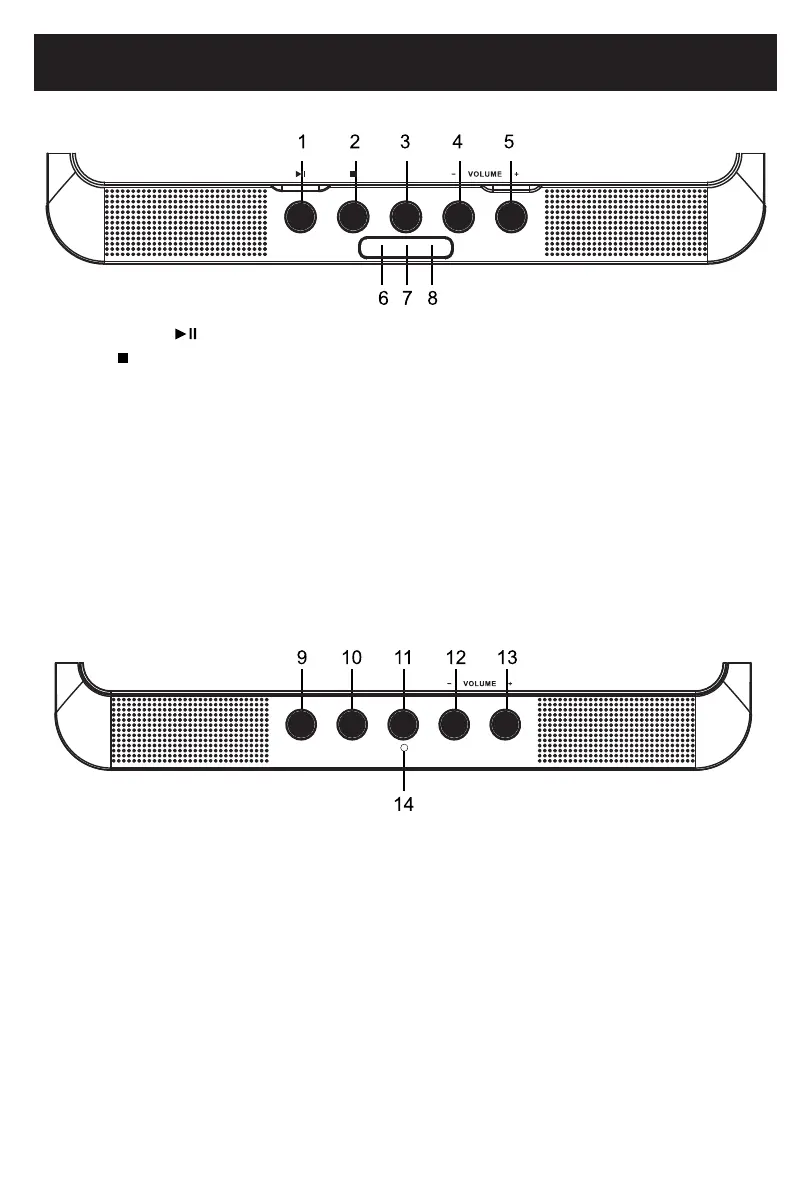
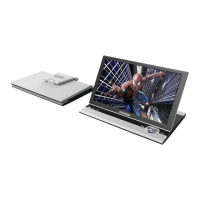
1. PLAY/PAUSE ( ): Press to switch between play and pause.
2. STOP (
): Press to stop playback.
3. OPEN:
4. VOL-: Press to decrease the volume level.
5. VOL+: Press to increase the volume level.
6. Charge Indicator: Red indicator will turn on when the unit is charging, and turn off when the
unit is fully charged.
7. Remote Control Sensor
8.
Power Indicator: Greenindicatorwillturnonwhentheunitispoweredon,andturnoffifthe
unit is powered off.
9. DISPLAY ON/OFF:PresstoturnthedisplayONorOFF.
10. MUTE:PresstoturnthesoundOFF.Pressagaintoresume.
11. DISPLAY SETUP: Press to enter the display setup menu.
12. VOL-: Press to decrease the volume level.
13. VOL+: Press to increase the volume level.
14.
Power Indicator: IndicateswhenthesecondaryunitisON/OFF.
MAIN UNIT:
SECONDARY UNIT:
OP E N
Press to open the CD door.
DI SPLAY SE TUPMU TEDI SPLAY ON /OFF
7





 To Next Page