Need help?
Do you have a question about the Sylvania SLTDV9200 and is the answer not in the manual?
Guidance on product placement, exposure to heat, liquids, magnetic fields, and environmental conditions.
Instructions for using the power adapter, handling power supply, and battery charging precautions.
Recommendations for storing the unit and ensuring proper ventilation for optimal performance.
Covers web browsing, email, YouTube, app discovery, and wireless internet connectivity.
Highlights media library access, music, video, photo playback, and integrated DVD player functionality.
Details on microSD card support and automatic screen orientation detection.
Description of the power button, return, and home functions for device operation.
Details on volume controls, headphone jack, USB host, Mini HDMI, and SD card slot.
Information on the reset function and the mechanism for opening the disc tray.
Step-by-step guide on powering the tablet on and performing a full shutdown.
Instructions for turning the screen off to conserve power and turning it back on.
Procedure for unlocking the tablet screen after it has been turned off.
Introduction to the launcher screen and accessing pre-installed applications.
Guidance on downloading and installing additional applications from various sources.
Steps to enable Wi-Fi and connect to available wireless networks.
Process for choosing a network and entering passwords for secured connections.
Instructions for transferring files between the tablet and a computer using a USB cable.
How to enable USB storage mode to access files on the tablet's built-in storage.
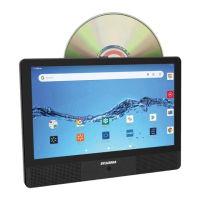
Steps to open the disc cover, load a disc, and start playback from the home screen.
Explanation of playback controls like volume, skip, play/pause, menu, audio, and subtitle selection.
Specifications for processor, RAM, storage, display, Wi-Fi, audio, and operating system.
Details on supported DVD disc formats, video systems, and operation time.
 General
| Screen Size | 9 inches |
|---|---|
| RAM | 1 GB |
| Internal Storage | 8 GB |
| Camera | 2MP rear, 0.3MP front |
| Processor | 1.5 GHz dual-core |

 To Next Page