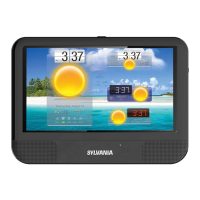
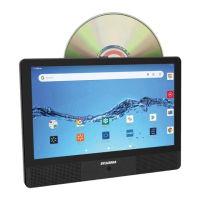
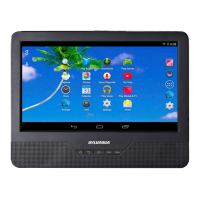
This document describes the SYLVANIA 9" TABLET PDVD COMBO, Model No.: SLTDVD9220-C. It is a versatile device combining a portable DVD player with a tablet, designed for entertainment and basic computing tasks.
Function Description:
The device serves as a 9-inch tablet with integrated DVD playback capabilities. It supports playing DVDs, VCDs, CDs, and MP3s. The tablet runs on Android 7.1.1 and features a Quad-core Arm Cortex-A7 processor clocked at 1.2GHz. It includes built-in Wi-Fi (802.11b/g/n) for internet connectivity and supports Bluetooth in tablet mode. The device is equipped with a touch control interface and has a stand on its back plate for convenient viewing.
Important Technical Specifications:
- Dimensions: 230mm x 175mm x 37mm
- Weight: Approximately 818g
- Display: 9-inch digital panel with a resolution of 1024 x 600
- Operating System: Android 7.1.1
- Processor: 1.2GHz Quad-Core (Arm Cortex-A7)
- Memory: 1GB DDR RAM, 8GB internal memory
- Wi-Fi: 802.11b/g/n
- Disc Support: DVD/VCD/CD/MP3
- Connections: Micro-USB, Micro-SD (up to 32GB), Earphone Jack, HDMI output jack
- Battery: 3.7V 4500mAh Li-ion Battery (rechargeable)
- Service Time: Approximately 2.5 hours with DVD playback, 3 hours with Wi-Fi usage
- Operating Temperature: Between 0°C and 40°C
Usage Features:
Controls and Connections:
The device features several physical buttons and ports:
- Power Button: Long press for 2-3 seconds to power on. In tablet mode, a long press brings up options for Power off or Reboot. Tapping it in boot mode puts the device into standby (sleep mode) and turns off the screen to save power.
- Volume Buttons (VOL+/VOL-): Press to adjust volume.
- Open Loader (OPEN): Pull left to open the disc loader for inserting or removing discs.
- HDMI Jack: Connects to an external TV for high-resolution video output (requires a separate HDMI cable, which is included).
- Micro USB Jack: Used for power supply input and connecting to a PC (requires an additional OTG cable, not included, for PC connection).
- Earphone Jack: For connecting external earphones.
- TF Card Slot (Micro SD): For inserting a Micro SD card (up to 32GB) to expand storage.
- MIC: For recording functions.
- RESET: A small button (requires a thin object like a paper clip) to restart the system in case of abnormal situations or if the device cannot be turned off normally. Pressing the power button for 6-8 seconds also shuts off the unit.
Screen Lock/Unlock:
- LOCK: The system automatically locks the screen and enters standby mode after a preset sleep time (configurable in Settings > Display).
- UNLOCK: If the screen is on, drag the unlock icon to enter the application interface. If the screen is in sleep mode, press the power button and then drag to unlock.
DVD Play Mode:
- Access DVD play mode by touching the "DVDPlayer" icon in the application list.
- Insert a DVD disc into the loader, and it will play automatically.
- Touch the screen during playback to reveal control buttons at the bottom: Previous key, Play Pause, Next key, Repeat, Arrows buttons, Exit DVD mode, Fast backward, Fast forward, Stop key, A-B Repeat.
- Additional icons (DVD menu play, Subtitle key, Multi Angle, Dvd title play, Audio key) are available by moving the icon column further left.
- The "Arrows buttons" provide an on-screen control board for navigating DVD menus.
- During DVD playback, disc information (TITLE, CHAPTRE, time) is displayed.
- Touch "TITLE" or "CHAPTER" to bring up a number selection board to jump to specific titles or chapters.
- To shut off the unit in DVD Mode, press the power button for 6-8 seconds.
Tablet Mode Features:
Homepage Information Column:
Displays WIFI status, Time, Battery power, Volume controls, Back button, Host interface, and Recent search.
Internet (Browser):
- Requires Wi-Fi connectivity.
- To set up Wi-Fi, go to (Setting).
- Access the browser by touching (Browser) in the application list. The default homepage is "Recently viewed."
- Browser features include: entering URLs via a soft keyboard, bookmarking websites, reading favorite websites, searching the internet, adding new browser tabs, and closing the browser.
Applications:
- ES File Explorer (File Manager): Allows copying and saving files to/from internal memory, TF card, or USB (with OTG cable).
- Downloads: View downloaded or downloading files. Files can be stopped during download or deleted.
System Settings (accessed via the icon):
- Wireless and Networks Setting:
- Turn on the wireless LAN switch to scan for available Wi-Fi networks.
- Networks with a lock icon are encrypted and require a password.
- Networks without a lock icon are open and can be connected directly.
- Users can select a network from the list, connect directly, or add a wireless local area network manually.
- The device will search for open networks when Wi-Fi is on.
- Sound Setting:
- Adjust volume for Media, Notifications, and Alarm.
- Change default notification sound.
- Turn on/off sound for touch and screen lock.
- Display Setting:
- Wallpaper: Set static or dynamic wallpapers from the gallery.
- Brightness: Adjust screen brightness.
- Sleep time: Configure the period after which the device enters sleep mode to save power.
- Font size: Choose between Small, Normal, Large, and Extra large font sizes.
- Date & Time Setting:
- Set system time.
- Use automatic time from the network.
- Choose time zone, set specific date and time, and display format.
Maintenance Features:
Rechargeable Battery Use:
- The device uses a long-life Li-ion battery with no memory effect.
- Recharge for no longer than 4 hours each time.
- A fully recharged battery provides approximately 2.5 hours of DVD play or 4 hours of Wi-Fi surfing (at medium brightness and volume).
- When charging, a red LED will be on, turning off when charging is complete. The charging status is also shown on the screen when the power button is pressed.
Important Notes for Battery and Device Maintenance:
- Recharge immediately when low power is indicated to avoid sudden shutdowns.
- Regularly charge the battery when the device is not in use for long periods to maintain good condition.
- Normal working temperature is 0°C to 40°C.
- Always unplug AC/DC adaptors when not in use.
- The device may get warm or hot during prolonged use (e.g., 3D games, HD video playback); this is normal, but it's recommended to allow it to cool down.
- Avoid colliding with other objects.
- Keep the device away from heat sources and humid environments.
- Do not use or leave the device in direct sunlight or hot environments (like a vehicle) as overheating can cause damage.
- Do not overcharge; disconnect the charger once the battery is full.
- Protect the device from physical impact and drops.
- Only use the factory-supplied charger and cable to avoid battery failure, explosion, or device damage.
- Do not disassemble, puncture, crush, or expose the device to temperatures above 40°C / 104°F.
- Keep the device away from fire, water, moisture, and extreme temperatures.
- If the battery swells or expands, discontinue use immediately and contact support.
- Clean the device surface only with a soft cloth; avoid alcohol or other chemical detergents.
- Do not charge in high-temperature environments (near ovens, electric warmers) and do not cover the device or adaptor with quilts or clothes while charging.
- Regularly duplicate data and files.
- The user is solely responsible for data loss or damage due to negligence, repairs, battery replacement, or other individual reasons.
- Do not disconnect the device during formatting or data transmission.
Internal Memory Management:
- The device has 8GB of internal memory, but a portion is occupied by pre-stored programs and the Android system.
- To improve performance and download new programs, it's recommended to turn off or unload unused programs.
FCC Compliance:
The device complies with Part 15 of the FCC Rules, ensuring it does not cause harmful interference and accepts any received interference. Users are warned against unauthorized modifications that could void their authority to operate the equipment. If interference occurs, measures like reorienting the antenna, increasing separation from other equipment, or consulting a technician are suggested.
Waste electrical products should not be disposed of with household waste. Recycle where facilities exist and check with local authorities or retailers for recycling advice, in accordance with the Waste Electrical and Electronic Equipment Directive.
Disclaimer:
Due to continuous improvement, specifications and features are subject to change without prior notice.

 Need help?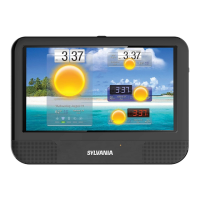

 To Next Page
 General