6
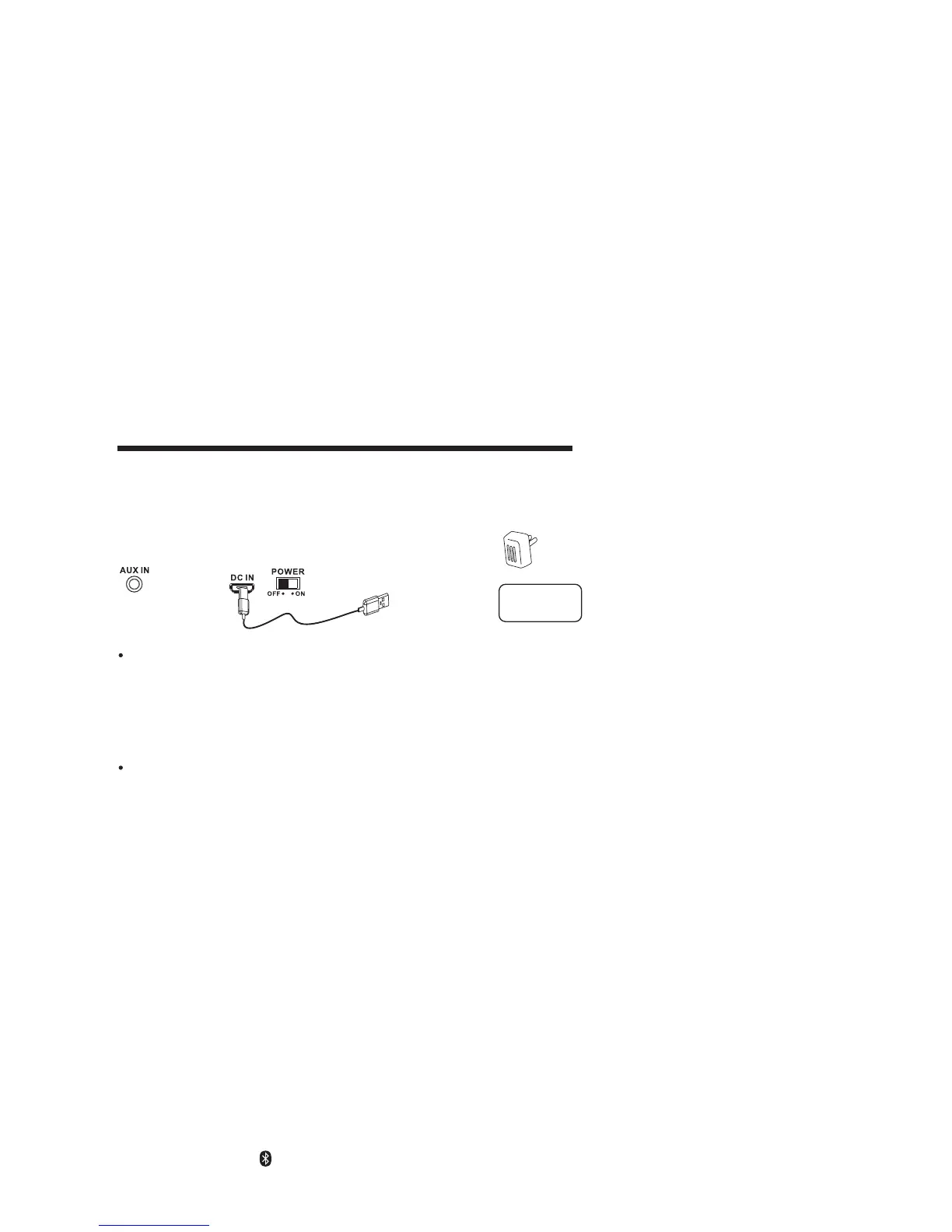
Connect micro USB plug of USB cable to main unit micro USB jack and plug the
other to computer USB output port or external adapter output port.
Charging Battery
1. Charging the built-in battery by connect power of 10-12 hours prior to first
use.
2. When the built-in battery charging now, the charging indicator light red.
3. If the charging indicator is now at rest that the built-in battery fully charging.
4. When unit power low, please recharging the battery again.
Battery Safety Notes:
1. To prolong the life of a rechargeable battery, it is recommended to completely
discharge it before fully charging it again.
2. Do not dispose of built-in battery in fire, battery may be explode or leak.
3. Do not open the built-in battery may be explode.
Connecting Bluetooth to your Smartphone / Tablet
1. Slide the POWER button to ON position to turn on unit first.
2. On your smartphone / Tablet, turn on Bluetooth and enable device
scanning.
3. When SP613 shows on the Bluetooth scan, select it to connect it to your
device.
4. When both devices are successfully connected an audible chime will sound
and the BT/AUX indicator will stop flash and change to steady light.
You are ready to play
(Make sure unplug a 3.5mm audio cable at the rear side of AUX IN jack)
music wirelessly from your device.
5. Press the PLAY button of external Bluetooth device
(Smartphone / Tablet)
to start music playback.
6. Press the NEXT
/ PREV of external Bluetooth device (Smartphone / Tablet) to
switch between music
tracks.
7. P
Bluetooth device.
ress and hold the BT Pair
ing button to disconnect or reconnect other
GENERAL OPERATIONS
Connect to external adapter or computer USB port
REAR VIEW
To External Power Adapter
or
To Computer USB Port
Personal
Computer


 To Next Page