10
PRE-SETTING STATIONS IN THE TUNER MEMORY
You can store total 20 preset stations in the memory. You can store up to 10 FM
stations and 10 AM stations in the tuner memory for immediate recall.
To store available stations in memory:
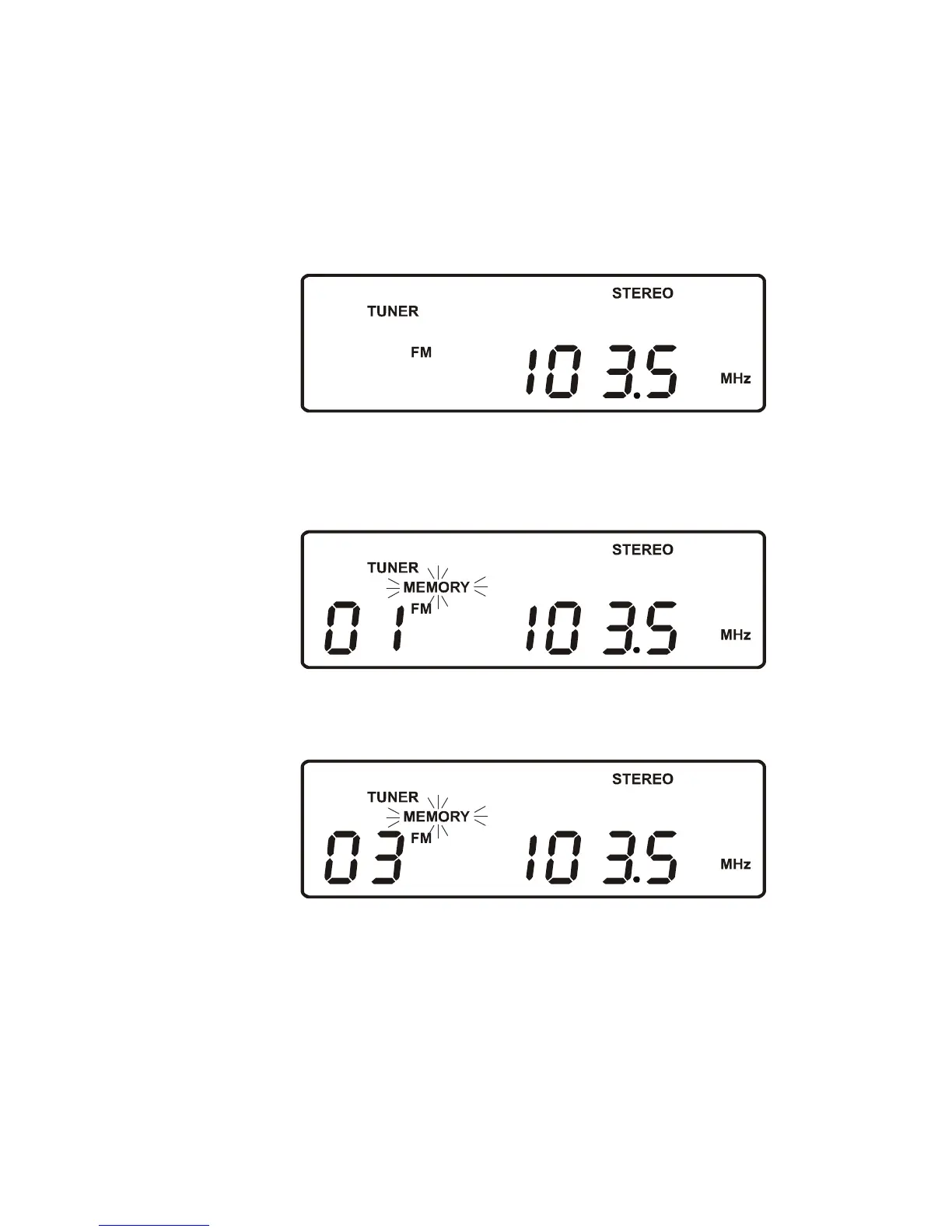
1.) Follow step 3 under LISTENING TO THE RADIO in page 9 to select the first
station you wish to store. Example: FM 103.5 MHz.
2.) When the desired station appears on the display, press the MEMORY button
on the front panel or the remote control. The Channel # “01” indicator appears
And the MEMORY“MEMORY” Indicator flashes in the display.
3.) Press the MEM-UP/REPEAT button on the front panel or remote control to
select a preset channel number. (Example: Preset channel # 03.)
4.) Press the MEMORY button on the front panel or the remote control once more
to enter the station in preset memory number 03.
5.) Repeat steps 1 through 4, selecting a different preset number in Step 3 each
time until you have entered up to 10 FM stations in the tuner memory.
6.) Press the STOP/BAND button to select the AM band and follow the same
procedure to enter up to 10 AM stations in the tuner memory.



 To Next Page