8
SETTING THE CLOCK
1.) Switch the unit to Standby mode by pressing the POWER button.
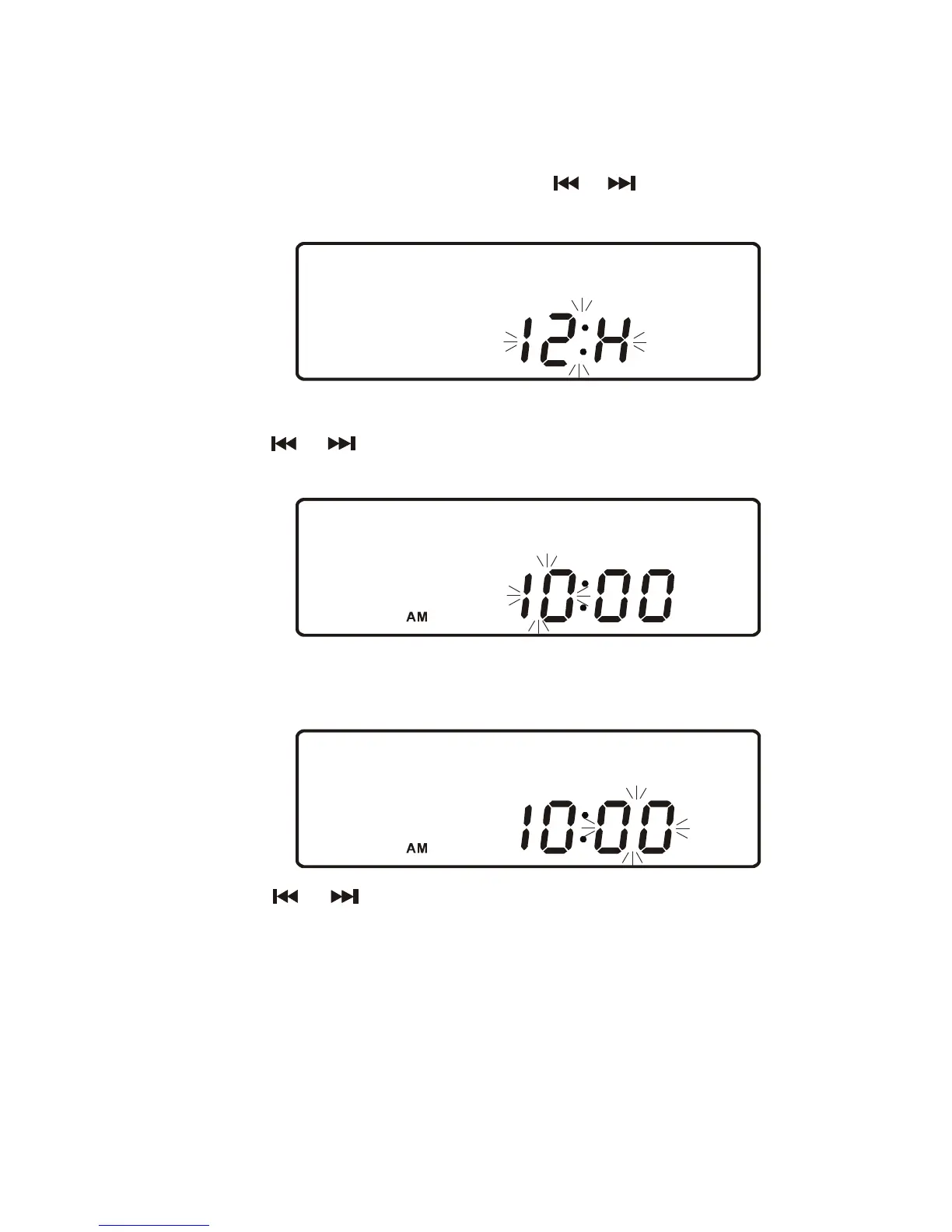
2.) Press and hold the MEMORY/CLOCK button on the remote. “ "24 H" ” (24 Hour
format) will
flash in the display. Press the
or button to select “ "12
H"”
(12 Hour format).
3.) Press the MEMORY/CLOCK button on the remote. The hour digits will flash.
Press the or buttons to set the hour. The AM/PM indication will be
4.) Press the MEMORY/CLOCK button on the remote again. The Hour is now
set and the
Minute digits will start to flash in the display.
5.) Press the or buttons to set the
minutes.
6.) Press the MEMORY/CLOCK button on the remote again. The Minutes are
now set and the
clock will start counting.
NOTE:
•
Clock time is only retained while the unit is plugged into the AC outlet. In
the event of a power failure,the clock will need to be reset when the power
resumes.
•
Clock time is only shown when unit is in Standby mode.
changed automatically according to the hour setting.



 To Next Page