Listening to CD
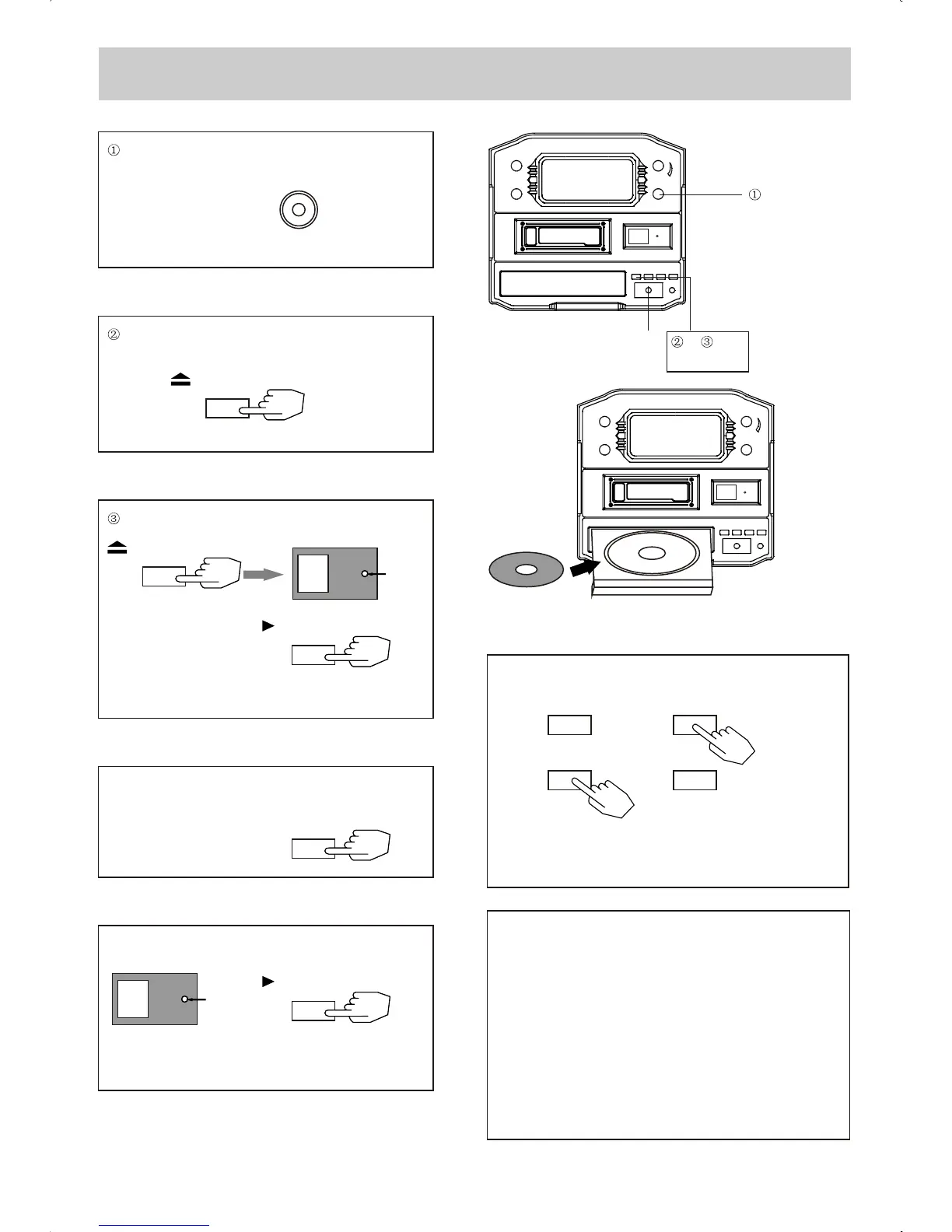
Rotate the PHONO CD TUNER knob
to select CD .
PHONO CD TUNER
Open the tray , and place the CD on the tray .
OPEN / CLOSE
(D)Fast Reverse (FR) and Fast Forward (FF)
You can reverse or forward to any point in a selected
track by pushing and holding the FR or FF button .
NOTE : Do not push both buttons together as this
may damaged the unit .
As the unit is tracking quickly , forward or backward
you will hear your selection playing at a distorted
speed . Simply release the depressed button to
continue playing at normal speed at the desired
position in the selected track .
CD`s should be placed in their trays with the label side up .
Close the tray and start playing the CD .
The CD will start playing from the first track .
Lights
OPEN / CLOSE
PLAY / PAUSE
10
Do not switch off the unit during CD-function , because
it will damage the unit .
(B)Pausing the CD play .
Pressing the PLAY / PAUSE button will restart
playing the CD .
PLAY / PAUSE
Flash
10
(A) Stopping the CD play .
STOP
(C)Press the F.F button once to og the start of the
next track .
Press the F.R button once to go back to the start of
the current track . Press the F.R button twice to go
back to the start of the previous track .
F.R
F.R
F.F
F.F
8
(A)
(B)
(C) (D)


 To Next Page