This document is a user manual for the Sylvox 2.0 Channel Outdoor Soundbar Elf S2. It provides comprehensive information on the soundbar's features, specifications, operation, and maintenance.
The Sylvox Elf S2 is a 2.0 channel outdoor soundbar designed to enhance audio experiences in outdoor environments. It offers various connectivity options and sound modes to suit different user preferences and setups.
Important Safety Instructions:
The manual begins with crucial safety warnings, emphasizing the risk of electric shock and the importance of not opening the apparatus. Users are instructed to read and retain all safety and operating instructions, heed all warnings, and follow all instructions. The soundbar should not be used near water, cleaned with a dry cloth, and ventilation openings should not be blocked. It should not be installed near heat sources. The safety purpose of polarized or grounding plugs should not be defeated. The power cord must be protected from being walked on or pinched. Only manufacturer-specified attachments/accessories should be used. When moving the unit with a cart, stand, tripod, bracket, or table, caution is advised to prevent tip-over. The apparatus should be unplugged during lightning storms or when unused for long periods. All servicing should be referred to qualified personnel. The equipment is Class II (double insulated) and does not require a safety connection to electrical earth. It should not be exposed to dripping or splashing liquids, and no objects filled with liquids should be placed on it. A minimum distance of 5cm around the apparatus is required for sufficient ventilation, which should not be impeded by covering openings with items like newspapers or curtains. No naked flame sources, such as lighted candles, should be placed on the apparatus. Batteries should be recycled or disposed of according to local guidelines. The apparatus is suitable for use in moderate climates.
Battery Usage Caution:
To prevent battery leakage, which can cause injury or property damage, batteries must be installed correctly (+ and - as marked). Old and new batteries, or different types (alkaline, carbon-zinc, Ni-Cd, Ni-MH), should not be mixed. Batteries should be removed if the unit is not used for a long time.
Correct Disposal of Product:
The product should not be disposed of with other household waste in the EU. It should be recycled responsibly to promote sustainable reuse of material resources. Users are advised to use return and collection systems or contact the retailer for environmentally safe recycling.
Compliance:
The product complies with essential requirements and other relevant provisions of RED Directive 2014/53/EU and UK Radio Equipment Regulations 2017.
Trademarks:
Bluetooth® is a registered trademark owned by Bluetooth SIG, Inc., licensed to Sylvox. HDMI™, HDMI High-Definition Multimedia Interface, HDMI trade dress, and the HDMI Logos are trademarks or registered trademarks of HDMI Licensing Administrator, Inc.
FCC Caution:
Changes or modifications not expressly approved by the party responsible for compliance could void the user's authority to operate the equipment. The equipment complies with FCC and IC radiation exposure limits for an uncontrolled environment and should be installed and operated with a minimum distance of 20cm between the radiator and the user's body. Shielded cables must be used to ensure compliance with Class B FCC limits.
California Prop 65 Warning:
This product may expose users to chemicals including Lead, known to the State of California to cause cancer. More information is available at www.P65Warnings.ca.gov.
What's in the Box:
The package includes:
- Soundbar (x1)
- Remote Control (AAA Batteries x 2) (x1)
- HDMI Cable (x1)
- Optical Cable (x1)
- Coaxial Cable (x1)
- USB transfer cable (x1)
- Wall mount kit (x1)
- User Manual (x1)
- Warranty Card (x1)
Technical Specifications:
- Power supply: 100-240V~ 50/60Hz
- Power consumption: 20 W / < 0.5 W (StandBy)
- USB: 5V === 500mA, Hi-Speed USB (2.0) / FAT32 / FAT16, 32G (max), MP3
- Dimension (WxHxD): 975 x 65 x 76 mm
- Net weight: 2.0 kg
- Audio input sensitivity: 700mV
- Frequency response: 40Hz - 20KHz
- Amplifier: 60 W (Max. output power)
- Speaker Impedance: 8Ω x 2
Wireless Specification:
- Bluetooth version /profiles: V 4.2 (A2DP, AVRCP)
- Maximum power transmitted (EIRP): ≤ 5 dBm
- Bluetooth frequency bands: 2402 MHz ~ 2480 MHz
Remote Control:
- Distance / Angle: 6m / 30°
- Battery type: AAA (1.5V X 2)
Identifying the Parts (Main Unit):
- LED Indicators:
- Red: STANDBY mode
- Yellow: COAXIAL mode
- Blue: Bluetooth mode
- Orange: OPTICAL mode
- White: HDMI ARC mode
- Green: USB mode
- AC~ Socket: Connect power cord.
- COAXIAL Socket: Connects to COAXIAL OUT socket on an external device.
- OPTICAL Socket: Connects to OPTICAL OUT socket on an external device.
- HDMI ARC Socket: Connects to a TV via HDMI cable.
- USB Socket: Inserts USB device to play music.
Identifying the Parts (Remote Control):
- Power Button: Switches the unit between ON and STANDBY mode.
- Function Select Button: Selects the play function.
- +/- (Volume) Buttons: Increases/decreases the volume level.
- EQ Effect Buttons (SPORT, MUSIC, NEWS, MOVIE): Selects Equalizer (EQ) Effect.
- Mute Button: Mutes or resumes the sound.
- K/ (Previous/Next Track) Buttons: Skips to previous/next track in Bluetooth/USB mode.
- ►II/Pair (Play/Pause/Pairing) Button: Plays/pauses/resumes playback in Bluetooth/USB mode. Press and hold to activate pairing in Bluetooth mode or disconnect existing paired Bluetooth devices.
Preparations:
- Remote Control: The remote control has an effective range of 6m (19.7 feet). Obstacles or interference from other infrared devices may affect its operation.
- Battery Replacement: Open the back cover, insert two AAA batteries (included) matching the (+) and (-) ends, and close the cover.
- Battery Precautions: Ensure correct polarity, use batteries of the same type, and avoid mixing new and old batteries. Rechargeable batteries can be used if confirmed as such. Remove batteries if not used for a long time. Avoid dropping or impacting the remote, spilling liquids on it, or placing it in direct sunlight or near excessive heat.
- Placement and Mounting:
- Table Placement: If the TV is on a table, the soundbar can be placed directly in front of the TV stand, centered with the screen.
- Wall Mounting: If the TV is wall-mounted, the soundbar can be mounted directly below it.
- Installation Notes: Installation must be carried out by qualified personnel. The installer is responsible for verifying the wall can safely support the load. Additional tools may be required. Do not overtighten screws. Keep the manual for future reference. Use an electronic stud finder to check wall type before drilling.
Connections:
- Waterproof Protection Cap: Before connections, remove the waterproof protective cap from coaxial/optical/HDMI ARC/USB sockets. The machine is waterproof, but unconnected ports must be plugged with waterproof protection caps. The removed caps should be kept for future use.
- HDMI ARC Socket: Connects the HDMI cable from the unit's HDMI (ARC) socket to the TV's HDMI ARC compliant TV. Then press the remote control to select HDMI ARC mode. Your TV must support HDMI-CEC and ARC function. HDMI-CEC and ARC must be set to On. The setting methods for HDMI-CEC and ARC may differ; refer to the TV's owner's manual. Only HDMI 1.4 or higher version cable can support the ARC function.
- OPTICAL Socket: Connects the OPTICAL cable to the TV's OPTICAL OUT socket.
- COAXIAL Socket: Connects the COAXIAL cable to the TV's COAXIAL OUT socket.
- Connect Power: Ensure the power supply voltage matches the unit's rating. Connect the mains cable to the AC~ socket of the main unit and then to a mains socket. If there is no power, ensure the cord is fully inserted and the power is on.
General Operation:
- Standby/ON: When first connected, the soundbar is in Standby mode. Press the power button on the remote to switch ON. Press it again to switch back to STANDby mode (red indicator). Disconnect the mains plug to completely switch OFF.
- Automatic Power Off Function: The soundbar automatically enters Standby mode after 15 minutes if the TV or external unit is disconnected, switched off, or the volume is too low. To completely switch off, remove the mains plug. Turn off the soundbar to save energy when not in use.
- Select Modes: Press the function button repeatedly to select COAXIAL, Bluetooth, OPTICAL, HDMI ARC, or USB mode. The front LED indicator will show the current mode.
- Yellow: COAXIAL
- Blue: Bluetooth
- Orange: OPTICAL
- White: HDMI ARC
- Green: USB
- Adjust Volume: Press +/- buttons on the remote. The status LED will flash quickly. At max/min volume, it will flash slowly 3 times.
- Select Equalizer (EQ) Effect: Press SPORT, MUSIC, NEWS, MOVIE buttons on the remote to select preset Equalizers.
OPTICAL / COAXIAL / HDMI ARC Operation:
- Ensure the soundbar is connected to the TV or audio device.
- Press the function button repeatedly to select OPTICAL, COAXIAL, or HDMI ARC mode. The front LED indicator will show the current mode.
- Operate your audio device directly for playback.
- Press VOL +/- to adjust the volume.
- Tip: If the soundbar mutes, it may not be decoding all digital audio formats. Set the audio setting of the input source (e.g., TV, game console, DVD player) to PCM. Refer to the input source device's manual for details.
Bluetooth Operation:
- Pairing (First time):
- Press the function button to select Bluetooth mode (blue indicator flashes slowly).
- Activate your Bluetooth device's search mode.
- Select "Sylvox Elf S2" and enter "0000" if prompted for a password. After an audio prompt, the system is connected, and the blue indicator lights solidly.
- Pairing (New device after first time):
- In Bluetooth mode, press and hold the ►II/Pair button to disconnect current devices and enter pairing mode (audio prompt, blue indicator flashes rapidly).
- Follow steps 2-3 of "First time pairing."
- Disconnecting Bluetooth: Switch to another function on the soundbar, disable Bluetooth on your device, or press and hold the ►II/Pair button.
- Listening to Music: If your Bluetooth device supports A2DP, play music via your device. If it supports AVRCP, use the remote control:
- +/- to increase/decrease volume.
- ►II/Pair to pause/resume playback.
- K/ to skip tracks.
- Bluetooth Notes: Maximum operational range is approximately 8 meters in open space. Ensure you know your device's capabilities. Compatibility with all Bluetooth devices is not guaranteed. Obstacles can reduce range. Keep the player away from other electronic devices. The player will disconnect if your device moves beyond the operational range.
USB Operation:
Connect a USB mass storage device (e.g., USB flash drive) to enjoy stored music.
- Ensure the USB transfer cable is inserted, then insert the USB device.
- Press the function button to select USB mode.
- Press the ►II button to pause/resume playback.
- Press the K/ button to skip tracks.
- USB Notes: Supports MP3 file format only. Supports USB devices up to 32 GB. May not be compatible with all USB devices.
Troubleshooting:
- No power: Ensure AC cord is connected, power is at the outlet, and the standby button is pressed.
- Loud hum or noise: Clean plugs and sockets with a dry, slightly damp cloth.
- Remote control not working: Select the correct source, reduce distance, insert batteries with correct polarity, replace batteries, aim directly at the sensor.
- No sound: Ensure soundbar is not muted (press mute or volume +/-). Switch to standby then back on. Select a different input source. For digital inputs with no audio, try setting TV output to PCM or connect directly to Blu-ray/other source. Confirm TV audio output is FIXED or STANDARD, not VARIABLE. If using Bluetooth, ensure source device volume is up and not muted.
- Cannot find Bluetooth name: Ensure Bluetooth is activated on your device. Re-pair the soundbar. Keep within 8 meters.
- Soundbar turns off: If the external input signal level is too low, the soundbar will automatically turn off after 15 minutes. Increase the volume level of your external device.
Warranty Policy:
- Warranty Period: Sylvox offers a 12-month free warranty for normal use.
- Returns:
- Only items purchased directly from www.sylvoxtv.com and authorized resellers are eligible.
- No returns for products from unauthorized third-party suppliers.
- Contact the original vendor with order ID/proof and product issue at service@sylvoxtv.com for return/refund/repair/replace. Sylvox provides shipping label for quality problems.
- For no-reason returns after installation and use, Sylvox may charge a 20% restocking fee (within 7 days of arrival, freight costs are customer's responsibility).
- Repackage item(s) in original condition with all documentation and accessories.
- If the returned product is not in original packaging, artificial damage (e.g., appearance damage, missing accessories) will incur deductions.
- Requests are handled upon receipt of the returned item.
- Refunds (30-day money-back guarantee): Contact service@sylvoxtv.com to submit an after-sales application. Sylvox provides a shipping label. Include original order number/proof. Item must be returned within 30 days. Refunds are issued after verification of the product's condition. Refunds are processed based on the original payment method (7-10 business days for credit/debit cards).
- Warranty Exclusions:
- Wrong use, improper repair, transportation damage, moving, falling after purchase.
- Unavoidable external factors.
- Improper use (water/solution damage).
- Lightning strike or other electric system reasons.
- Damage from using power supply other than specified voltage.
- Abusive operation, negligence, accident, shipment damages, improper delivery/installation, application, and use not intended as per manual.
- Tampering, modification, adjustment, or repair by unauthorized personnel.
- Replacement of accessories, glassware, consumable, or peripheral items due to normal use.
- Cosmetic damage (surface/exterior), normal wear and tear, improper shipping/handling, or use of chemical cleaning agents.
- Damage from external/environmental conditions (incorrect voltage, fluctuations, surges, liquid spillage, acts of nature).
- Products with altered, illegible, or missing model/serial number, and UL markings.
- Products used for rental, business, or commercial purposes.
- Installation, consumer instruction, delivery, setup, adjustment, and/or programming charges.
- Products not installed following instructions.
- Signal reception problems (antenna-related, "burnt" images, signal noise/echo, interference, transmission problems, availability of third-party services/content).
- No other entity is authorized to extend, enlarge, or transfer this warranty on behalf of Sylvox.
- The express warranties are in lieu of all other warranties and conditions, express or implied, whether arising by law, statute, by course of dealing, or usage of trade. Some states do not allow exclusion/limitation of incidental or consequential damages.
- For questions, contact service@sylvoxtv.com.

 Need help?
 General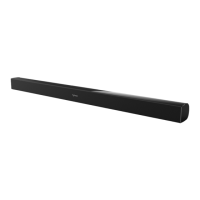

 To Next Page