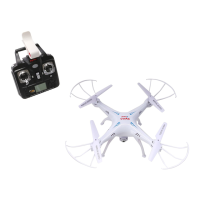
GET TO KNOW YOUR TRANSMITTER
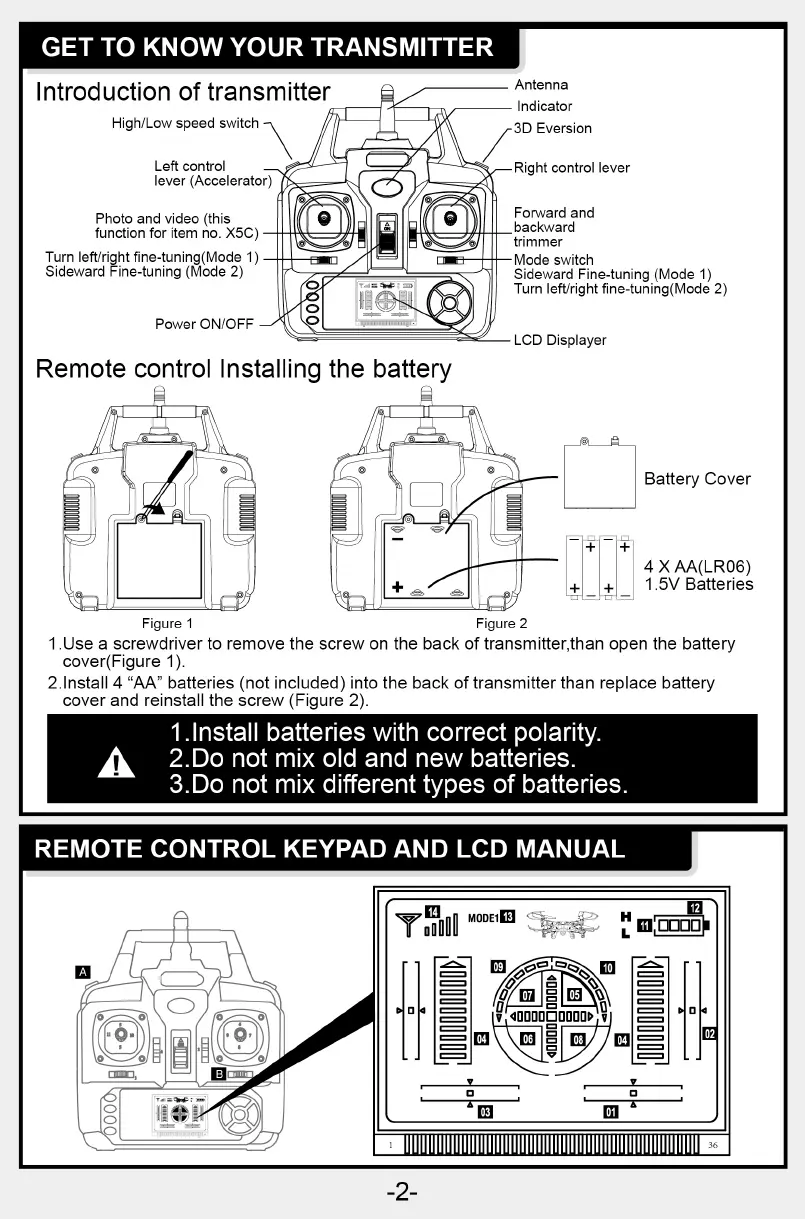
Introduction of transmitter
High/Low speed switch
Left control
lever (Accelerator)
Photo and video (this
function for item no. X5C)
Turn left/right fine-tuning(Mode 1)
Sideward Fine-tuning (Mode 2)
Power ON/OFF
Remote control Installing the battery
Antenna
Indicator
3D Eversion
Right control lever
Forward and
backward
trimmer
Mode switch
Sideward Fine-tuning (Mode 1)
Turn left/right fine-tuning(Mode 2)
LCD Displayer
Battery Cover
4 X AA(LR06)
+ + 1.5V Batteries
Figure 1 Figure 2
I .Use a screwdriver to remove the screw on the back of transmitter,than open the battery
cover(Figure 1).
2.1nstaII 4 "AA" batteries (not included) into the back of transmitter than replace battery
cover and reinstall the screw (Figure 2).
1.lnstall batteries with correct polarity.
2.Do not mix old and new batteries.
3.Do not mix different types of batteries.
REMOTE CONTROL KEYPAD AND LCD MANUAL
MODEIO
v 4000000000> v
04 06
03
DODO
02
-2-


 To Next Page