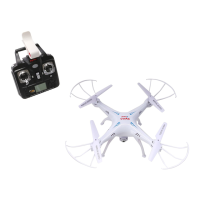
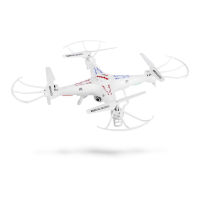
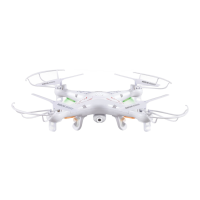
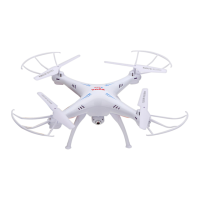
Need help?
Do you have a question about the SYMA X5SW EXPLORERS and is the answer not in the manual?
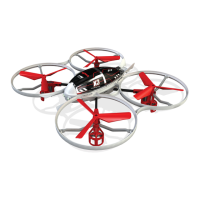
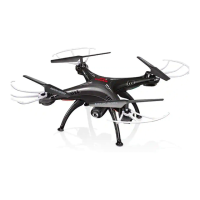
Key features of the quadcopter, including its four-axis structure, 6-axis gyroscope, modular design, 3D eversion, and headless function.
Details the parts of the transmitter and the correct procedure for inserting batteries, emphasizing polarity and battery types.
Step-by-step instructions for installing landing skids and blade protecting frames onto the quadcopter body.
Procedure for mounting the phone clamp onto the remote control for aerial photography and video.
Details the Wi-Fi connection process and how to use the SYMA FPV software, including its interface elements.
Instructions for capturing photos and videos using the quadcopter's camera via the FPV application.
Details how to control the quadcopter's movement (hover, forward/backward, turns, sideward) in Mode 1.
Describes how to correct drift or unwanted movements in Mode 1 using fine-tuning controls.
Details how to control the quadcopter's movement (hover, forward/backward, turns, sideward) in Mode 2.
Describes how to correct drift or unwanted movements in Mode 2 using fine-tuning controls.
Steps to power on the aircraft, connect the battery, and enter the pre-fly state using the transmitter.
Details the safety mechanisms that protect the quadcopter from low battery and electrical overload.
Instructions for performing 360-degree flips and throwing the quadcopter into the air for flight.
Guide to activating and using the headless mode, and correcting the forward direction in this mode.
Instructions for charging the battery, including duration, safety precautions, and warnings about battery usage.
Procedure for removing and installing the Wi-Fi camera onto the quadcopter, including connection.
 General
| Brand | SYMA |
|---|---|
| Model | X5SW EXPLORERS |
| Type | Quadcopter |
| Color | White |
| FPV (First Person View) | Yes |
| WiFi Transmission | Yes |
| Remote Control Frequency | 2.4 GHz |
| Channels | 4 channels |
| Headless Mode | Yes |
| One Key Return | Yes |
| Altitude Hold | Yes |
| 360° Flip | Yes |
| LED Lights | Yes |
| Skill Level | Beginner |
| Control Range | 50 meters |
| Battery | 3.7V 500mAh LiPo |
| Remote Control | Yes, included |

 To Next Page