Need help?
Do you have a question about the SYMA X5SW and is the answer not in the manual?
Illustrates and labels the components and controls of the remote transmitter, including joysticks, buttons, and antenna.
Provides instructions on correctly installing AA batteries into the remote control, emphasizing polarity and battery type.
Details the function of each button and indicator on the remote control keypad and LCD screen, including fine-tuning and mode switching.
Step-by-step guide on how to attach the phone clamp to the remote control for aerial photography.
Instructions for downloading and installing the SYMA FPV software on Android and iOS devices.
Explains how to connect the quadcopter's Wi-Fi to a phone and launch the SYMA FPV app for live viewing.
Describes the meaning of icons displayed on the real-time FPV interface, such as return, Wi-Fi signal, photo, and video.
Instructions on how to take pictures and record videos using the FPV interface and where to find saved files.
Illustrates how to control the quadcopter's movement: hover, forward/backward, turn left/right, and sideward fly.
Explains how to use fine-tuning controls to correct unwanted drift in forward/backward, sideward, and turning movements.
Illustrates how to control the quadcopter's movement in Mode 2: hover, forward/backward, turn left/right, and sideward fly.
Explains how to use fine-tuning controls to correct unwanted drift in forward/backward, sideward, and turning movements in Mode 2.
Guides through powering on the quadcopter and transmitter, connecting the battery, and initiating the pre-fly state.
Explains the low-voltage warning indicator and the need to return the aircraft when battery is insufficient.
Describes the over-current protection that activates when the aircraft's fan blade is stuck or crashed.
Details the initial setup for the headless function, including turning on the remote control.
Explains how to switch between general and headless modes and the indicators for each state.
Describes flying the aircraft in headless mode without needing to orient the headpiece, using the control stick.
Instructions on how to recalibrate the forward direction in headless mode after a crash or deviation.
Step-by-step guide on removing, charging, and reconnecting the quadcopter battery, including charging time.
Provides essential safety precautions for charging the battery, including environment, supervision, and battery condition.
Details the steps for removing and installing the Wi-Fi camera onto the quadcopter's fuselage.
Lists common problems like 'no response' or 'insensitive flying' with their causes and solutions.
Provides an exploded view of the quadcopter and a table listing all parts with their codes, descriptions, and quantities.
Lists the main physical dimensions, fuselage size, engine code, and battery specifications of the quadcopter.
Displays FCC, CE, RoHS certifications and QR codes for Android and iOS FPV software.
 General
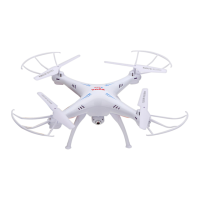
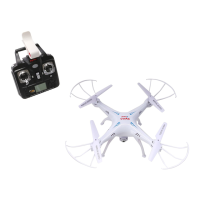
| Brand | SYMA |
|---|---|
| Model | X5SW |
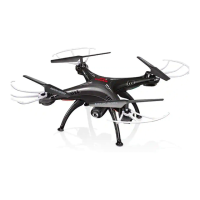
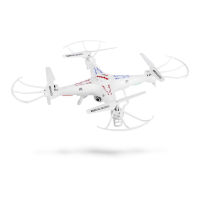
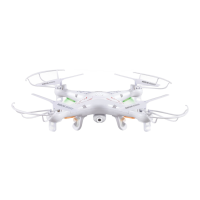
| Type | Quadcopter |
| Color | White |
| Remote Control | Yes |
| Remote Control Frequency | 2.4GHz |
| Camera | Yes |
| Camera Resolution | 0.3 MP |
| FPV (First Person View) | Yes |
| Dimensions | 31.5 x 31.5 x 8 cm |
| Headless Mode | Yes |
| One Key Return | Yes |
| Altitude Hold | No |
| 360° Flip | Yes |
| LED Lights | Yes |
| Skill Level | Beginner |
| FPV Range | 30-50 meters |
| Battery | 3.7V 500mAh LiPo |
| Control Range | 50 meters |

 To Next Page