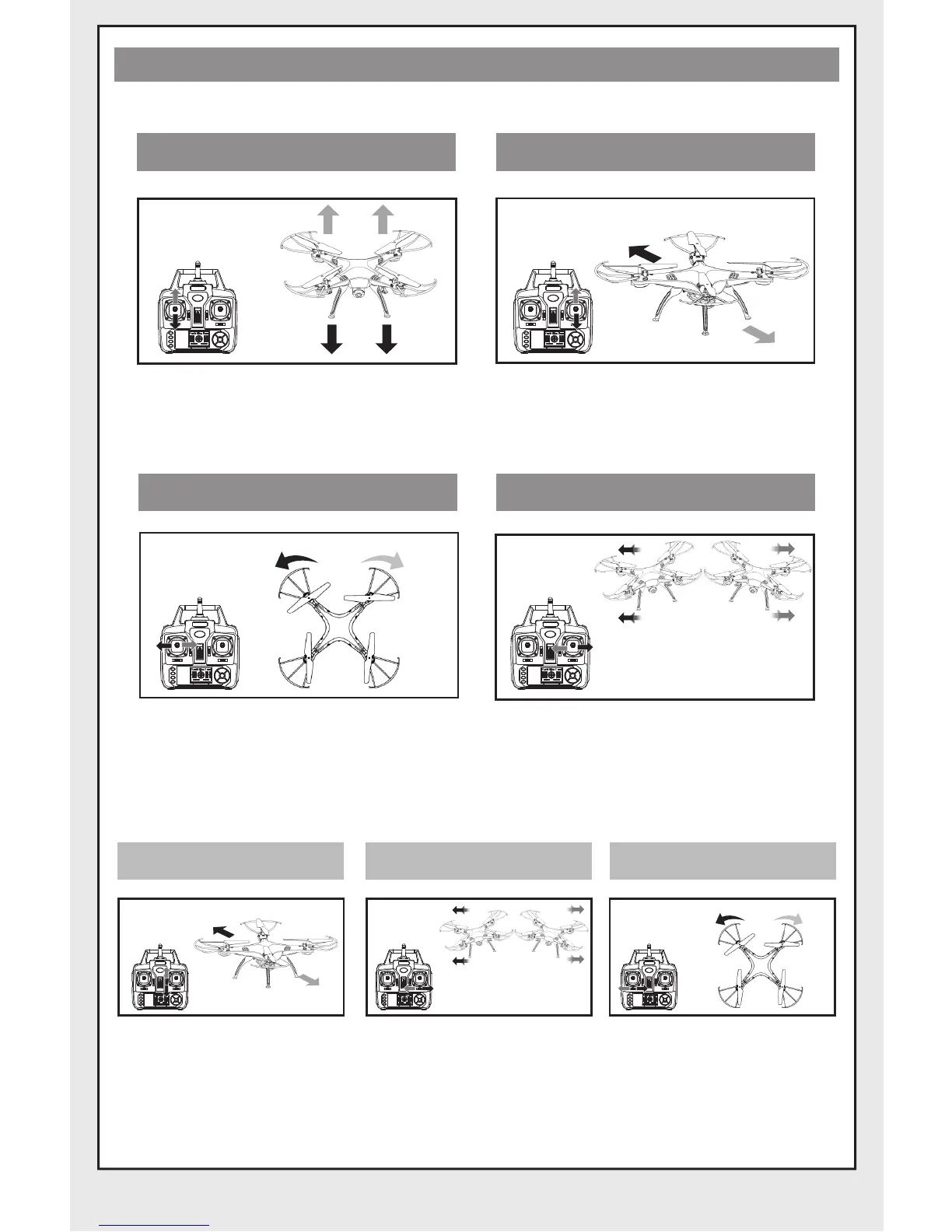
-6-
Sideward flyTurn Left and Right
Pull the direction lever left or right,
the quadcopter flies to left side or
right side.
Pull the throttle left or right, the
quadcopter turns to left or right.
Fine-tuning operation
Turn left/right fine-tuningSideward fly fine-tuningForward/Backward fine-tuning
When the quadcopter
keeps flying forward /
backward, youcan correct
it by pressing fine-tuning
button down / up.
When the quadcopter
keeps flying to left / right
side, youcan correct it by
pressing the Fine-tuning
button right / left.
When the quadcopter
keeps rotating to left /
right, you can correct it
by pressing the fine-
tuning button right / left.
MODE 1
Operating direction
Hover up and down Forward and backward
Push the throttle up or down, the
quadcopter flies upward or
downward.
Push the direction lever up or down,
the quadcopter flies forward or
backward.


 To Next Page