EasyManua.ls Logo

SYMA S100 - User Manual

SYMA S100
16 pages
Print Icon
To Next Page IconTo Next Page
Loading...
14+
INSTRUCTIONS FOR USE
S100
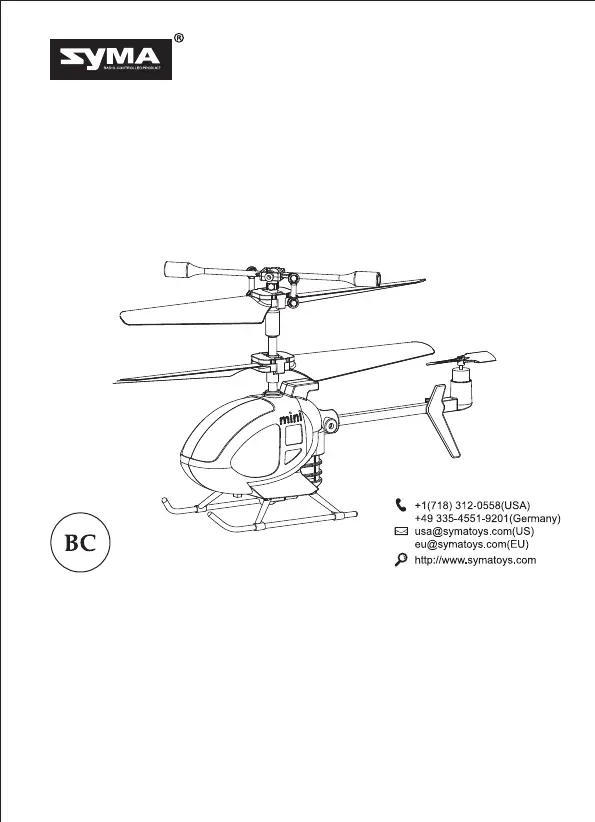
3 CHANNEL REMOTE CONTROL HELICOPTER
Helicopter Features
Special Plastic frame for a good resistance to mill and stable flight.It is suitable for
indoor flight
A sophisticated built-in gyroscopic auto-stability system for smooth and stable
flying.
Model design structured, easy operation and maintenance.
All material, dimensions and spare parts included in this instruction are for reference
only. The company is not responsible for any changes printed parts and notify
consumer. Any updated or changed please refer to our website www.symatoys.com.

Questions and Answers

Summary

Helicopter Features

Safety precautions

Repair and maintenance

Aircraft components

Remote controls button function description

Helicopter charging

Precautions during charging

Inserting the remote control batteries

Ready to fly your helicopter

To start the helicopter

Method one

Start helicopter by pushing left joystick to highest point, then returning to center for slow blade rotation.

Method two

Start helicopter by pressing one key button for blades to rise automatically to a certain height.

Flight control

Ascend

Control helicopter to move upwards.

Descend

Control helicopter to move downwards.

Rotate left

Control helicopter to rotate counter-clockwise.

Rotate right

Control helicopter to rotate clockwise.

Move backwards

Control helicopter to move backwards.

Move forwards

Control helicopter to move forwards.

Helicopter Control Scheme

Main parameter

Spare parts

Trouble shooting

SYMA S100 Specifications

General IconGeneral
BrandSYMA
ModelS100
Flight Time6-8 minutes
Age Range14+
MaterialPlastic
CameraNo
Battery3.7V 150mAh Li-Po
FeaturesLED Lights
Channels4 Channels

Related product manuals