628
12
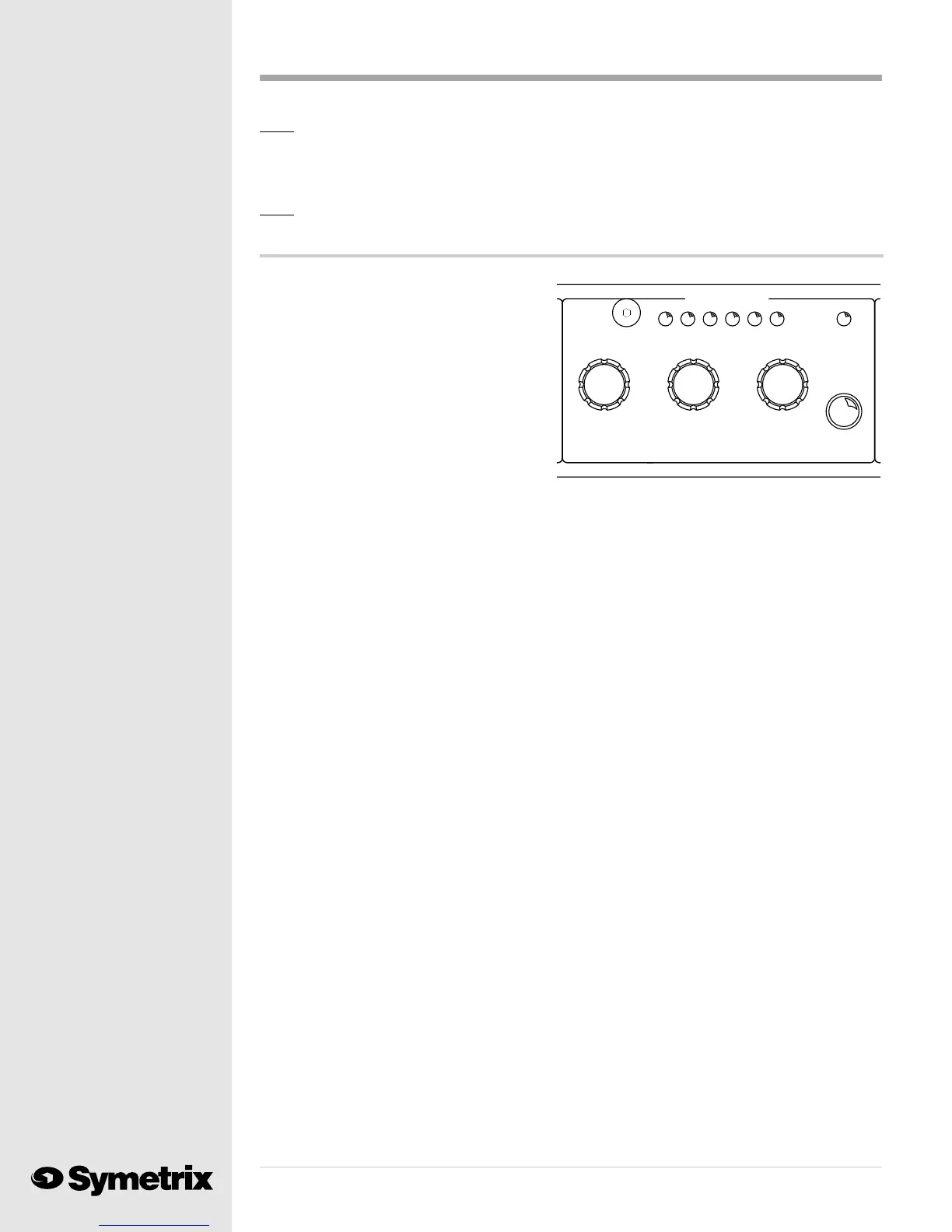
The Expander/Gate ...
Symetrix 528s and 528Es provided only a
THRESHOLD control for their downward
expander function. In response to our users
requests we enlarged the expander, creating a
separate EXPANDER/GATE section with
RATIO and RELEASE time controls. The
628s RATIO control allows this new section
to perform either as a downward expander,
gently lowering the signal level when it falls
below the threshold value, or as a gate, and
essentially turning off a signal which falls
below the threshold. Use the EXPANDER/
GATE for single-ended noise reduction to turn down any studio background noise when no one is
speaking into the microphone.
By now you can probably figure out how to make adjustments to the EXPANDER/GATE controls.
They function just like the controls on the COMPRESSOR stage. Toggle the Operate/Bypass
button to the right of the RELEASE knob to activate the EXPANDER/GATE stage. Next, turn the
THRESHOLD control gently until one click is felt. The MASTER numeric display will show you
the current threshold level below clipping (dBfs). Turn the THRESHOLD knob further to raise or
lower the threshold. Press the SAVE button and the MASTER display will show the flashing
letters Sto (Store). Push the SAVE button again and the 628 will record the threshold change.
In the same manner, the RATIO knob activates the display and changes the ratio of the EX-
PANDER/GATE stage. Selecting a low ratio (for example: 2:1) will cause the stage to behave like a
downward expander. When the input signal falls below the threshold, the 628 will lower the signal
at the ratio which you have chosen. In the example of a 2:1 ratio, a 1 dBu drop in the input signal
will result in a 2 dBu drop in the output signal level. The EXPANDER/GATE LED meter will reflect
the amount of downward expansion applied to the input signal.
If a higher ratio (10:1) is used, a 1 dBu drop in the input signal will result in a 10 dBu drop at the
628s output. This resembles the function of a gate which turns off the signal when it falls below
the threshold level. Turn the RATIO knob until one click is felt and the MASTER numeric display
will show you the current program ratio (XX:1). Change the ratio by turning the knob further, and
save the change by pushing the SAVE button. The MASTER display will show the flashing letters
"Sto" (Store). Push the SAVE button again to record the change to the ratio.
The RELEASE time control tells the 628 how quickly to lower the signal level when the input audio
level falls below the defined threshold level. A short release time (for example: .500 Sec.) combined
with a high ratio (for example: 10:1) provides rapid, aggressive gating action. A sports announcer
would use this combination to minimize loud background noise when broadcasting a basketball
game. A long release time (for example: 2.50 Sec.) and a low ratio (for example: 2:1) provides gentle,
transparent downward expansion. This combination would work well in a studio to minimize air
conditioning noise or the sound of computer fans.
Slowly turn the RELEASE knob until a single click is felt. The MASTER display will show the
current release time. Change this value by continuing to turn the knob, watching the release time
value change on the display. Dont forget to save the change by pushing the SAVE button. The
MASTER display will show the flashing letters Sto (Store). Push the SAVE button again to
record the release time change.
EXPANDER/GATE
RELEASE
(Sec)
RATIO
(X:1)
THRESHOLD
(dBFS)
-12 -18 -15 -6 -9 -3 ACTIVE
Note: Please reserve the use of the OUTPUT LEVEL to make up gain lost to the compressor. Do
not use the OUTPUT LEVEL control as an output attenuator. When you use the control
as an attenuator, you alter the gain structure of the 628 in the DSP and raise the overall
noise floor of the unit.
Note: You will find more advice on using an audio compressor in Chapter 4.



 To Next Page