628
13
-3 ACTIVE-9 -15
-12
-18
M
FREQUENCY
(kHz)
DE-ESSER
THRESHOLD
-6
(dBu)
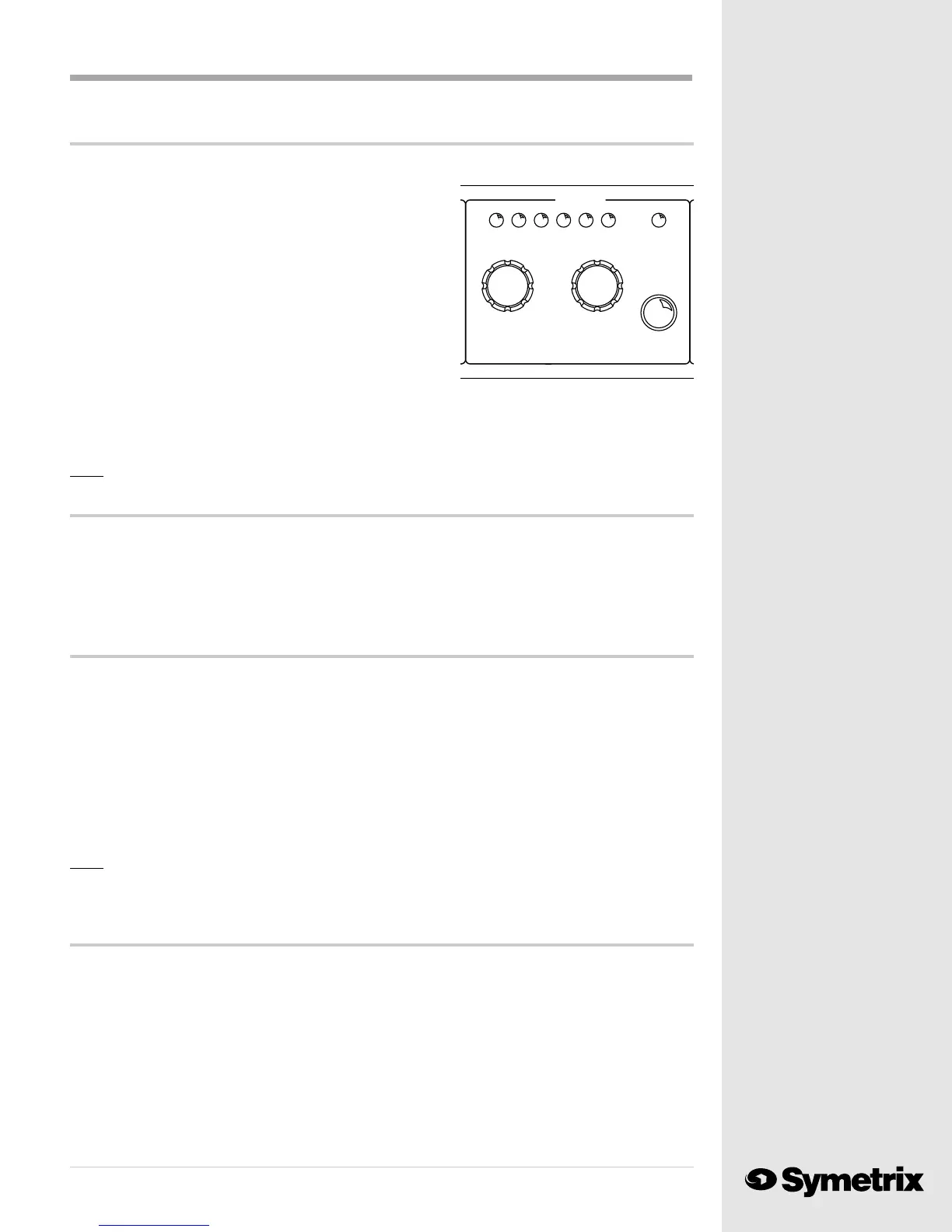
The De-Esser ...
A de-esser functions as a frequency selective compressor. It lowers (compresses) the energy around a
chosen frequency. The THRESHOLD of the DE-ESSER
determines the level at which compression begins. De-essing
action begins if the input signal contains enough energy at the
specified frequency to rise above the threshold.
Push the Operate/Bypass button to turn on the DE-ESSER
section and light the ACTIVE LED. Turn the FREQUENCY
knob until a single click is felt. This will cause the MASTER
numeric display to show the current DE-ESSER frequency
setting (for example: 6.0 kHz.) Turning the FREQUENCY
knob further will change the frequency. Push the SAVE button
twice to record the change to the preset program.
A slow turn of the THRESHOLD knob, until one click is felt, will instruct the 628 to display the
threshold value on the MASTER numeric display. Turning the knob further will change the
threshold value. Pushing the SAVE button twice to record the change to the threshold value.
Note: You will find more information on de-essers in Chapter 4.
That’s it ...
You now can teach everyone else in the station how to use the 628, unless you dont want to.
There are some things which are best kept secret. If you dont want your air-talent to tweak the
parameters of their processing presets you can disable the 628s front panel controls. After you
lock out the front panel controls, the announcers can switch between presets, but when they turn
other knobs the 628 ignores them.
Front Panel Security
Heres how to lookout the 628s front panel. With your index finger smartly extended, push the EQ
BAND SELECT button on the front panel and hold it in. Turn the PRESET NUMBER knob until the
MASTER display reads "LO" (Lock Out). Release the BAND SELECT button. You have now
disabled all digital front panel functions except for PRESET NUMBER selection. Anyone attempt-
ing to change the operating values can twist knobs all day long, but the 628 will ignore their
attempts.
When you need to reactivate the front panel controls, hold the EQ BAND SELECT button in and
rotate the PRESET NUMBER knob until the MASTER display reads "uLO" (unLOck). The 628's
controls will now function.
Note: Since the microphone preamp and line input GAIN control and switches are analog
functions, you cannot lockout these controls. We provide security only for the digital
control functions of the 628.
Other remaining mysteries ...
If you remain puzzled by anything happening with your new 628, check Chapter Four, Audio
Processing Basics. This presents an overview of audio processing theory and may fill in the
missing bit of information which prevents you from fully understanding your 628. Chapter Five,
Troubleshooting, covers possible problems your unit might experience due to improper connec-
tions, etc. Call us if there is anything which you just cant figure out.



 To Next Page