EasyManua.ls Logo

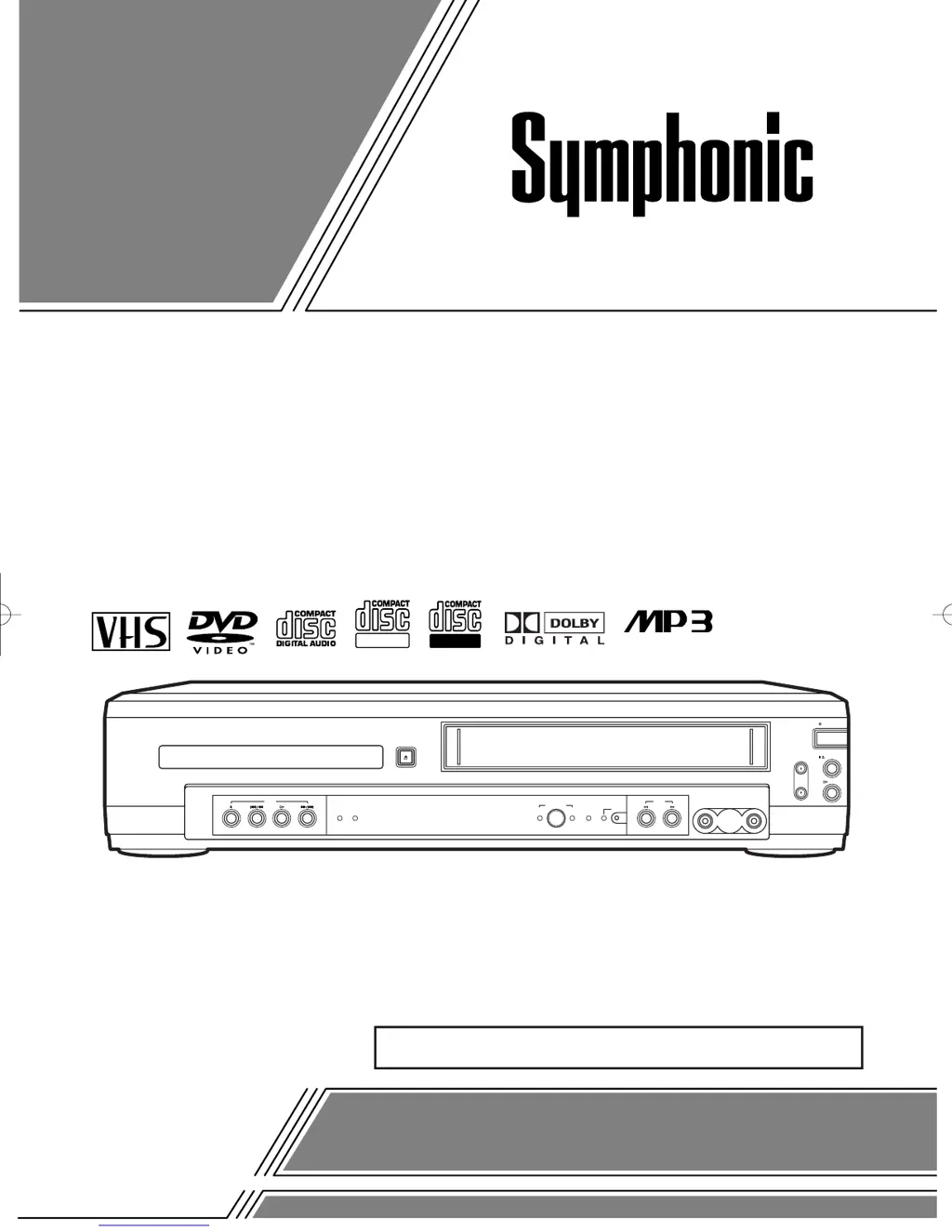
Symphonic WF803 - User Manual

Symphonic WF803
44 pages
Print Icon
To Next Page IconTo Next Page
Loading...
OWNER’S
MANUAL
If you need additional assistance for set-up or operating
after reading owner’s manual, please call
TOLL FREE : 1
-
800
-
242-7158
or visit our web site at http://www.funai-corp.com
Please read before using this equipment.
POWER
CHANNEL
PLAY
STOP/EJECT
VIDEO
VCR
AUDIO
REW
OPEN/CLOSE
F.FWDPLAY FWD/SKIPSTOP SKIP/REV
REC
VCRDVD
PLAY DISC IN TIMER/REC
OUTPUT
DVD
ReWritable
Recordable
INSTRUCCIONES EN ESPAÑOL INCLUIDAS.
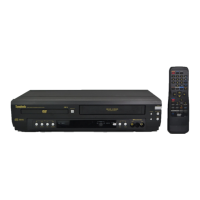
DVD PLAYER with VIDEO CASSETTE RECORDER
WF803
H9402UD.qx33 03.4.7 2:31 PM Page 1

Table of Contents

Other manuals for Symphonic WF803

Questions and Answers

Summary

Safety and Warnings

Laser Safety Precautions

Guidelines for safe operation of the laser system to prevent eye injury.

Electrical Shock and Fire Prevention

Essential warnings to prevent electrical shock and fire hazards.

Important Safeguards

Features and Precautions

Installation and Operational Precautions

Guidelines for unit placement, heat, and avoiding electrical hazards.

Controls and Functions - Part 1

Front Panel Controls

Identifies and explains buttons and lights on the front of the unit.

Remote Control Layout

Details the functions of buttons on the remote control.

Controls and Functions - Part 2

Remote Control Button Operations

Explains the operation of various remote control buttons.

Rear Panel Connections

VCR;DVD Mode Switching

Selecting Operation Mode

How to switch between DVD and VCR operation modes.

Hookups and Connections

Advanced Connections

Audio System Integration

Connecting to Dolby Digital Receivers

Connecting for 5.1 channel surround sound playback.

Setup Procedures

Automatic Channel Setup (VCR)

Scans and memorizes available TV channels automatically.

Playback Functions

Recording Functions

One Touch Recording (OTR)

Quick recording function for immediate tape recording.

Normal and Timer Recording

Standard recording and scheduling recordings in advance.

Timer Recording Details

Setting Timer Recording Programs

Detailed steps for setting up scheduled recordings.

Disc Playback and Tape Features

Basic Disc Playback

Getting started with playing discs, including menus and pause.

Specialized Disc Playback

Random, MP3, and On-Screen Information

Playing tracks randomly, MP3 playback, and displaying playback info.

Display and Parental Controls

Parental Control Setup

Restricting disc playback based on rating levels and password.

DVD Setup Options

Parental Control Levels and Markers

Setting specific parental lock levels and using marker functions.

Language Settings

DVD Language Options and Codes

Setting languages for audio, subtitles, menus, and player display.

Troubleshooting Guide

Common Problems and Solutions

Troubleshooting steps for various operational issues.

Maintenance and Care

Technical Specifications

Warranty Information

Summary

Safety and Warnings

Laser Safety Precautions

Guidelines for safe operation of the laser system to prevent eye injury.

Electrical Shock and Fire Prevention

Essential warnings to prevent electrical shock and fire hazards.

Important Safeguards

Features and Precautions

Installation and Operational Precautions

Guidelines for unit placement, heat, and avoiding electrical hazards.

Controls and Functions - Part 1

Front Panel Controls

Identifies and explains buttons and lights on the front of the unit.

Remote Control Layout

Details the functions of buttons on the remote control.

Controls and Functions - Part 2

Remote Control Button Operations

Explains the operation of various remote control buttons.

Rear Panel Connections

VCR;DVD Mode Switching

Selecting Operation Mode

How to switch between DVD and VCR operation modes.

Hookups and Connections

Advanced Connections

Audio System Integration

Connecting to Dolby Digital Receivers

Connecting for 5.1 channel surround sound playback.

Setup Procedures

Automatic Channel Setup (VCR)

Scans and memorizes available TV channels automatically.

Playback Functions

Recording Functions

One Touch Recording (OTR)

Quick recording function for immediate tape recording.

Normal and Timer Recording

Standard recording and scheduling recordings in advance.

Timer Recording Details

Setting Timer Recording Programs

Detailed steps for setting up scheduled recordings.

Disc Playback and Tape Features

Basic Disc Playback

Getting started with playing discs, including menus and pause.

Specialized Disc Playback

Random, MP3, and On-Screen Information

Playing tracks randomly, MP3 playback, and displaying playback info.

Display and Parental Controls

Parental Control Setup

Restricting disc playback based on rating levels and password.

DVD Setup Options

Parental Control Levels and Markers

Setting specific parental lock levels and using marker functions.

Language Settings

DVD Language Options and Codes

Setting languages for audio, subtitles, menus, and player display.

Troubleshooting Guide

Common Problems and Solutions

Troubleshooting steps for various operational issues.

Maintenance and Care

Technical Specifications

Warranty Information

Symphonic WF803 Specifications

General IconGeneral
TypeDVD VCR Combo
Number of Discs1
Remote ControlYes
BrandSymphonic
ModelWF803
DVD PlayerYes
VCR PlayerYes
Region Code1
Output Resolution480i
Playable Media FormatDVD, VHS
DVD TypeDVD player
ConnectivityComposite Video

Related product manuals