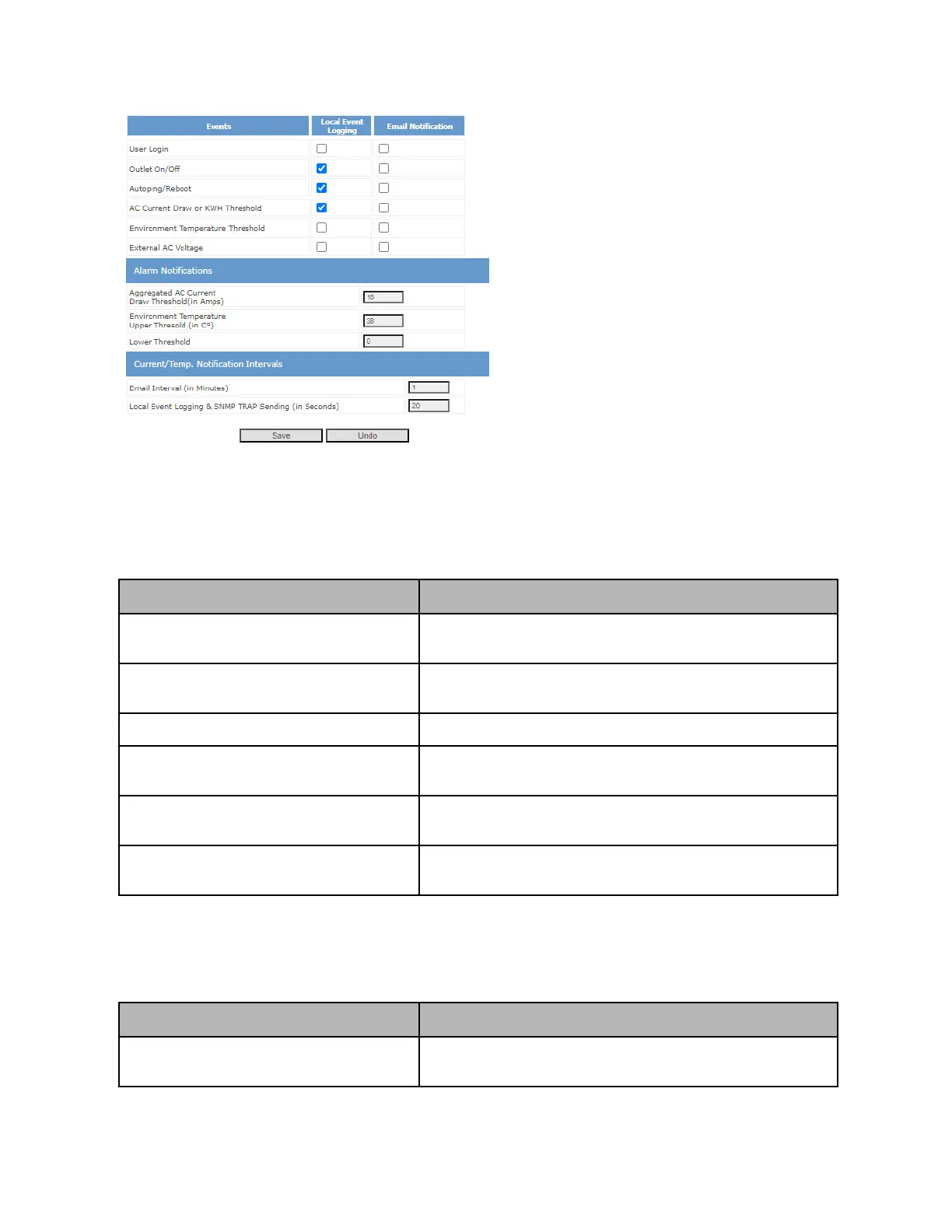
Event logging can be configured in the web UI in the “Event Notification” section. Locally stored event
logging can be viewed in the “View Event Logging” section of the Web UI.
Refer to the following tables for documentation on each setting or event:
Anytime a user logs in (through any access method), an event is
logged
Anytime outlet state is set to On, Off, or rebooted, an event is
logged
Anytime autoping fires and triggers a reboot, an event is logged
AC Current Draw or KWH Threshold
**(DU models only)
Anytime specified AC Current draw threshold (configured in
following section) is crossed, an event fires
Environment Temperature Threshold
**(DU models only)
Anytime environmental low or high temperature threshold is
triggered (configured in following section), an event fires
External AC Voltage
**(DU series only with external AC sensing)
For customized 0x05 models (e.g. NP-0205DU), logs if external
power source is no longer present.
Additionally, for DU models with AC and temperature sensing, the following additional settings can be
configured:
Aggregated AC Current Draw Threshold
Threshold (in Amps) to use for trigger “AC Current Draw” event
logging



 To Next Page