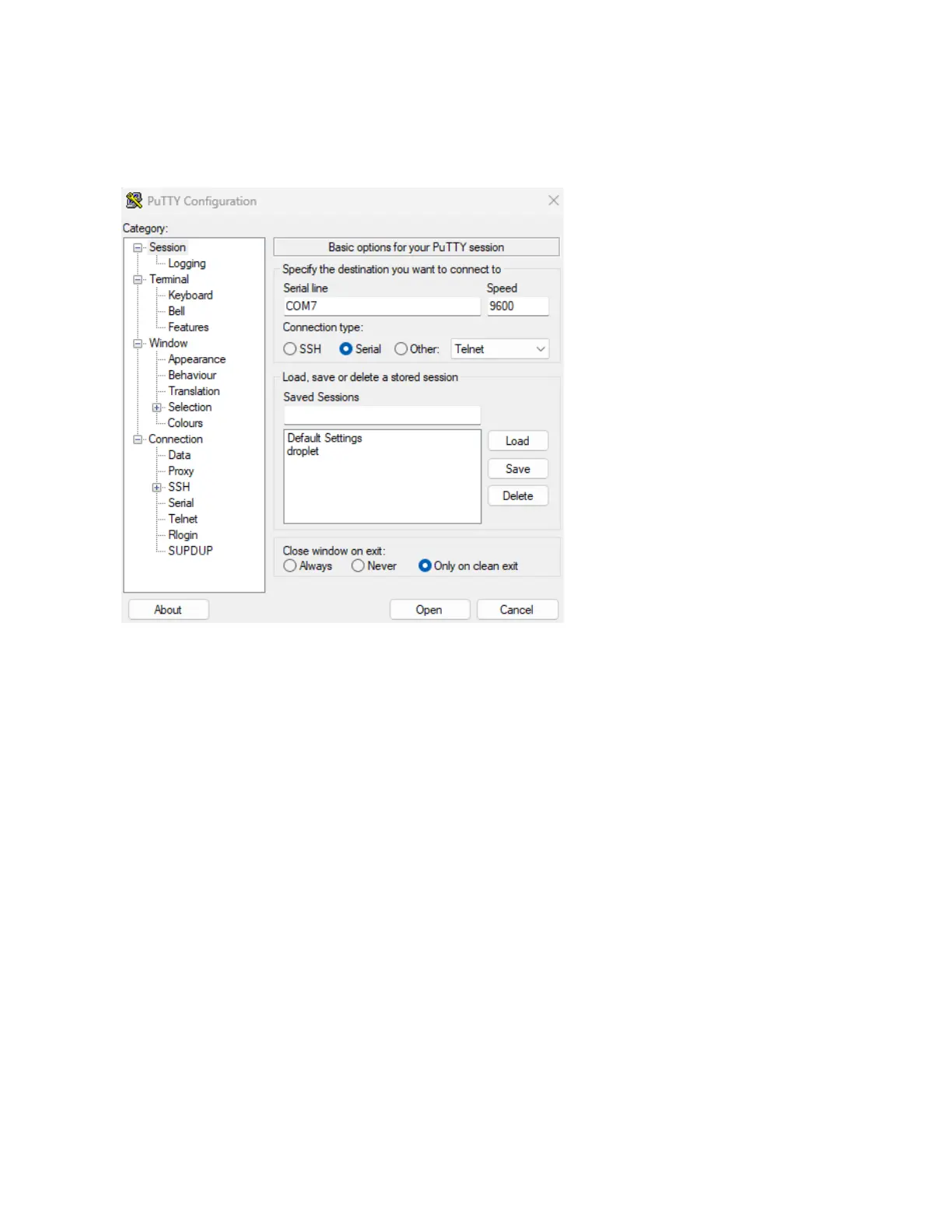
Once you have updated the settings,
navigate to the “Session” section at
the top of the left hand menu, set
connection type to “Serial”.
Set your Serial Line to the COM port
that your device is connected to, and
click on the “Open” button at the
bottom.
This will open a terminal console
session with the device. You can
verify you are connected to the device
by typing in “help” to see the help
menu.
Configuring Your Device
Configure System and Network Settings
In the Web UI, you can configure basic network settings in the “Network” section of the left hand menu.
This includes setting the device to DHCP mode, or configuring a static IP. For netBooter models that
support HTTPS (e.g. “DU*” series) HTTPS mode can be enabled for Web UI by setting the HTTP port to
443.



 To Next Page