⑤
⑤④
③
⑥
⑦
⑦
⑧
②
①
①
Customize back line
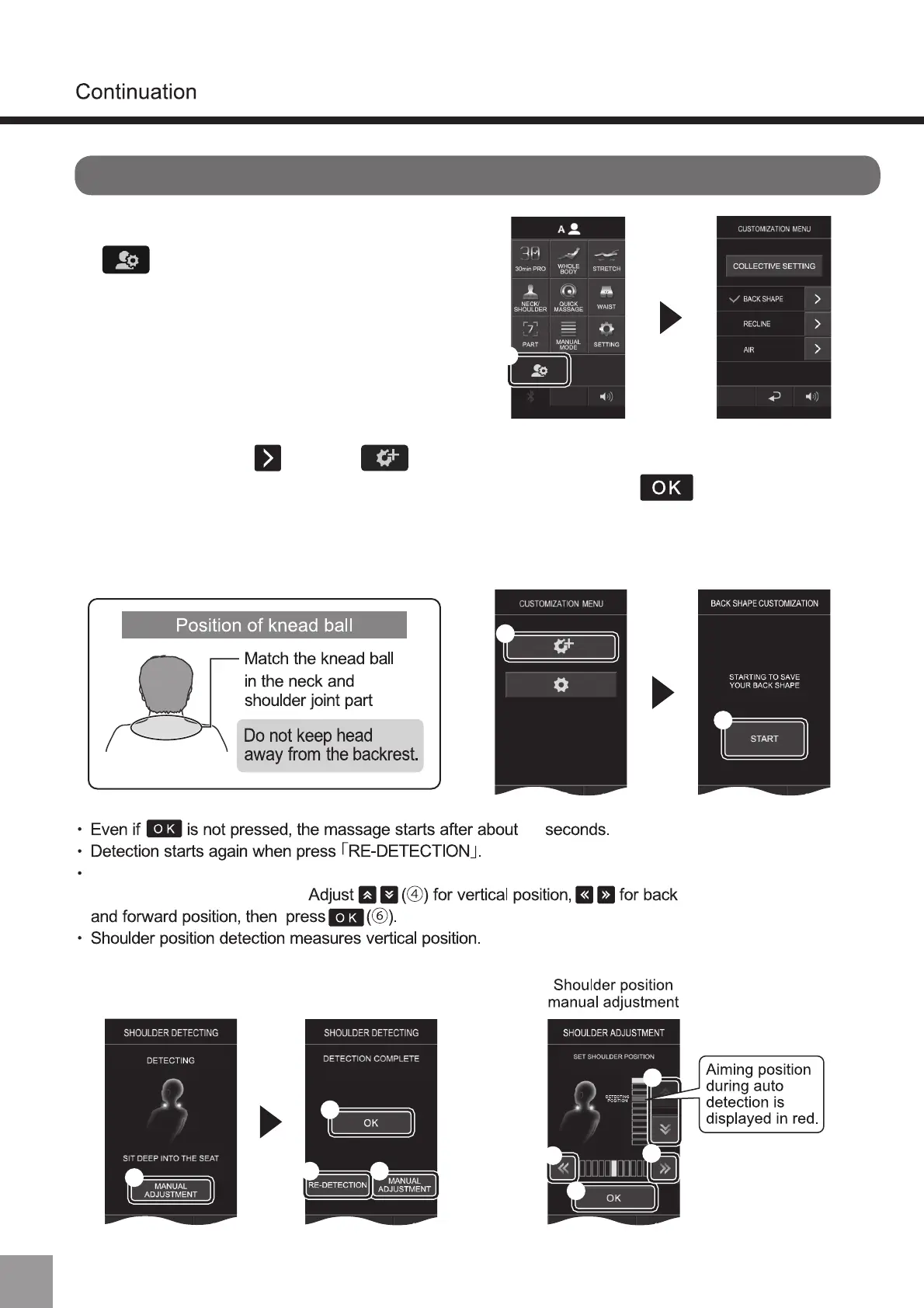
Shoulder position can be adjusted by pressing [MANUAL ADJUSTMENT]
during or after the detection.
10
Position can be adjusted through “Manual Adjustment”.
58
1. Log in to A or B, and press
(①).
2. Press back line , select (①) and press “start (②)” to detect
the shoulder position. After detection is complete, press (③), and the
shoulder position will be registered. If it is inconsistent with the actual
shoulder position, press the “Re-detection (④)” key or the "Manual
Adjustment(⑤)” key to adjust.
(About User Customized Mode)



 To Next Page