①
②
③
④
Customize reclining
①
(About User Customized Mode)
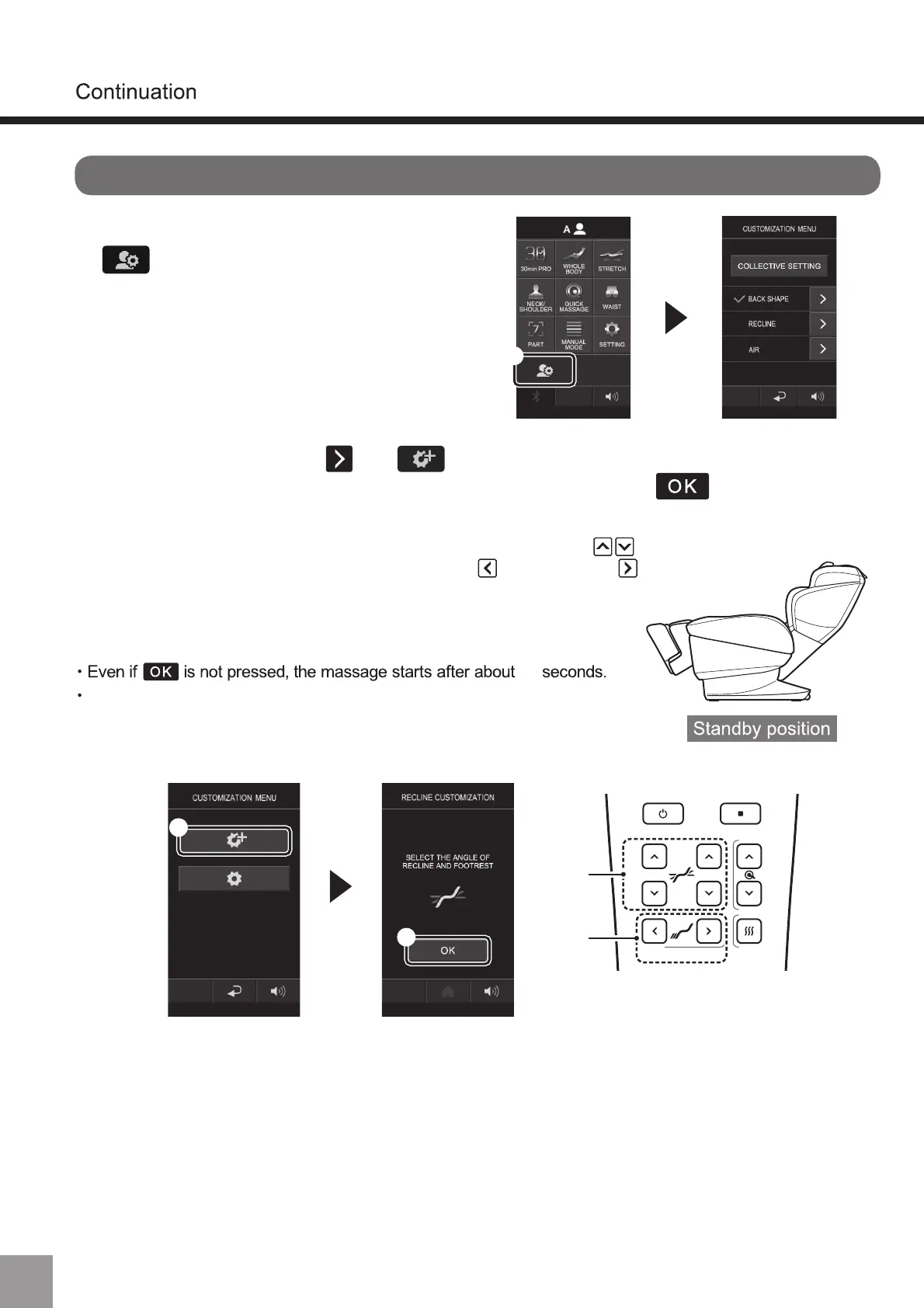
2. After pressing reclining and (①), the customize screen will appear.
Adjust the backrest angle, leg angle, leg length and press (②).
If “Registration completed” is displayed, the registration is completed.
10
Do not turn off the power during registration, otherwise the registration
of customized information cannot be completed.
1. Log in to A or B, and press
(①).
60
・ The backrest angle and leg angle can be adjusted with "Reclining" (③),
and the leg length can be adjusted with "extending" and "retracting" (④).
Please refer to “Adjusting the angle of reclining and legs” for details. (P20~21)
・ The leg angle cannot be lowered below the standby position.
・ After registering the customized reclining, backrest and footest will
automatically move to the registered position from the following login.



 To Next Page