08
Settings Button
How to use
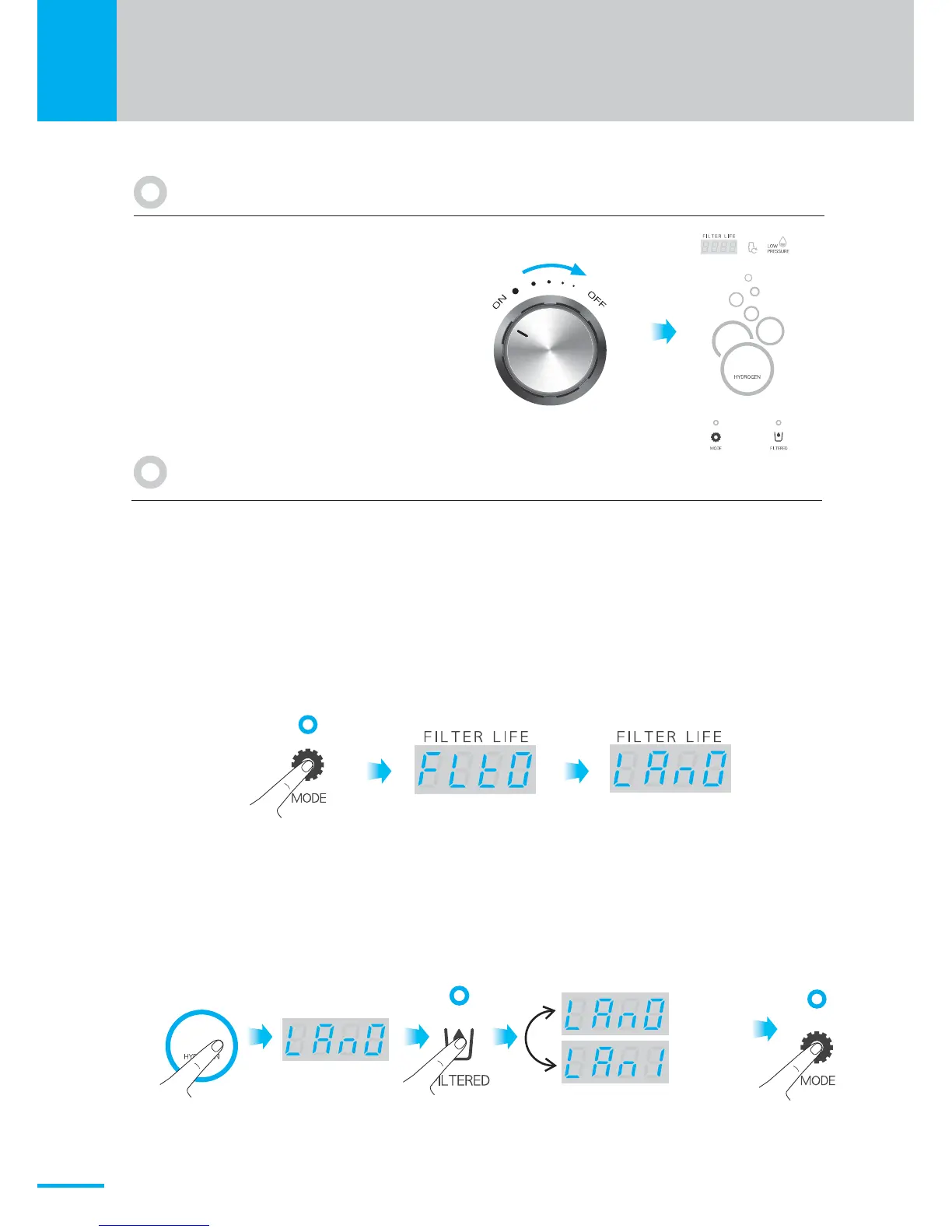
Rotate the ON/OFF knob to the OFF
position. The LED Display will no
longer be illuminated and the machine
will go into standby mode.
How to turn off water flow
H2
H2
The 'Setting function' can be operated only when machine is powered on.
It has language and volume settings.
<English>
<Korean>
<Language setting><Filter life setting>
1) How to set the language
※ The default setting is English.
① Touch and hold the Mode button for a few seconds until the ring sound is heard.
The screen will appear as follows.
② Press the H2 button to switch to the language setting (LAn0_ English) mode.
③ Press the Filtered button to change the setting value as follows.
(LAn0 → LAn1 → LAn0) LAn1 is set to Korean Language.
④ Press the Mode button to save the setting value.


 To Next Page