09
twice~
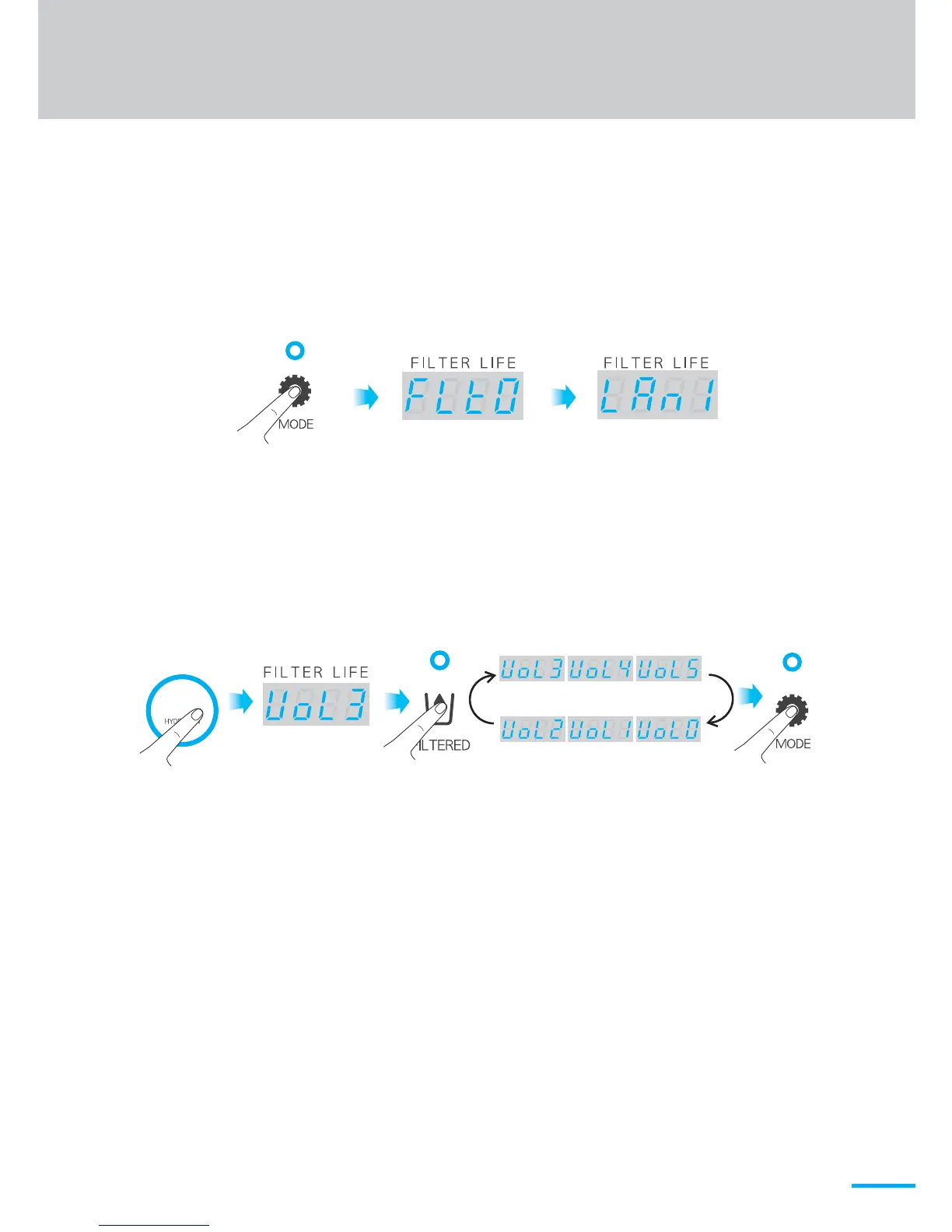
<volume 3> <volume 4> <volume 5>
<volume 0>
<volume 1><volume 2>
<Language setting><Filter life setting>
2) How to set the volume
※ The default setting is VoL3.
① Touch and hold the Mode button for a few seconds until the ring
sound is heard. The screen will appear as follows.
H2
② Press the H2 button twice to switch to volume setting (VoL3) mode.
③ Press Filtered button to change the setting value as follows.
④ Press the Mode button to save the setting value.


 To Next Page