11
Chapter 2: Hardware Setup
3
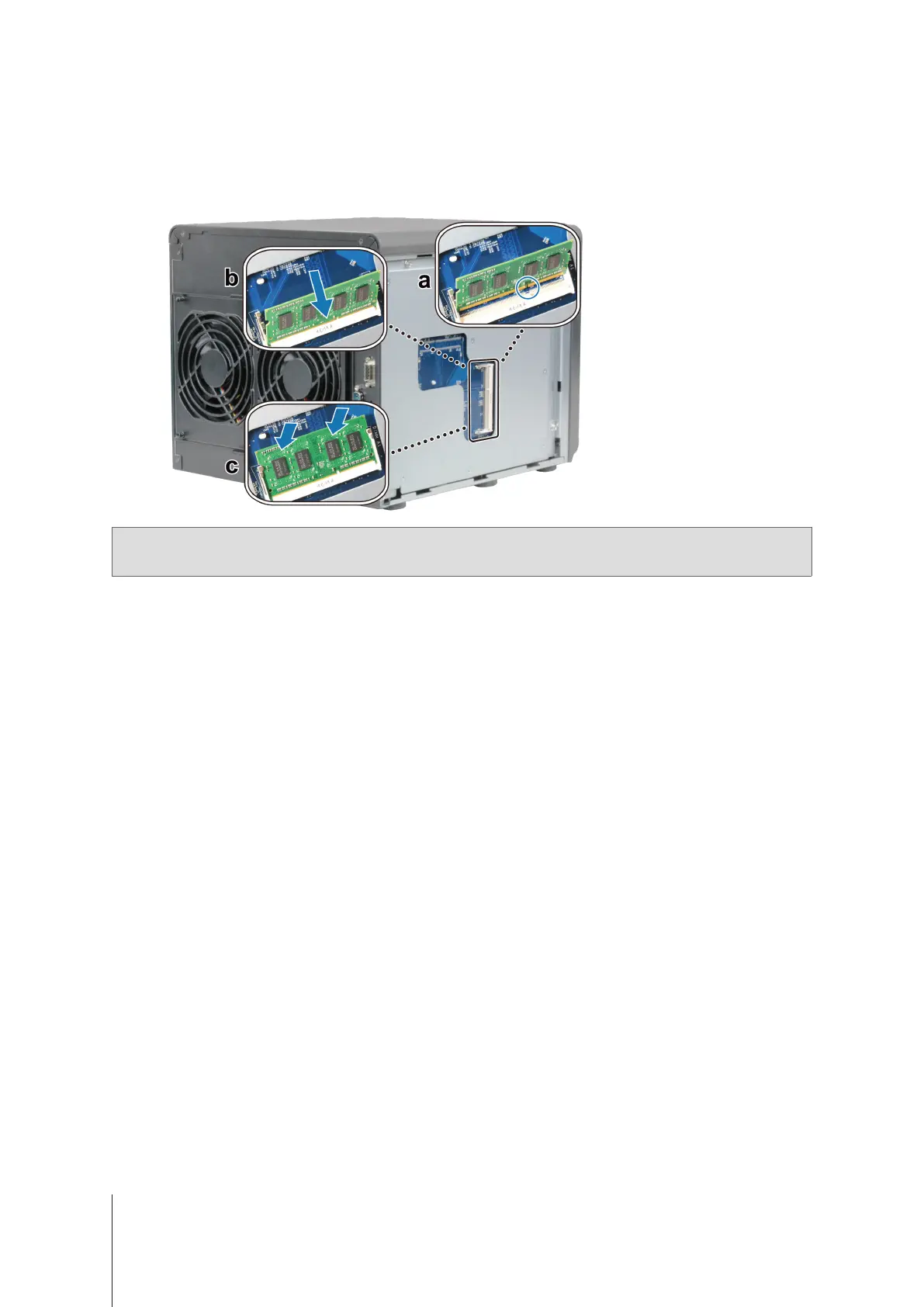
Insert the new memory module in the slot:
a
Align the notch on the gold edge of the module with the notch in the lower memory slot.
b
Tilt the card and push the memory into the slot. Make sure the module is pushed in all the way.
c
Usetwongerswithrm,evenpressuretopushdownonthememorymodule.Youshouldhearaclickwhen
the memory snaps into position.
Note:
Hold the memory module by its edges, and do not touch the gold connectors.
4
Replace the side cover. Replace and tighten the 2 screws you removed in step 2-a.



 To Next Page