13
Chapter 2: Hardware Setup
Replace System Fan
Your DiskStation will play beep sounds if either of the system fans is not working. Follow the steps below to
replace the malfunctioning fan module with a good one.
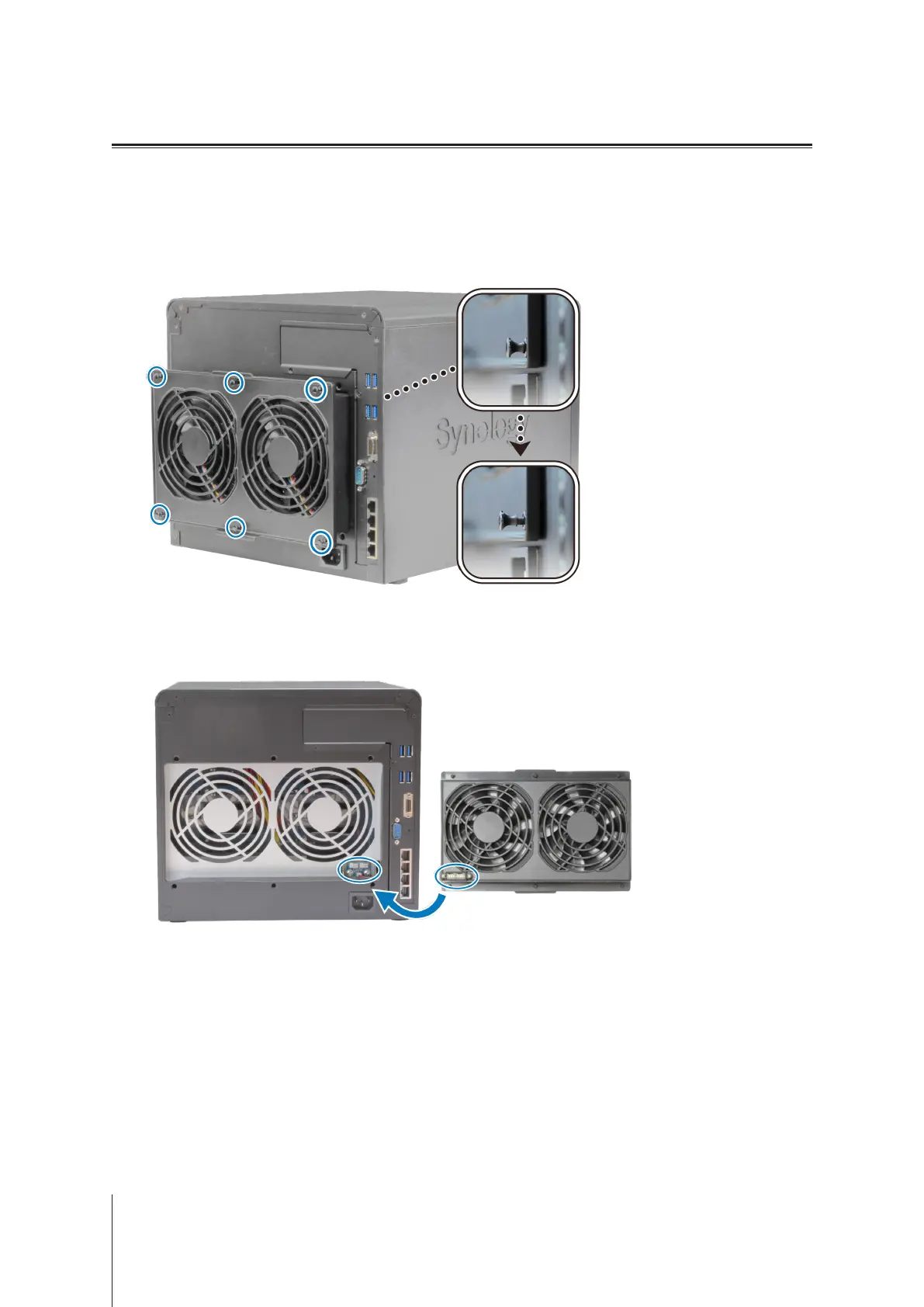
To replace the system fan module:
1
Shut down your DiskStation. Disconnect all cables connected to your DiskStation to prevent any possible
damages.
2
Pull the 6 push pins that secure the fan module.
3
To remove the malfunctioning fan module, you simply need to pull it out from your DiskStation.
4
Install the new fan module:
a
Install the new module with the power connector at the bottom, so that it can be properly put onto the
chassis.
b
Make sure all six push pins are pulled outwards before the module is attached, and then press the push pins
back into place to secure the fan module.



 To Next Page