14
Chapter 2: Hardware Setup
3
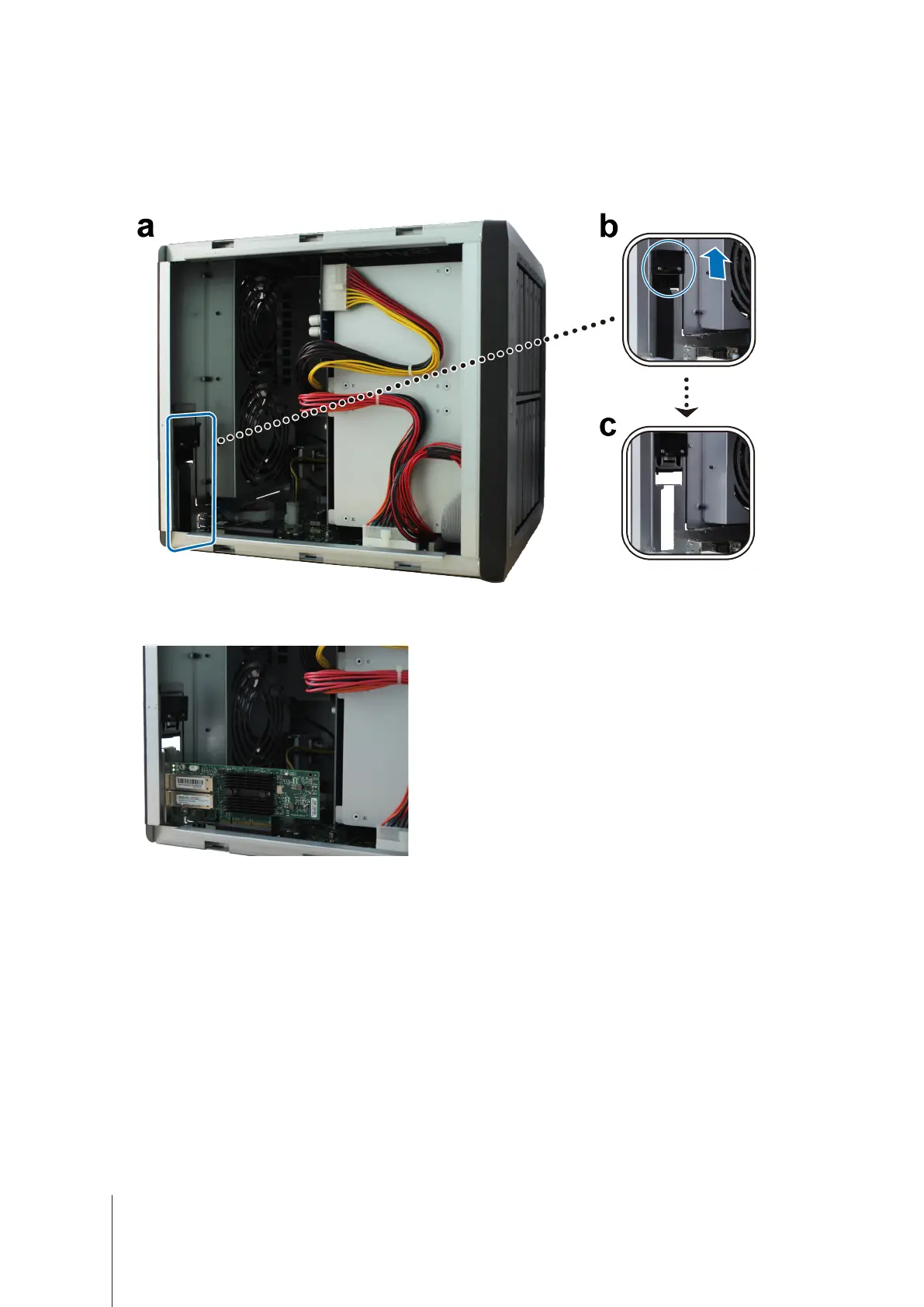
Remove the PCIe expansion slot shield:
a
Reposition your DiskStation so that the top will be facing your body, with drive trays on the right side.
b
Pull the clip above the PCIe expansion slot shield in the direction as illustrated below.
c
Remove the shield.
4
Install the network interface card:
a
Align the card’s connectors with the PCIe expansion slot.









 To Next Page