8 Chapter 2: Hardware Setup
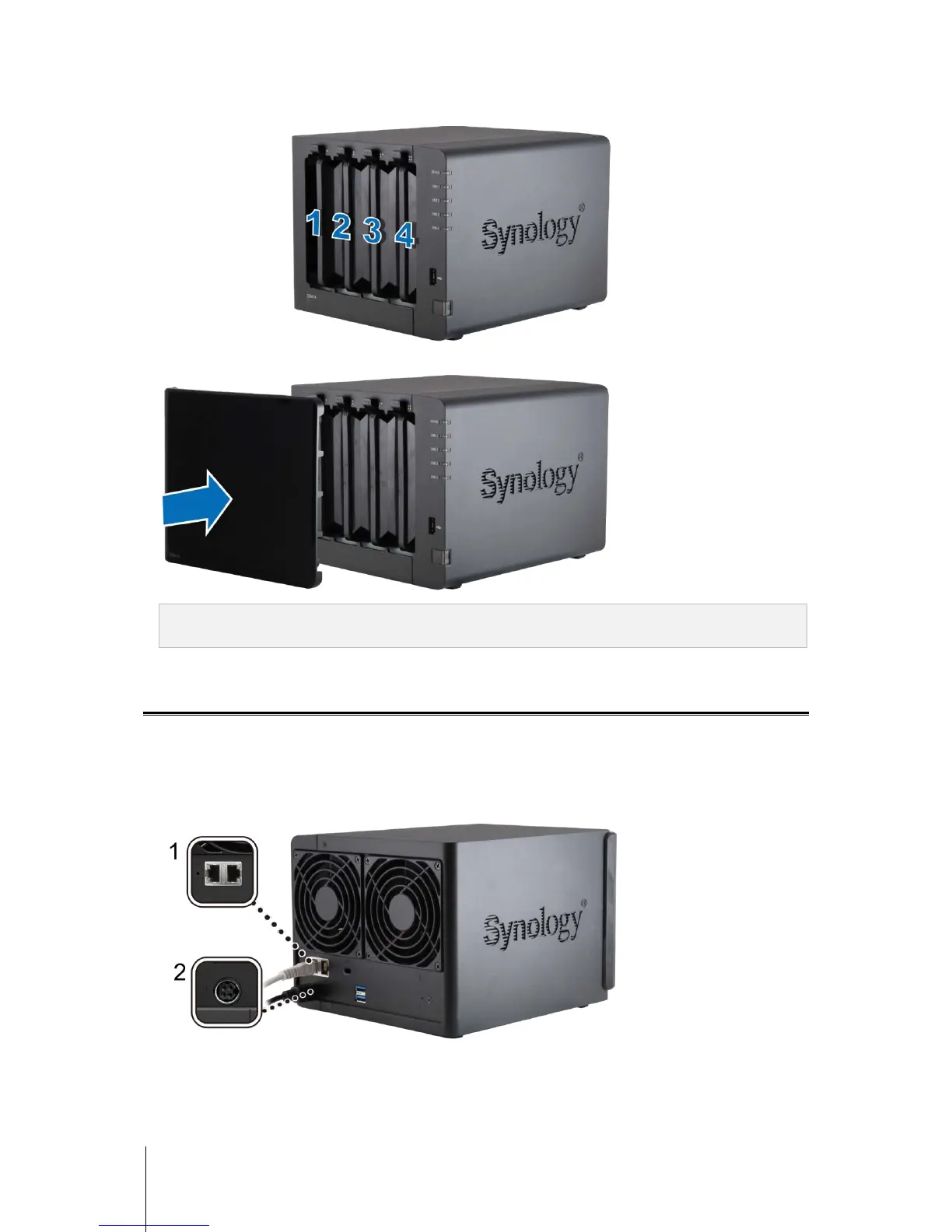
6 The position of hard disks is as follows:
7 Secure the hard drive bay cover to the front of the unit.
Note: If you want to create a RAID volume, we recommended that all installed hard disks are of the same size to
make the best use of hard disk capacity.
Start Up Your DiskStation
Once hard disks have been installed properly, please follow the steps below to connect and power on your
DiskStation.
1 Use the LAN cable to connect the DiskStation to your switch, router, or hub.
2 Connect the AC adapter to the power port of the DiskStation. Connect one end of the AC power cord to the AC
power adapter, and the other to the power outlet.



 To Next Page