EasyManua.ls Logo

Synology DS224+ - Page 19

Synology DS224+
50 pages
Print Icon
To Next Page IconTo Next Page
To Previous Page IconTo Previous Page
Loading...
18
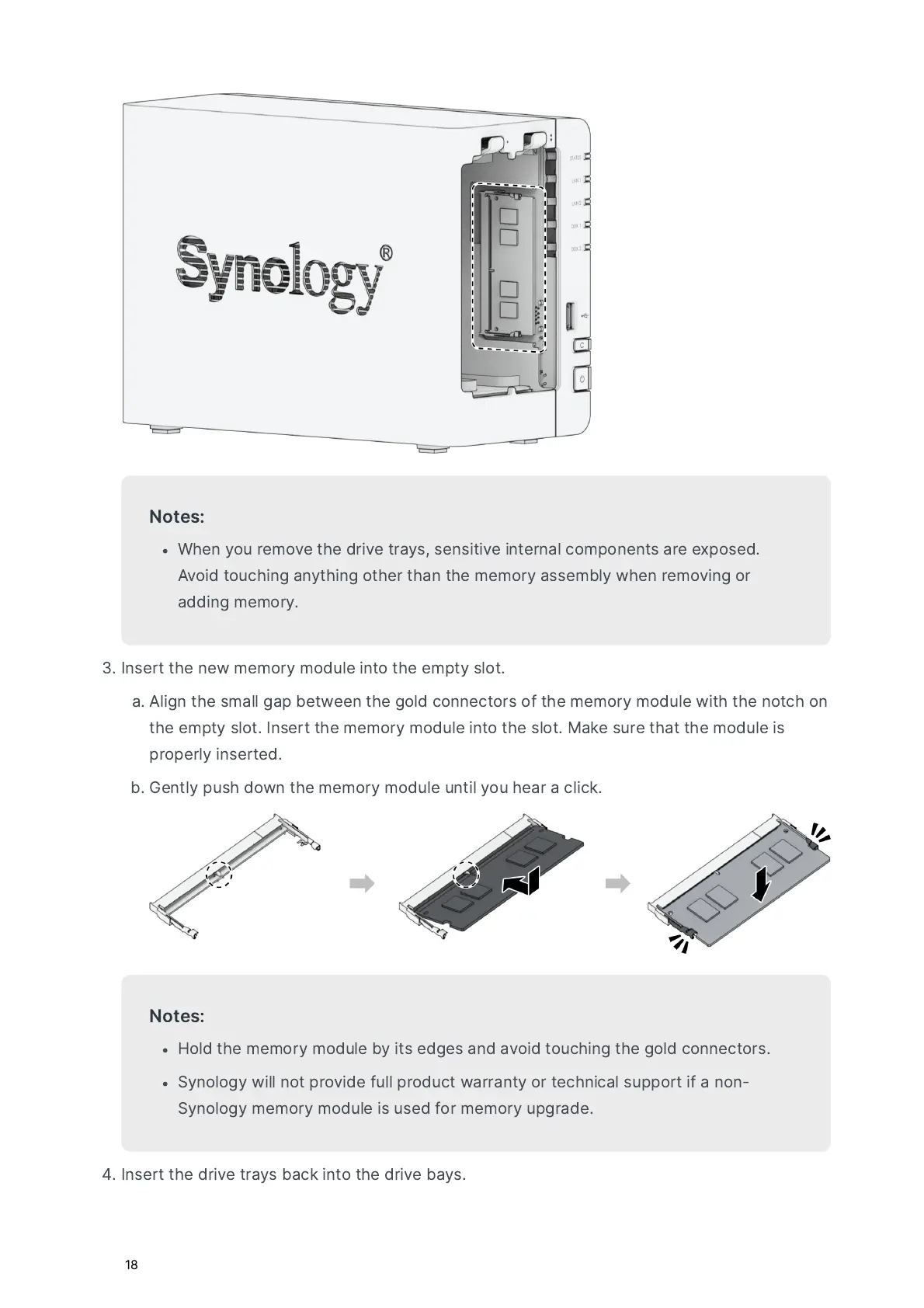
N
ot
e
s
:
W
hen
you
r
em
ov
e
t
he
d
r
i
v
e
tr
a
ys
,
s
en
s
i
t
i
v
e
in
t
e
r
n
a
l
c
o
m
po
nen
ts
a
r
e
e
xpos
ed
.
A
vo
id
tou
ching
a
n
yt
hing
ot
he
r
t
h
a
n
t
he
mem
ory
a
ss
embl
y
w
hen
r
em
ov
ing
or
a
dding
mem
ory
.
I
n
s
e
rt
t
he
ne
w
mem
ory
m
o
d
u
le
in
to
t
he
em
pty
s
l
ot
.
a
A
lign
t
he
s
m
a
ll
g
a
p
be
tw
een
t
he
g
o
ld
c
o
nnec
tors
o
f
t
he
mem
ory
m
o
d
u
le
w
i
t
h
t
he
n
ot
ch
o
n
t
he
em
pty
s
l
ot
.
I
n
s
e
rt
t
he
mem
ory
m
o
d
u
le
in
to
t
he
s
l
ot
.
Ma
ke
sur
e
t
h
a
t
t
he
m
o
d
u
le
i
s
prop
e
r
l
y
in
s
e
rt
ed
.
b
G
en
t
l
y
pus
h
d
ow
n
t
he
mem
ory
m
o
d
u
le
u
n
t
il
you
he
a
r
a
click
.
N
ot
e
s
:
H
o
ld
t
he
mem
ory
m
o
d
u
le
b
y
i
ts
edge
s
a
nd
a
vo
id
tou
ching
t
he
g
o
ld
c
o
nnec
tors
.
S
y
n
o
l
o
g
y
w
ill
n
ot
prov
ide
f
u
ll
pro
d
u
c
t
w
a
rr
a
n
ty
or
t
echnic
a
l
support
if
a
n
o
n
-
S
y
n
o
l
o
g
y
mem
ory
m
o
d
u
le
i
s
us
ed
f
or
mem
ory
up
g
r
a
de
.
I
n
s
e
rt
t
he
d
r
i
v
e
tr
a
ys
b
a
ck
in
to
t
he
d
r
i
v
e
b
a
ys
.

Related product manuals