
 Need help?
Do you have a question about the Synology DS411j and is the answer not in the manual?
Overview of physical components and features for 1-bay and 2-bay DiskStation models.
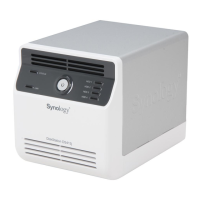
Overview of physical components and features for 4-bay DiskStation models.
Overview of physical components and features for 10-bay DiskStation models.
Guides on initial setup and installation of Synology DiskStation and DSM.
Instructions for accessing DSM via Synology Assistant or web browser.
Explanation of the DSM desktop, taskbar, icons, and basic UI elements.
How to customize user account settings like password and description in DSM.
Modifying DiskStation Manager login style, general settings, and appearance.
Configuring network interfaces, IP addresses, DNS, and bonding options.
Setting display language, email language, and codepage for regional settings.
Managing power settings like HDD hibernation, fan speed, and power recovery.
Explains the fundamental concepts of storage volumes and disk groups for data storage.
Provides guidance on creating, configuring, and managing storage volumes and disk groups.
Details on setting up and managing iSCSI targets for network block storage access.
Instructions for monitoring and managing individual hard disk status and write cache support.
Steps for connecting and managing external storage devices like USB and eSATA drives.
Simplified setup for internet access including firewall, PPPoE, and DDNS.
Configuring router rules to allow external access to DiskStation services.
Registering a dynamic DNS hostname for easy internet access.
Configuring firewall rules to control network access and prevent unauthorized logins.
Enabling auto-block to prevent brute-force attacks via IP address.
Supporting file sharing protocols for Windows, Mac, and Linux.
Integrating the DiskStation into a Windows domain or workgroup.
Creating and managing user accounts and groups for file access control.
Creating and managing shared folders for data storage and access control.
Methods to access shared folders from within the local network.
Mapping shared folders as network drives using Synology Assistant or Windows Explorer.
Connecting to shared folders from Mac using SMB or AFP protocols.
Using FTP to upload and download files to the DiskStation.
Utilizing the web-based File Browser for file management and access.
Strategies for backing up computer data to the Synology DiskStation.
Configuring DiskStation as a backup destination for Apple Time Machine.
Methods for backing up data from the DiskStation itself, including local and network backup.
Synchronizing shared folder data between multiple DiskStations.
Utilizing Time Backup for versioned backups and snapshots.
Setting up and configuring Web Station for hosting websites with PHP and MySQL.
Configuring the DiskStation to function as a mail server for sending and receiving emails.
Enabling the DiskStation to act as a print server for network-connected printers.
Configuring iTunes service for browsing and playing media on the network.
Activating and configuring the Photo Station service for sharing media.
Allowing individual users to enable their own Photo Station.
Creating and managing user accounts for Photo Station access and permissions.
Methods for uploading and organizing photos and videos into albums.
Editing album details, access permissions, and managing uploads and downloads.
Configuring albums for private access, restricting visibility to specific users.
Activating the Audio Station service for playing music.
Selecting music sources like library, playlists, iPod, or media servers for playback.
Browsing music, changing views, and managing music library organization.
Creating, managing, and editing personal and shared music playlists.
Controlling music playback using the queue panel and music player interface.
Activating the Download Station for managing file downloads from the internet.
Configuring settings for BitTorrent, HTTP, FTP, and NZB downloads.
Step-by-step guide to create download tasks via file upload or URL entry.
Checking and managing active, completed, or stopped download tasks.
Configuring eMule settings for ED2K server connection and bandwidth.
Activating and configuring the Surveillance Station for IP camera management.
Adding, editing, and configuring IP cameras, including setup and recording settings.
Viewing real-time video feeds from configured cameras.
Browsing, playing, downloading, and managing recorded surveillance events.
Creating and managing E-Maps to visualize camera locations and status.
Setting up email and SMS notifications for important surveillance events.
Enabling and configuring the DLNA/UPnP media server for multimedia streaming.
Adjusting how media files are displayed and browsed by DMA devices.
Optimizing compatibility settings for DMA devices to ensure smooth media playback.
Configuring the iTunes service to share media with iTunes clients on the network.
Reviewing general system status, network, storage, and log information.
Using Resource Monitor to track CPU, memory, and network usage.
Checking for and installing the latest DiskStation Manager updates.
Installing, upgrading, and uninstalling software packages on the DiskStation.
Configuring email and SMS notifications for important system events.
Procedure to reset the administrator password if forgotten.
Options for restoring the DiskStation to its original factory settings.
Utilizing Synology's mobile apps for accessing DiskStation features on iOS and Android devices.
Accessing DiskStation features using other mobile devices like Windows Mobile or Symbian.
Detailed technical specifications for Synology DiskStation 1-bay models.
Detailed technical specifications for Synology DiskStation 2-bay models.
Detailed technical specifications for Synology DiskStation 4-bay models.
Detailed technical specifications for Synology DiskStation 5-bay models.
Detailed technical specifications for Synology DiskStation 10-bay models.
Notes on supported features and limitations of the DiskStation.
Explanation of LED status indicators for 1-bay DiskStation models.
Explanation of LED status indicators for 2-bay DiskStation models.
Explanation of LED status indicators for 4-bay DiskStation models.
Explanation of LED status indicators for Synology RackStation models.
Explanation of LED status indicators for 5-bay DiskStation models.
Explanation of LED status indicators for 10-bay DiskStation models.
 General
| RAM | 128 MB DDR2 |
|---|---|
| Drive Bays | 4 |
| External Ports | USB 2.0 x 2 |
| Noise Level | 19.8 dB(A) |
| CPU | Marvell 6281 1.2GHz |
| Maximum Internal Capacity | 16 TB (4 x 4TB) |
| LAN Port | Gigabit x 1 |
| File System | EXT4, EXT3, FAT, NTFS |
| Dimensions | 184 mm x 168 mm x 230 mm |
| Power Consumption | 11.2W (HDD Hibernation) |
| Compatible Drive Type | 3.5" SATA(II) |








 To Next Page