
 Need help?
Do you have a question about the Synology DS923+ and is the answer not in the manual?
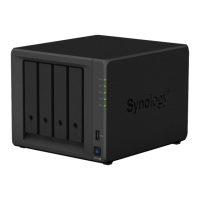
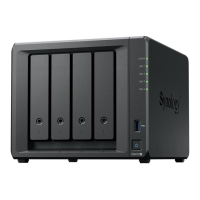
Overview of the DS923+ hardware components and ports.
Lists the technical specifications of the DS923+ hardware.
Provides essential safety guidelines for using the NAS.
Step-by-step guide to installing hard drives into the NAS.
Steps to power on and connect the Synology NAS to the network.
Guide to installing DiskStation Manager using Web Assistant.
 General
| Model | DS923+ |
|---|---|
| CPU | AMD Ryzen R1600 |
| CPU Architecture | 64-bit |
| CPU Cores | 2 |
| CPU Threads | 4 |
| Base Frequency | 2.6 GHz |
| Burst Frequency | 3.1 GHz |
| Hardware Encryption Engine | Yes |
| Memory | 4 GB DDR4 ECC SODIMM |
| Maximum Memory Capacity | 32 GB (16 GB x 2) |
| Drive Bays | 4 |
| RJ-45 1GbE LAN Port | 2 |
| USB 3.2 Gen 1 Port | 2 |
| eSATA Port | 1 |
| Form Factor | Desktop |
| Size (Height x Width x Depth) | 166 mm x 199 mm x 223 mm |
| Weight | 2.24 kg |
| Wake on LAN/WAN | Yes |
| Scheduled Power On/Off | Yes |
| System Fan | 92 mm x 92 mm x 2 pcs |
| AC Input Power Voltage | 100V to 240V AC |
| Power Frequency | 50/60 Hz |
| Operating Temperature | 0°C to 40°C (32°F to 104°F) |
| Storage Temperature | -20°C to 60°C (-5°F to 140°F) |
| Relative Humidity | 5% to 95% RH |
| Noise Level | 19.8 dB(A) |
| Maximum Internal Raw Capacity | 72 TB |
| M.2 NVMe Slots | 2 |
| PCIe Expansion | 1 x Gen3 x2 slot |
| Operating System | DiskStation Manager (DSM) |
| Maximum Raw Capacity with Expansion Units | 180 TB (with DX517 x 2) |







 To Next Page