6
Chapter 2: Hardware Setup
4
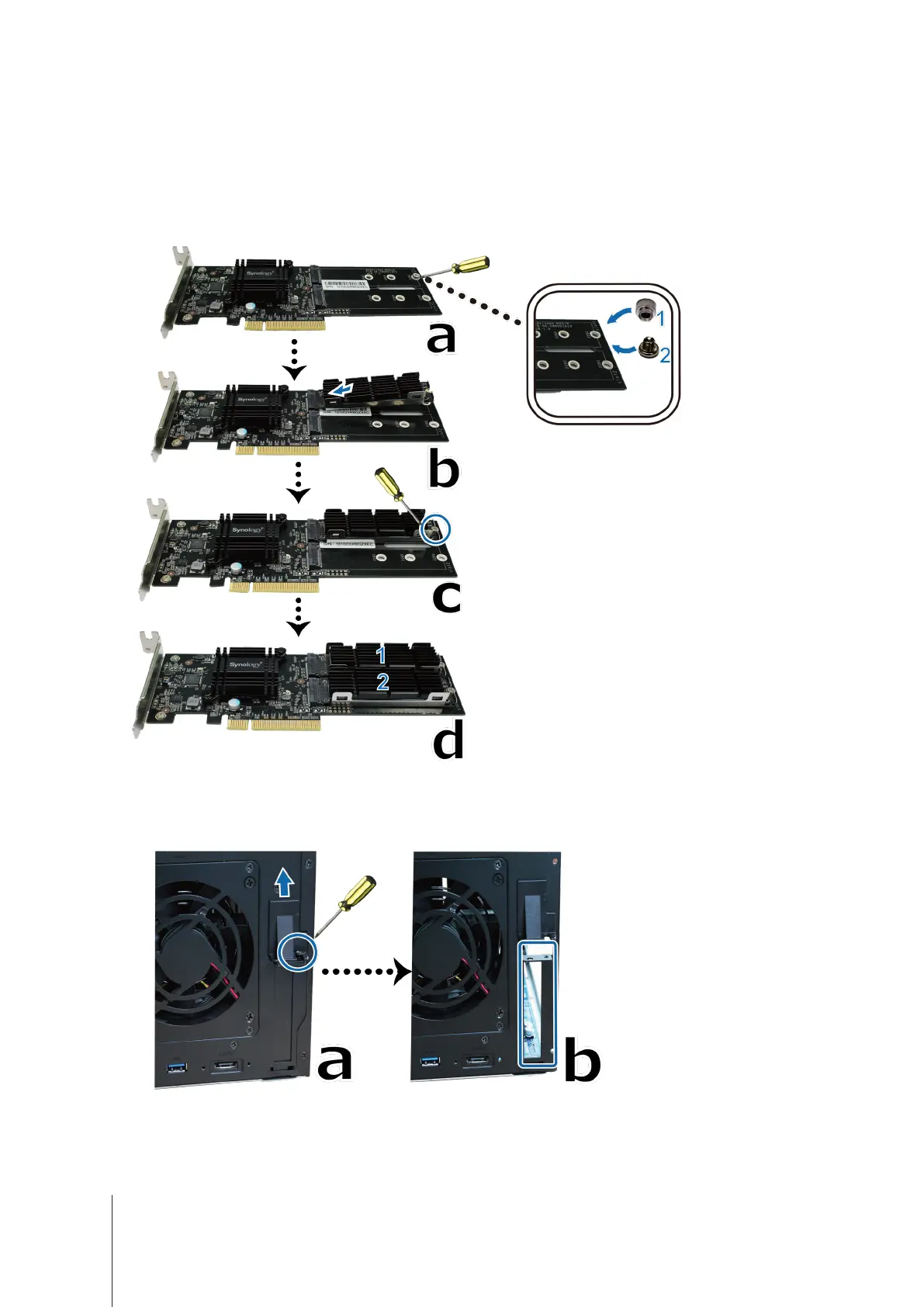
Add M.2 SSD to M2D18 adapter card:
a
Place a nut (1) and fasten a screw (2) to secure it.
b
Insert M.2 SSD into the slot. Make sure the card is fully inserted.
c
Tighten the SSD with a screw.
d
Repeat previous two steps if installing another optional SSD is needed. Slot numbers are shown as below.
5
Install the M2D18 adapter card:
a
Remove the screw that secures the adapter slot’s cover.
b
Remove the adapter slot’s cover.



 To Next Page