7
Chapter 2: Hardware Setup
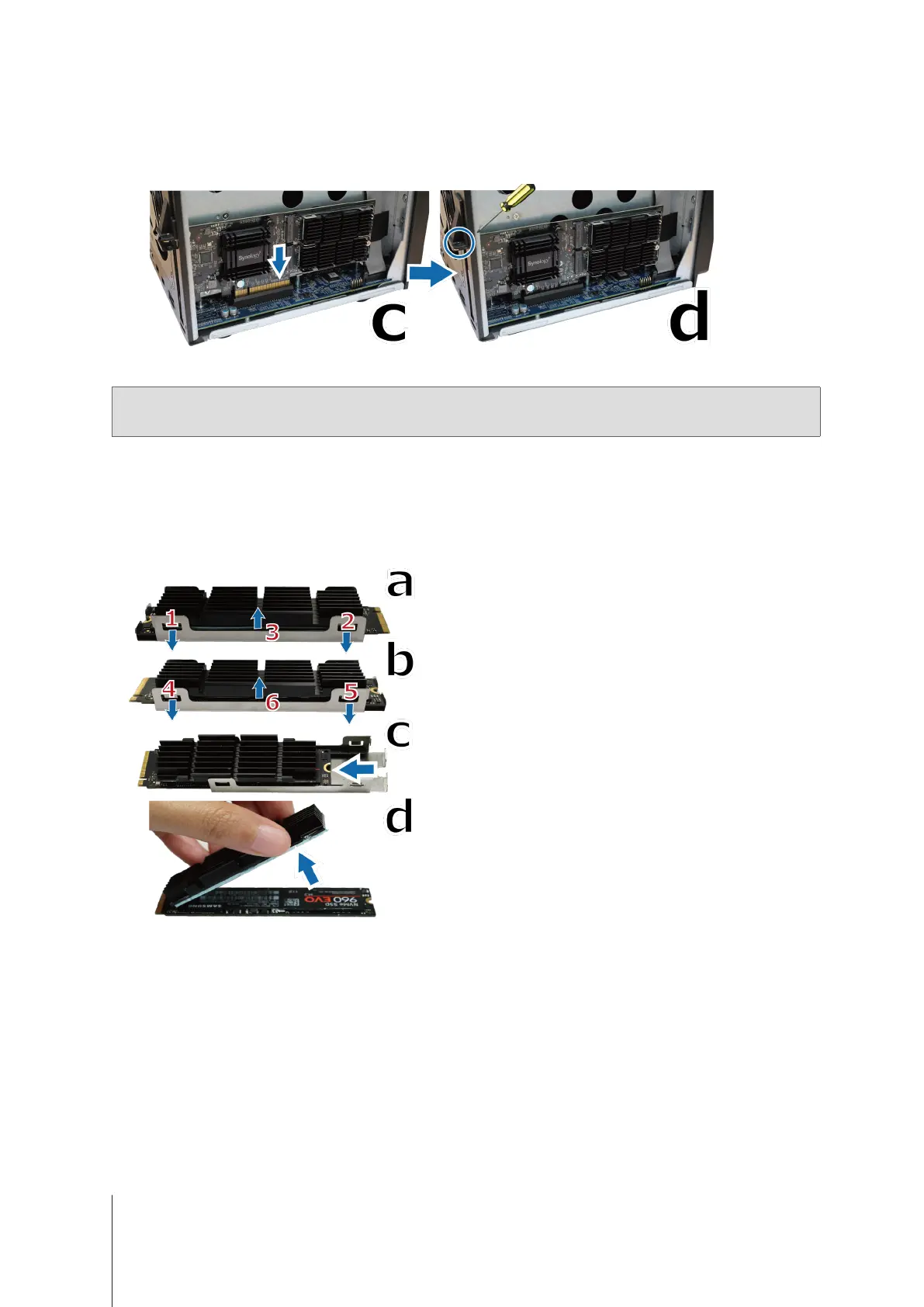
c
Align the card’s connector with the adapter slot and insert the card.
d
Fasten the removed screw in step 5-a so as to secure the newly inserted card.
6
Place back the removed top cover in step 2 and tighten the screws.
Note:
Make sure the connector is fully inserted or the adapter card may not function properly.
7
To disassemble the heatsink module:
a
Pull the metal clips of a shielding bracket outwards while pushing the heatsink upwards.
b
Rotate the bracket and repeat the step above to free the heatsink.
c
Slide out the detached heatsink and SSD.
d
Gently lift the heatsink to detach it from the SSD.



 To Next Page