Chapter 1: Get Started with RX410
7
Appearance
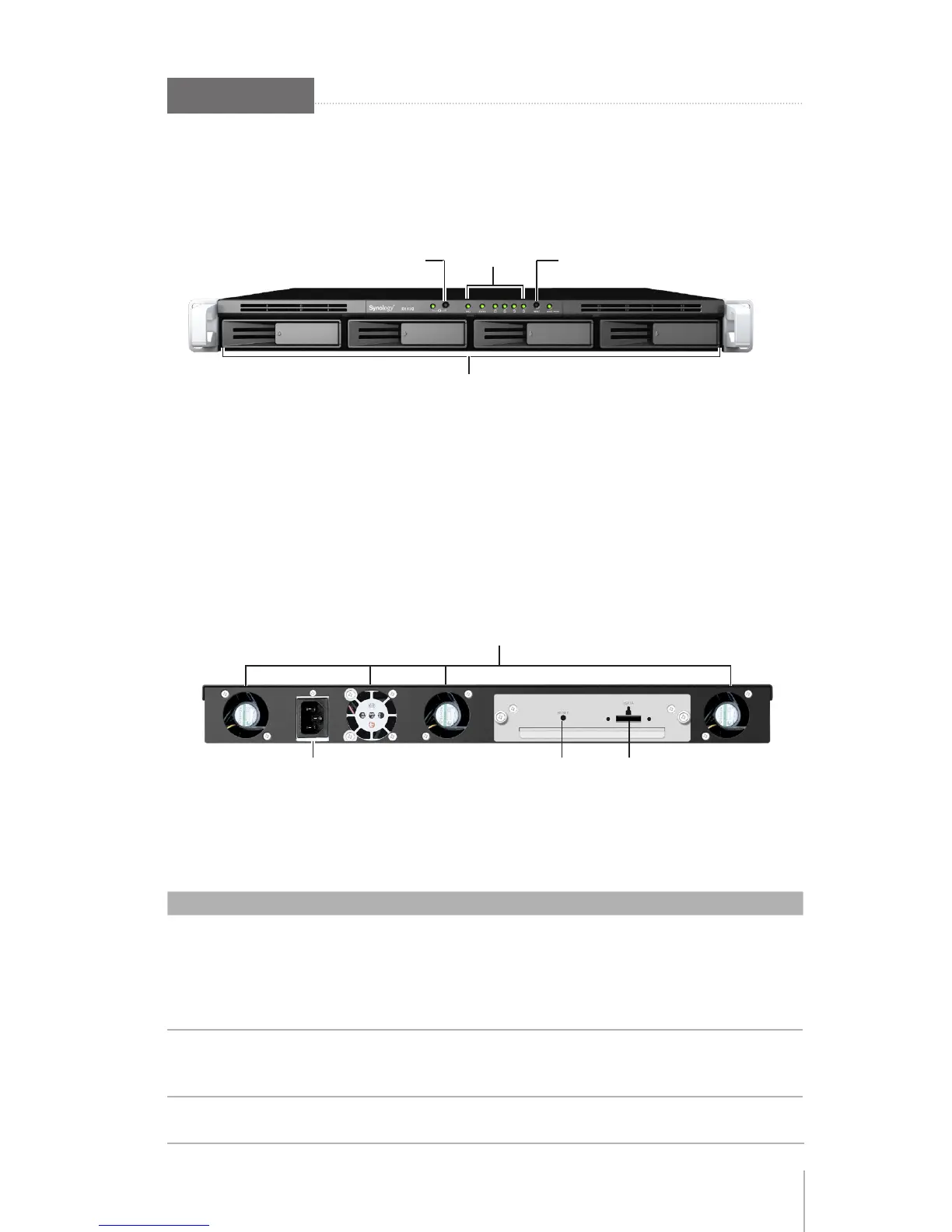
Front View
LED
Indicators
Hard Drive Tray
Power
Button
Reset
Button
Back View
Power Port
eSATA Port
RESET Button
Fan
Article Name Location Description
POWER Button
Front
The POWER button is used to turn RX410 on or off.
Press and hold the button for 7 seconds to shut down
RX410.
Note:
RX410 will be turned on or off automatically when
the connected Synology RackStation powers on or off.
LED Indicators
Front
The LED indicators are used to display the status of
the internal disks and the system. For complete details,
please refer to the next table:
LED Behavior
.
Hard Drive Tray
Front
The hard drive tray is designed for loading the hard
drives with RX410.








 To Next Page