Information:
• Xbox mode and Switch mode also applies to Android devices.
• Linux includes Raspberry Pi, Chrome OS and other Linux-based devices.
ANDROID LINUX
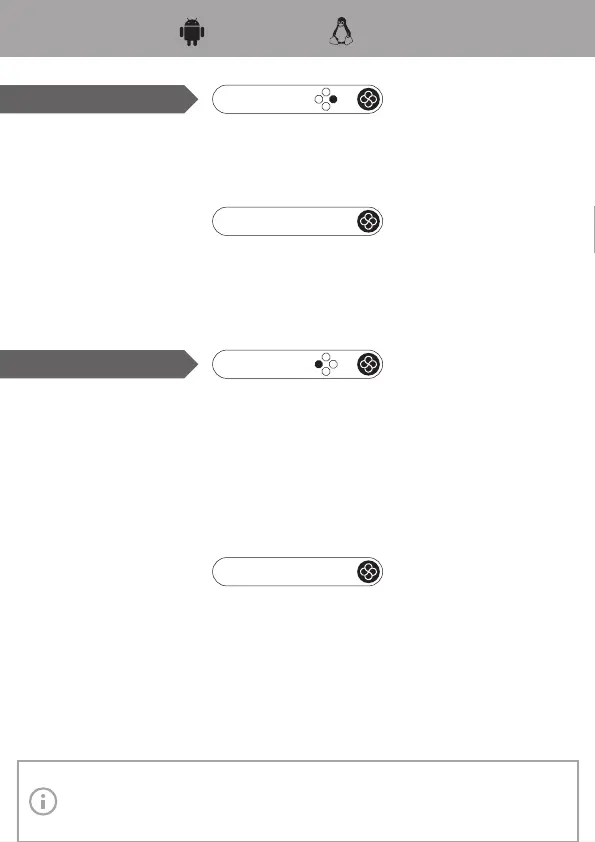
Gamepad Mode
➀ Enable Bluetooth, select to pair new device.
➁ Hold the east button and Home button for 2 seconds (the light turns from green to white).
➂ Find the device “Gamepad” to pair.
➃ Once succeed, the light stays green.
+
Pair
Link
General Link: Press Home button (if this device is the one been Bluetooth connected last
time).
Link by Mode: Press the east button + Home button (if this device is the one been Bluetooth
connected by Android mode last time).
Virtual Touch Mode
This mode is used to play Android games which don’t support controller, by virtual
buttons on the screen to simulate touch input.
➀ Enable Bluetooth, select to pair new device.
➁ Hold the west button and Home button for 2 seconds (the light turns from yellow to
white).
➂ Find the device “Gamepad_Touch” to pair.
➃ Once succeed, the light stays yellow.
➄ Open the app “Keylinker” to use.
+
Pair
Link
General Link: Press Home button (if this device is the one been Bluetooth connected last
time).
Link by Mode: Press the west button + Home button (if this device is the one been
Bluetooth connected by Virtual Touch mode last time).



 To Next Page