13
iOS version Android version
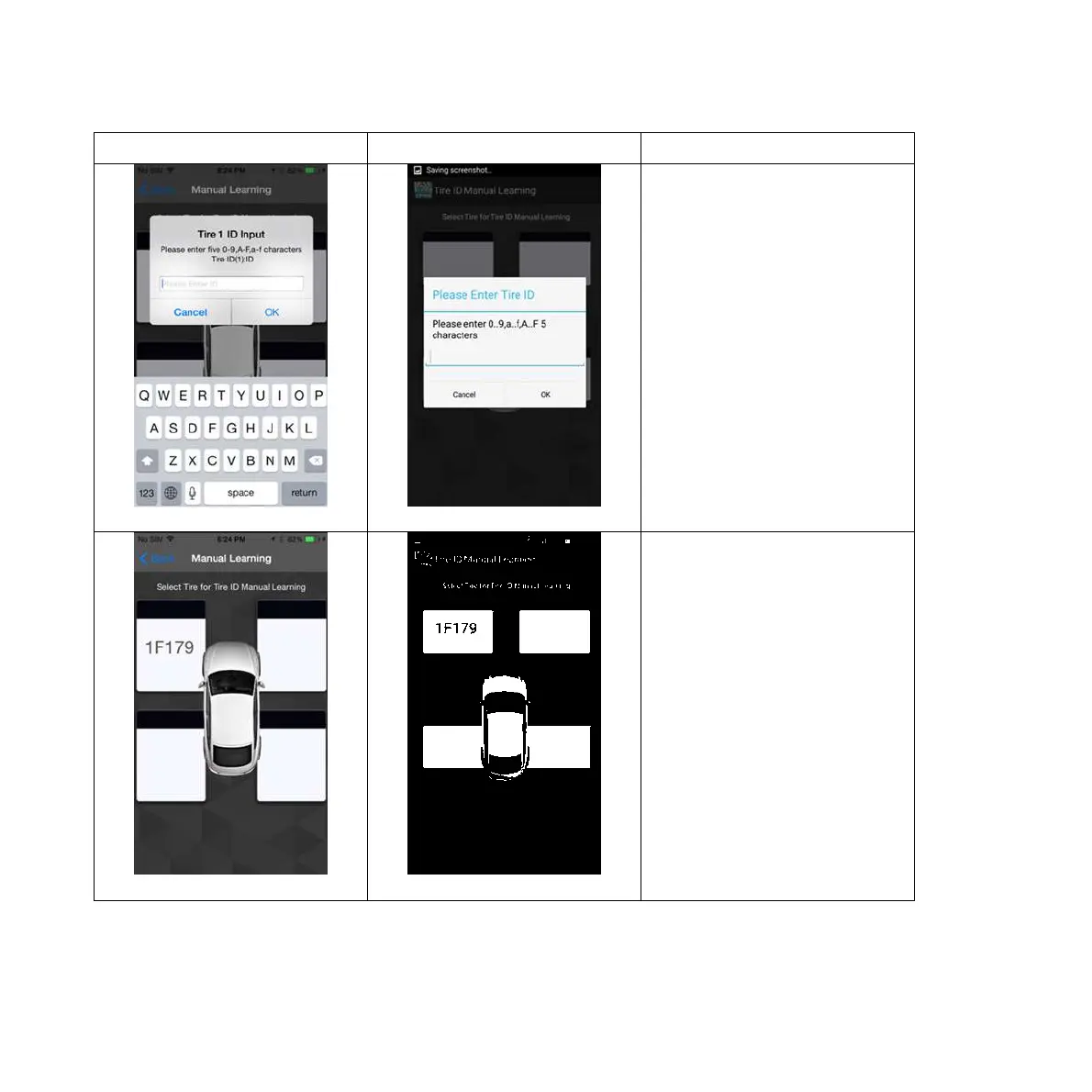
Pic 3 Pic 3
2. Choose tire 1 and key in
the five-character sensor ID
(Please refer to last page: ID
sticker), which might
include “0-9”, “A-F”, or ”a-
f”, when a blank space pops
up. (Pic 3)
Pic 4 Pic 4
3. Manual Learning
completed. (Pic 4) Using the
same method, set up the ID
learning for tire 2(RF), tire
3(RR) and tire 4(LR) in
sequence.


 To Next Page