14
7.3 Rapid Deflation Setting
iOS version Android version
Pic 1
Pic 1
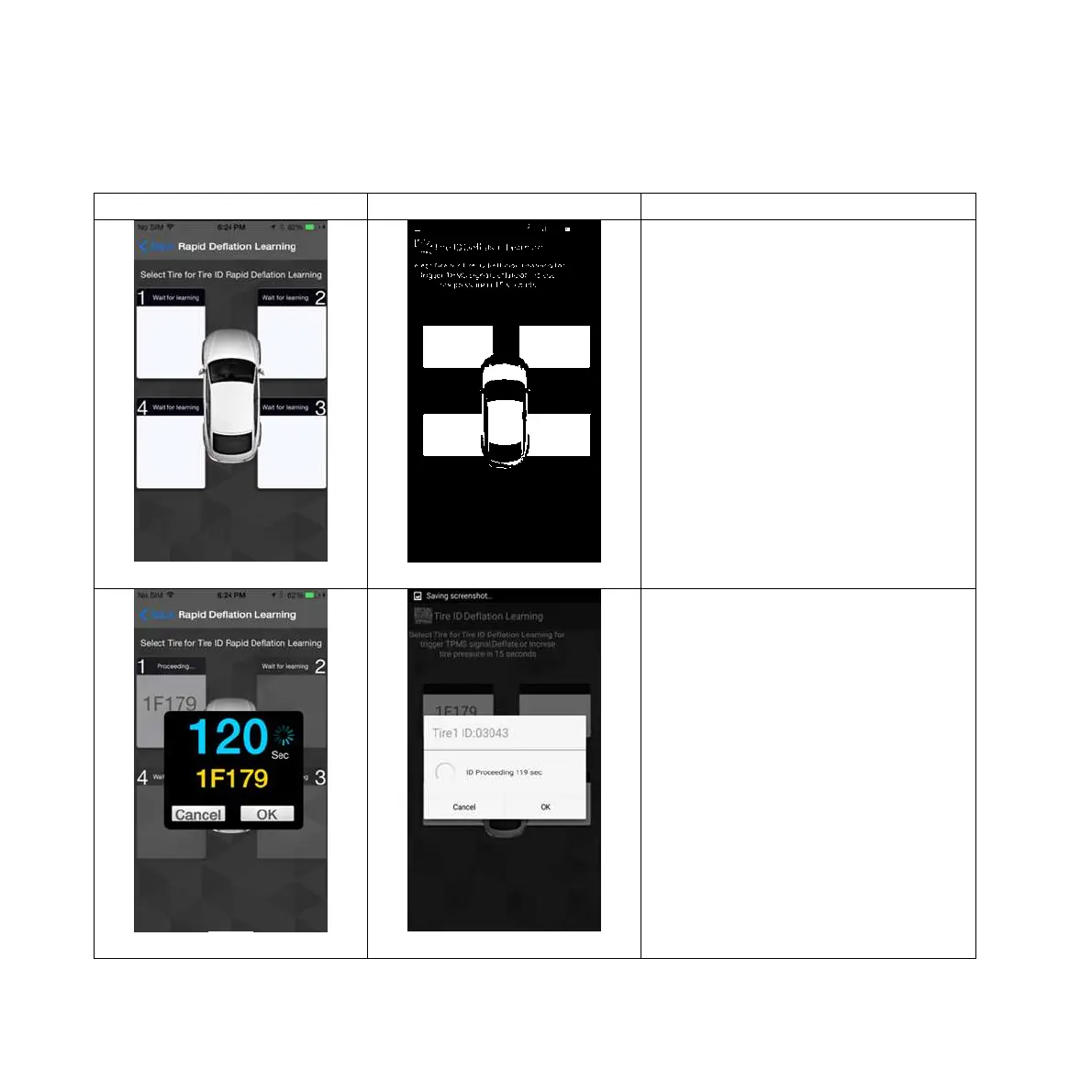
Rapid Deflation Setting :
Select Rapid Deflation Setting.
(Pic 1)
Pic 2
Pic 2
2. Choose tire 1 (LF) and deflate
the tire pressure. The APP will look
for the deflation signal, showing
new ID number on the dialogue
display. You can press “OK’ to
finish this step or press "Cancel". It
takes 120 seconds to perform this
step. (Please
ask a qualified tire shop to install
the product) (Pic 2)


 To Next Page