7
Second Fix
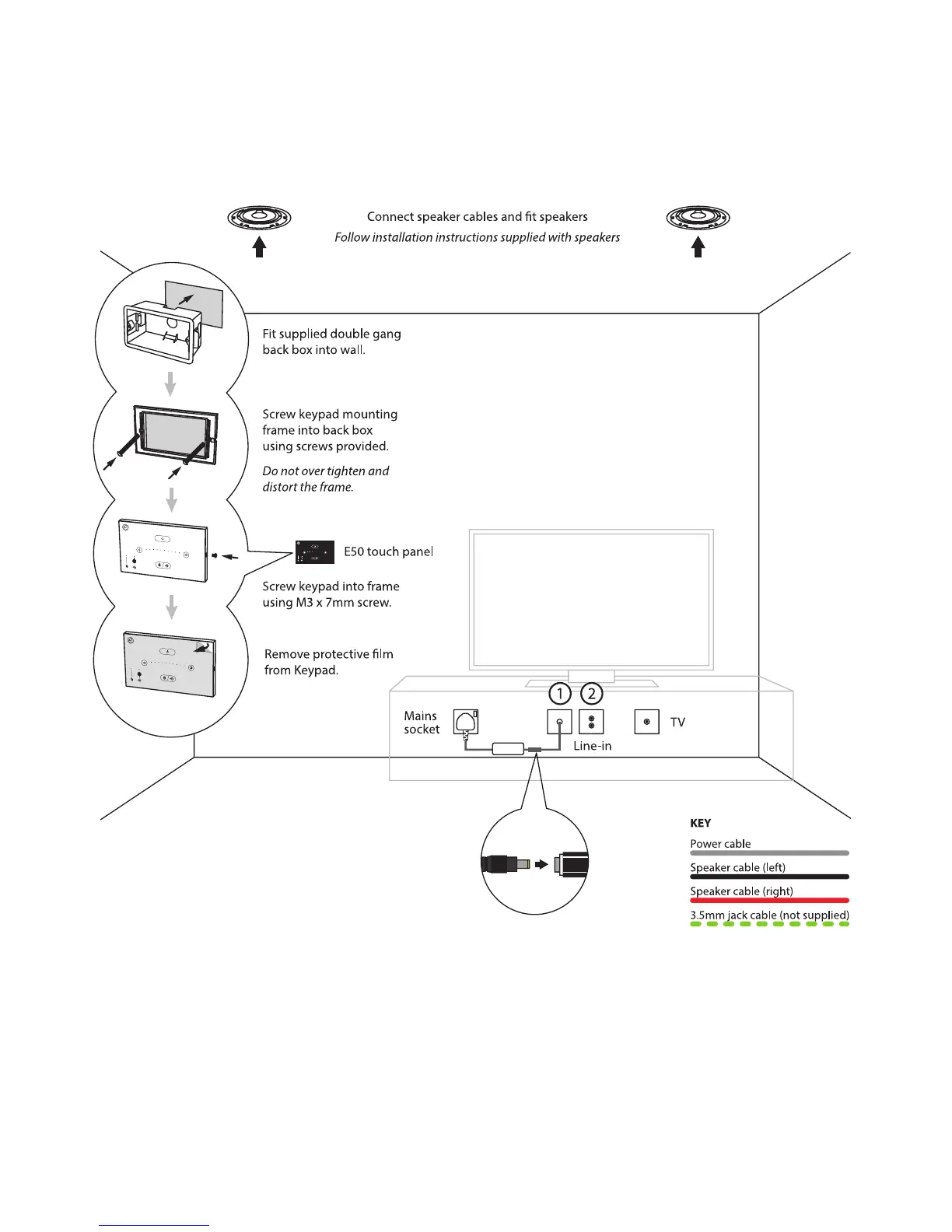
Connect cable tails to touch panel, speakers and PSU. Fix items in place, using the
instructions supplied with the speakers to ensure correct speaker installation.
Notes
1. Blanking plate required to cover break-out box - requires a single hole to exit DC
cable.
2. Optional TV sound / Aux input requires a 25 x 50mm twin phono Euro module e.g.
Philex EMSPK2W or similar.


 To Next Page